E6582062
6-31 6. [Advanced] How to use parameters
3
4
6
9
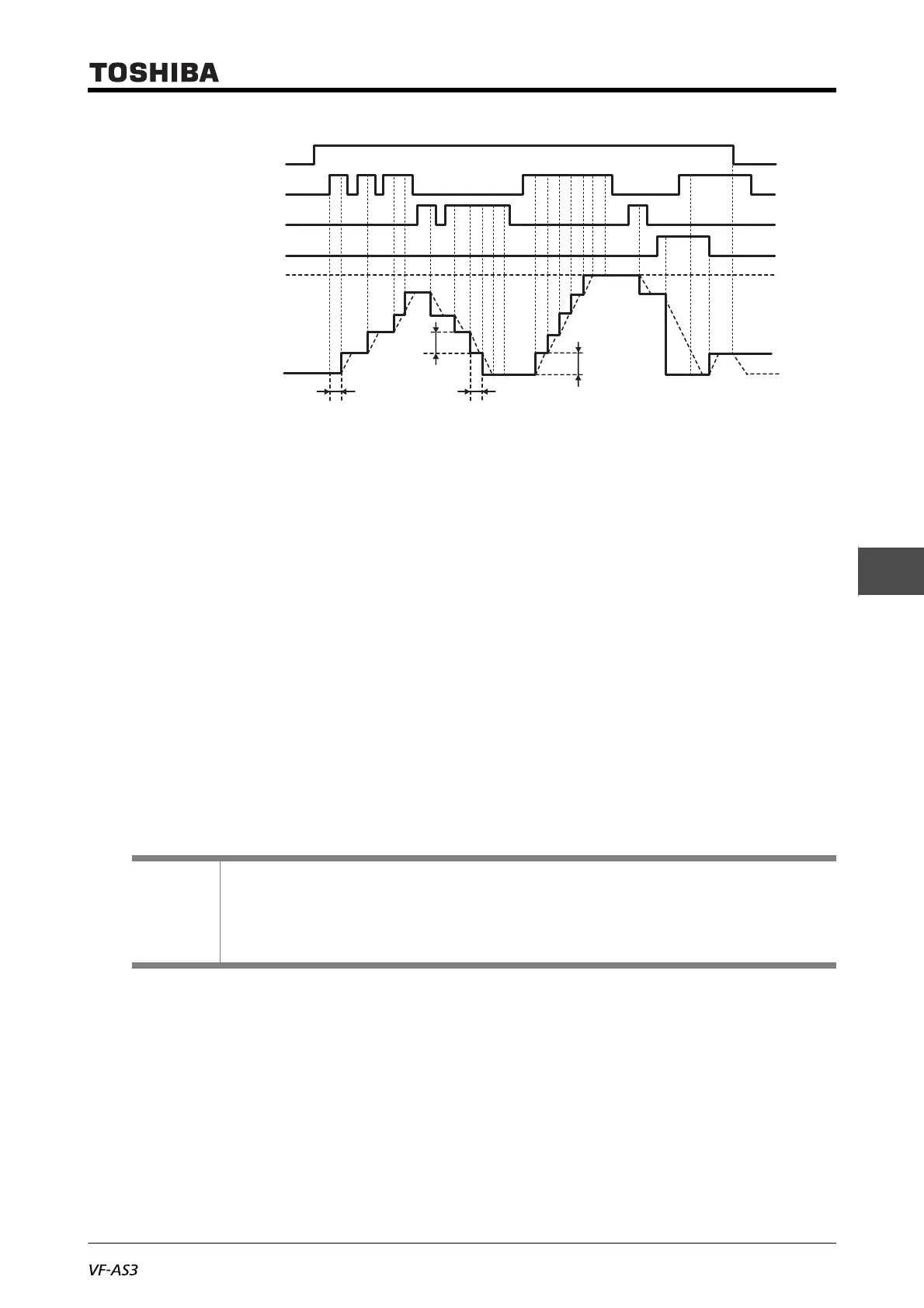
■ Initial UP/DOWN frequency setting method
When you want to set a specified frequency other than 0.0 Hz at first after power on, set <F268:
Initial Up/Down frequency>.
Also, set <F269: Up/Down frequency rewrite> to "0: F268 is not changed".
Save the frequency before power off. When you want to start at the saved frequency the next time
the power is turned ON, set <F269: Up/Down frequency rewrite> to "1: F268 is changed after power
off."
Keep in mind that <F268: Initial Up/Down frequency> is changed every time the power is turned
OFF.
The adjustment range of <F268: Initial Up/Down frequency> is <LL: Lower limit frequency> to <FH:
Maximum frequency>. When Terminal Up, Down frequency clear (function number: "92" or "93") is
input, the lower limit frequency is set for the frequency command.
Reference
• How to operate the operation panel -> Refer to [3. 1. 1].
• How to switch display mode on the operation panel -> Refer to [3. 1. 2].
• Procedure to change parameter setting -> Refer to [4. 2. 3].
• Details on operation by external signals -> Refer to [Chapter 7].
Solid line: Frequency command value
Dotted line: Output frequency
Upper limit frequency
0Hz
Up signal
Down signal
Terminal Up, Down
frequency clear signal
Run command
(Fwd/Rev)
<F265>
<F266><F264>
<F267>



 To Next Page
 Loading...











