E6582062
3-9 3. [Basic operation] Operation panel and screen display
3
9
10
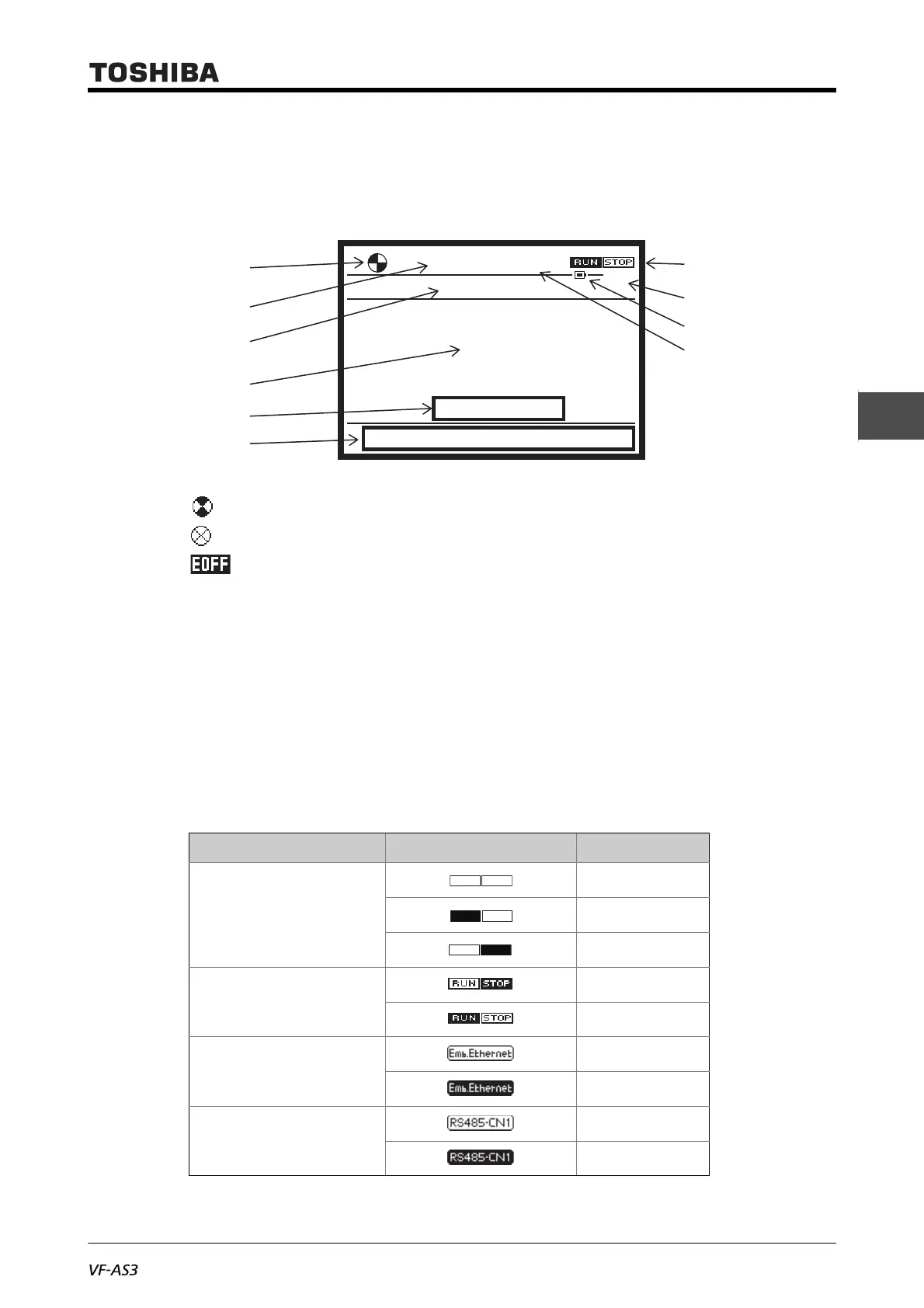
■ Screen display of [Standard mode]
This is the normal display mode of the inverter.
(1) - (6) are display contents common to [Standard mode], [Setting mode], [Easy mode], and [Monitor
mode].
(1) The operation status is displayed with the following symbols.
(Rotating): In operation (clockwise for forward run, counterclockwise for reverse run)
: Stop
(Blinking): Waiting for emergency off applied with the [STOP/RESET] key (when you
press the [STOP/RESET] key again while the symbol is blinking, the motor comes to an
emergency off)
(2) The operation status is displayed with the following text.
"RUN": During run
"STOP": Stopped
"Trip": Trip has occurred
"JOG": In jog run
(3) The frequency command value (default setting) is displayed in Hz. Set the display contents
with <F723: Status area display of operation panel>.
For details, refer to [5. 4. 3].
(4) The run commands are displayed with icons.
Run command from Icon Run / Stop
Ter m in a l
Stop
Fwd Run
Rev Run
Operation panel,
Extension panel
Stop
Run
Embedded Ethernet
Stop
Run
RS485 communication
(connector 1)
Stop
Run
Screen Copy Setting Monitor
Hz
20.0HzRUN
20.0
17:18
Standard Mode
(1)
(4)
(6)
(5)
(3)
(2)
(7)
(8)
(10)
(9)



 To Next Page
 Loading...











