E6582062
2. Installation and wiring 2-22
2
9
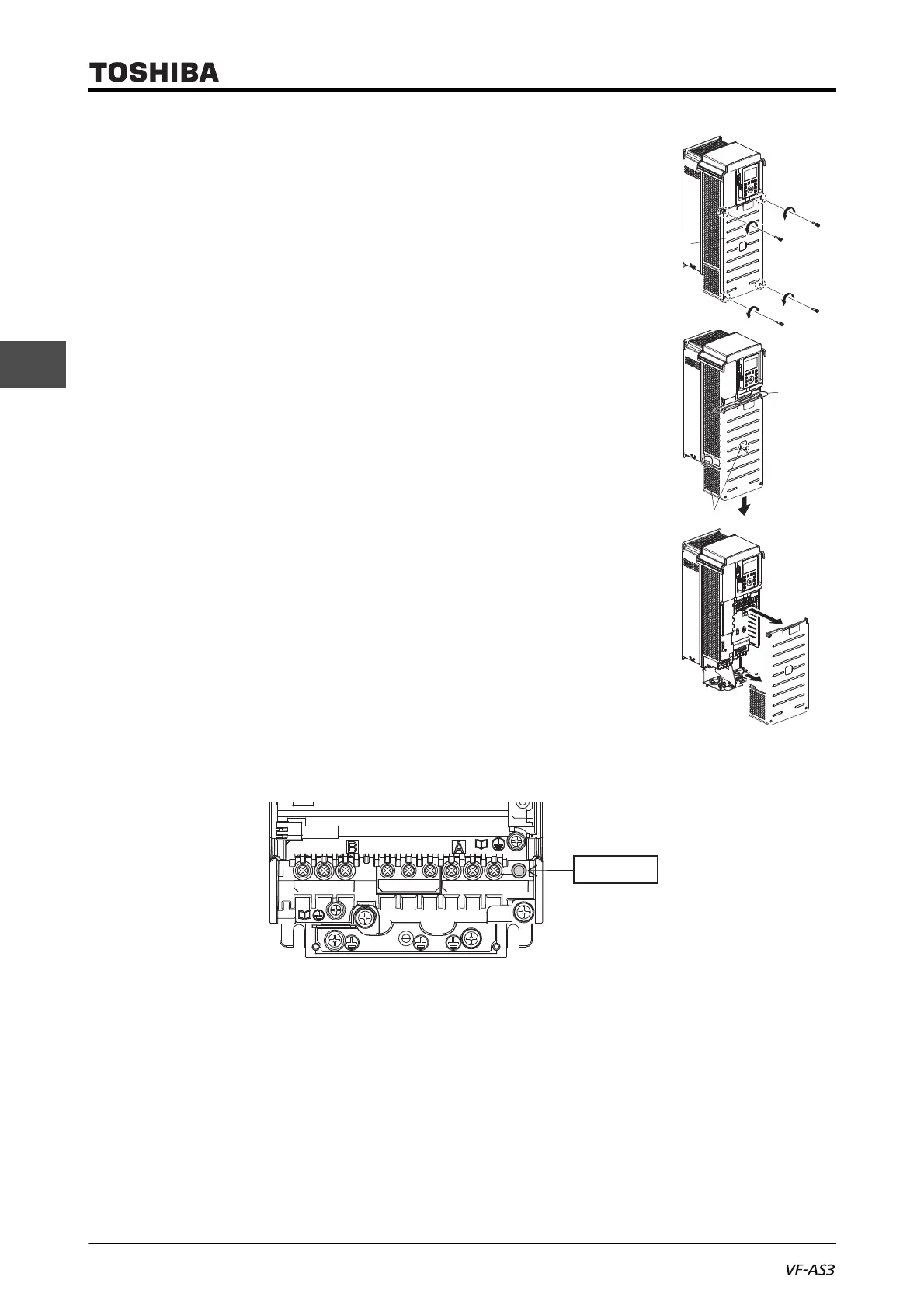
1 Loosen four screws of the front cover.
Since the screws are of falling prevention type, they do
not come off the front cover even if loosened.
2 Hold the both side of the front cover and pull it slightly
downward.
The inserted part of the upper side of the front cover
comes off.
The tab shown in the figure on the right also come off.
3 Pull the front cover toward you and remove it from the
unit.
4 Check that the charge lamp is on/off.
5 Mount the front cover in the reverse procedure.
Pay attention to engagement of the tab and insertion of the upper side of the cover.



 To Next Page
 Loading...











