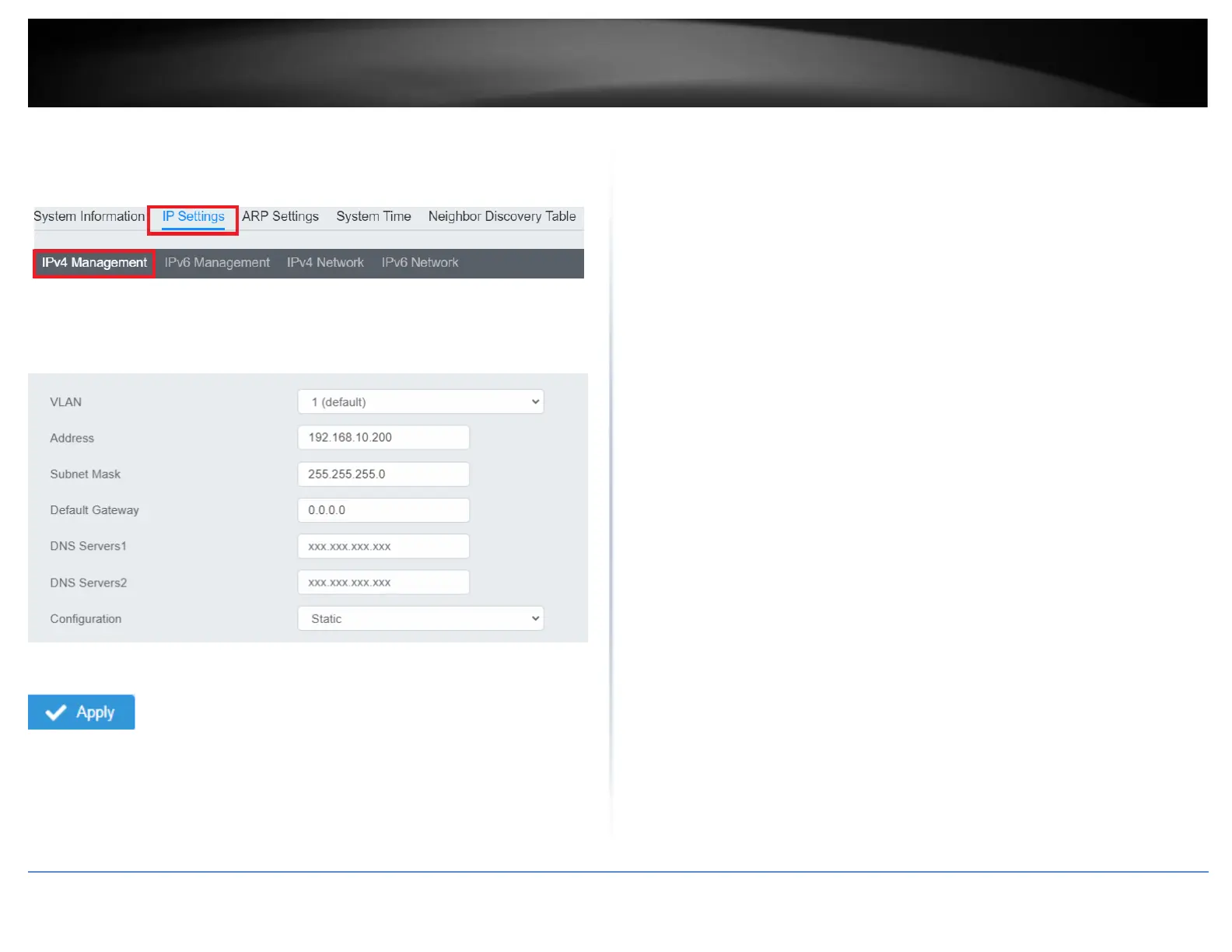
7. Click IP Settings and then click IPv4 Management.
8. Configure the switch’s IP address settings to be within your network subnet, then
click Apply to save your settings.
Note: All other functions of this page will be explained in detail in its respective section.
Note: Be sure to re-log back into the switch using the new IP address and save the
configuration to your flash.













 To Next Page