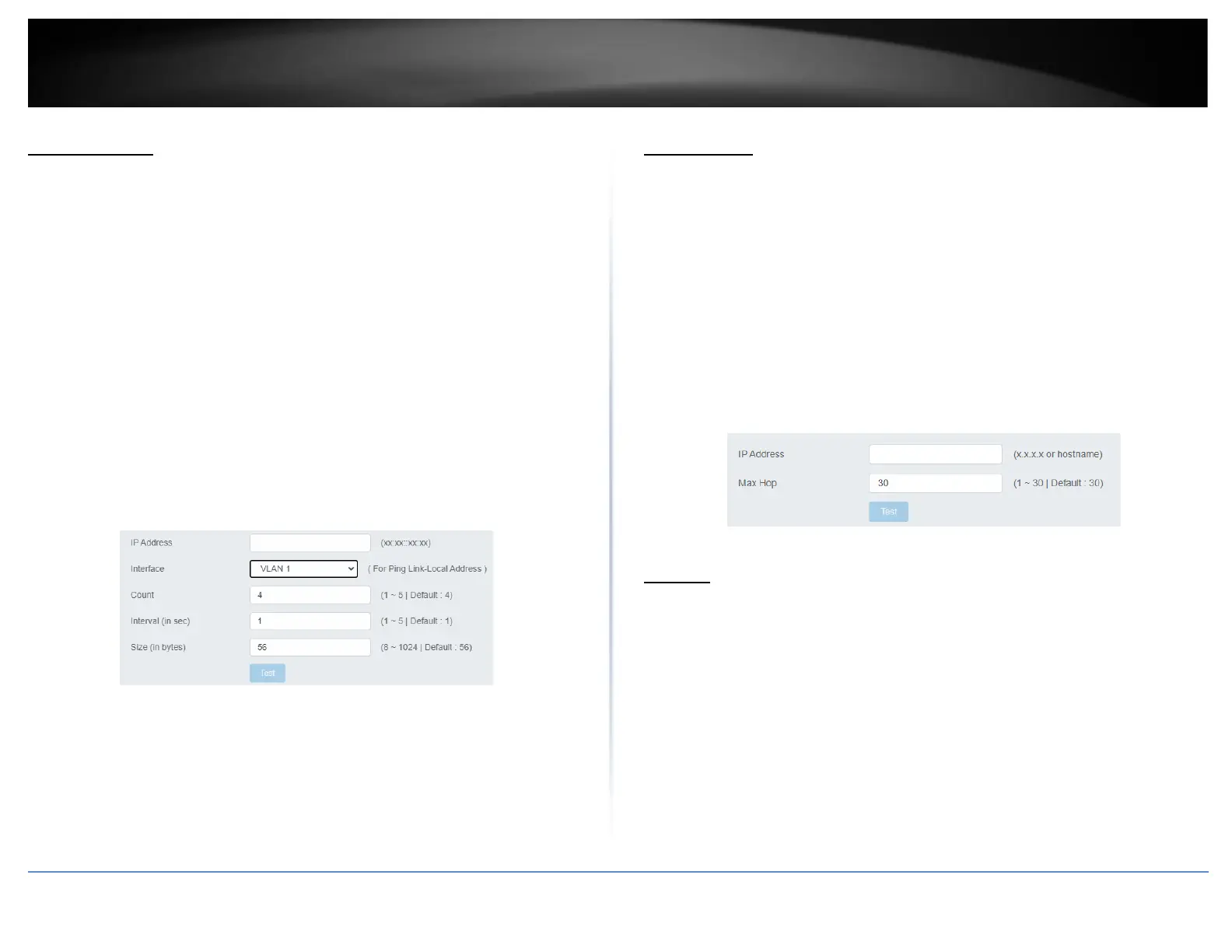
IPv6 Ping Test
Network Connectivity Test (Ping Tool)
Tools > Diagnostics > IPv6 Ping Test
1. Log into your switch management page (see “Access your switch management page”
on page 5).
2. Click on Tools, click on Diagnostics, and click on IPv6 Ping Test.
3. Review the settings. Click Start to start the network connectivity ping test. After the
ping test is activate, you can click Show Ping Results to check the ping test result.
• IP Address - The IP address of the node you want to ping in the IPv6 format.
• Interface – Select the appropriate VLAN ID
• Count – Specifies the number of ping requests you want the switch to perform.
• Interval – Specifies the time between each ping request.
• Size – Specifies the size of the packet sent with each ping.
Trace Route
Tools > Diagnostics > Trace Route
1. Log into your switch management page (see “Access your switch management page”
on page 5).
2. Click on Tools, click on Diagnostics, and click on Trace Route.
3. Review the settings. Click Test to start the Trace Route. After the test is completed,
you can see the result below the test.
• IP Address - The IP address of the node you want to ping in the IPv6 format.
• Max Hop – Enter the maximum number of hops
Reboot
Reboot/Reset to factory defaults
Tools > Reboot
This section provides the procedures for rebooting or resetting the switch to factory
default settings.
To reboot your switch:
You may want to reboot your switch if you are encountering difficulties with your switch
and have attempted all other troubleshooting.
Note: You may want to save the settings to flash before reboot the switch under Save
Settings to Flash (menu) > Save Settings to Flash (button). If you have not saved your
current configuration settings to flash first, the configuration changes will be lost after a
reboot.













 To Next Page