VLAN Settings
802.1Q VLAN
Network > VLAN Settings > 802.1Q
A VLAN is a group of ports that can be anywhere in the network, but communicate as
though they were in the same area.
VLANs can be easily organized to reflect department groups (such as R&D, Marketing),
usage groups (such as e-mail), or multicast groups (multimedia applications such as
video conferencing), and therefore help to simplify network management by allowing
users to move devices to a new VLAN without having to change any physical
connections.
1. Log into your switch management page (see “Access your switch management page”
on page 5).
2. Click on Network, click on VLAN Settings, and click on 802.1Q.
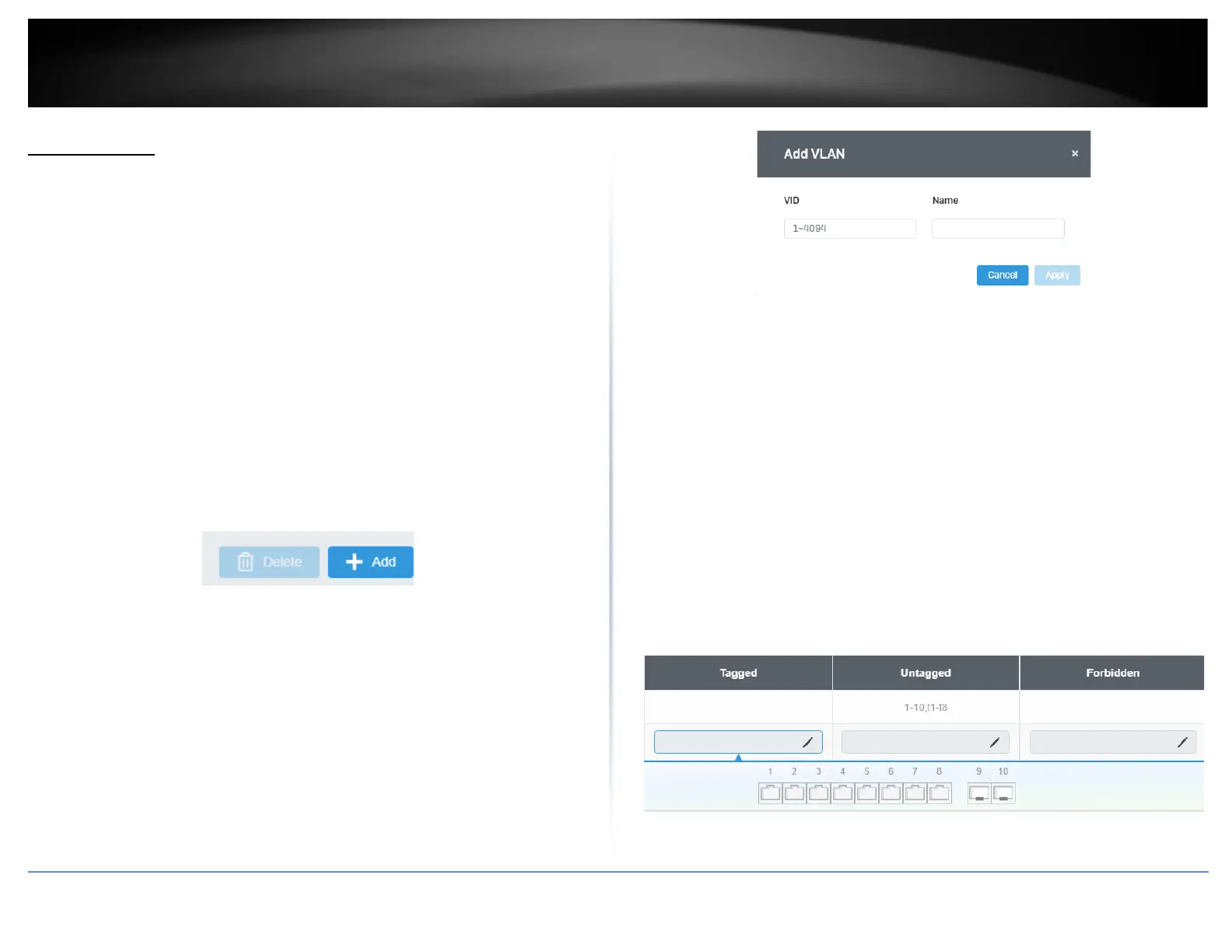
3. Click on Add to create a new VLAN.
3. Review the settings.
• VID – Enter the VLAN ID for the new VLAN.
• Name – Enter the VLAN name.
Note: By default, the default VLAN VID 1 is set as the Management VLAN.
• Cancel – Deletes the current settings
• Apply – Apply the new settings
In the sections Static Tagged, Static Untagged, and Not Member, you can add the type
of VLAN ports to add to the new VLAN (Tagged or Untagged) and assign ports that are
not members (Forbidden) of the new VLAN.
Tagged/Untagged/Not Member VLAN Ports
On a port, the tag information within a frame is examined when it is received to
determine if the frame is qualified as a member of a specific tagged VLAN. If it is, it is
eligible to be switched to other member ports of the same VLAN. If it is determined that
the frame’s tag does not conform to the tagged VLAN, the frame is discarded.
Since these VLAN ports are VLAN aware and able to read VLAN VID tagged information
on a frame and forward to the appropriate VLAN, typically tagged VLAN ports are used
for uplink and downlink to other switches to carry and forward traffic for multiple VLANs
across multiple switches. Tagged VLAN ports can be included as members for multiple
VLANs. Computers and other edge devices are not typically connected to tagged VLAN
ports unless the network interface on these device can be enabled to be VLAN aware.
Select the tagged VLAN ports to add to the new VLAN.













 To Next Page