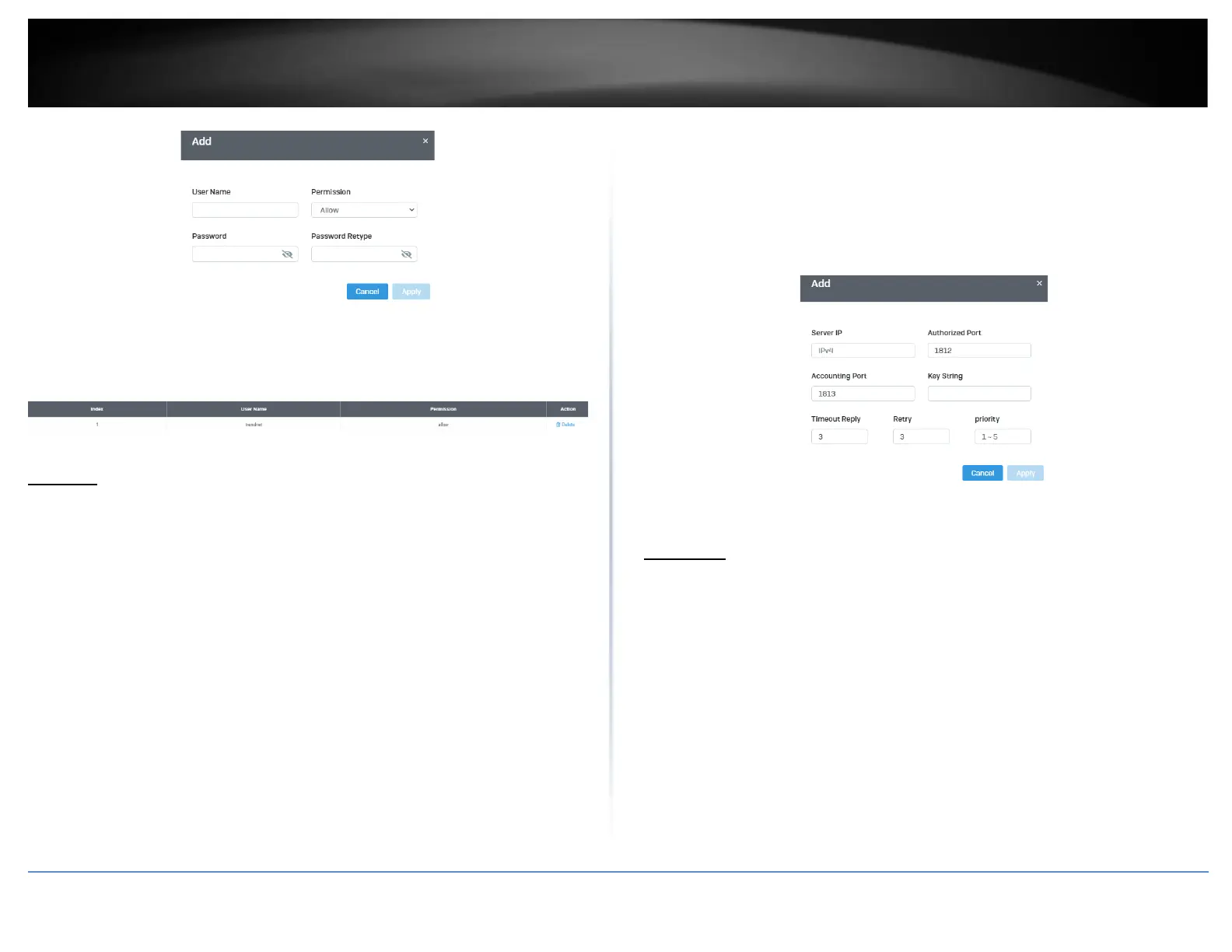
In the list, you can Delete the entry.
RADIUS
Add Radius Servers (RADIUS Authentication Method)
Security > RADIUS Server
1. Log into your switch management page (see “Access your switch management page”
on page 5).
2. Click on Security and click on Radius Server.
3. Click Add to create a new Radius Server.
4. Review the settings.
• Server IP–Input the IPv4 IP address of the RADIUS server you would like to add.
• Authorized Port (1 - 65535) –Set the RADIUS authentic server(s) UDP port. The
default port is 1812.
• Accounting Port (1 - 65535) –Set the RADIUS account server(s) UDP port. The
default port is 1813.
• Key String – Enter the default authentication and encryption key for RADIUS
communication between the device and the RADIUS server.
• Timeout Reply – Enter the max number of timeouts before it retries
• Retry – Enter the max number of retries before it stops trying to recover
• Server Priority – Enter the RADIUS Server priority (Highest: 1, Lowest: 5).
Click Apply to add the entry to the table.
TACACS+
Add TACACS+ Servers (TACACS+ Authentication Method)
Security > TACACS+
Terminal Access Controller Access Control System (TACACS+) provides centralized
security user access validation. The system supports up-to 5 TACACS+ servers.
TACACS+ provides a centralized user management system, while still retaining
consistency with RADIUS and other authentication processes.
The TACACS+ protocol ensures network integrity through encrypted protocol exchanges
between the client and TACACS+ server. The user-assigned TACACS+ parameters are
applied to newly defined TACACS+ servers. If values are not defined, the system defaults
are applied to the new TACACS+ servers.
1. Log into your switch management page (see “Access your switch management page”
on page 5).













 To Next Page