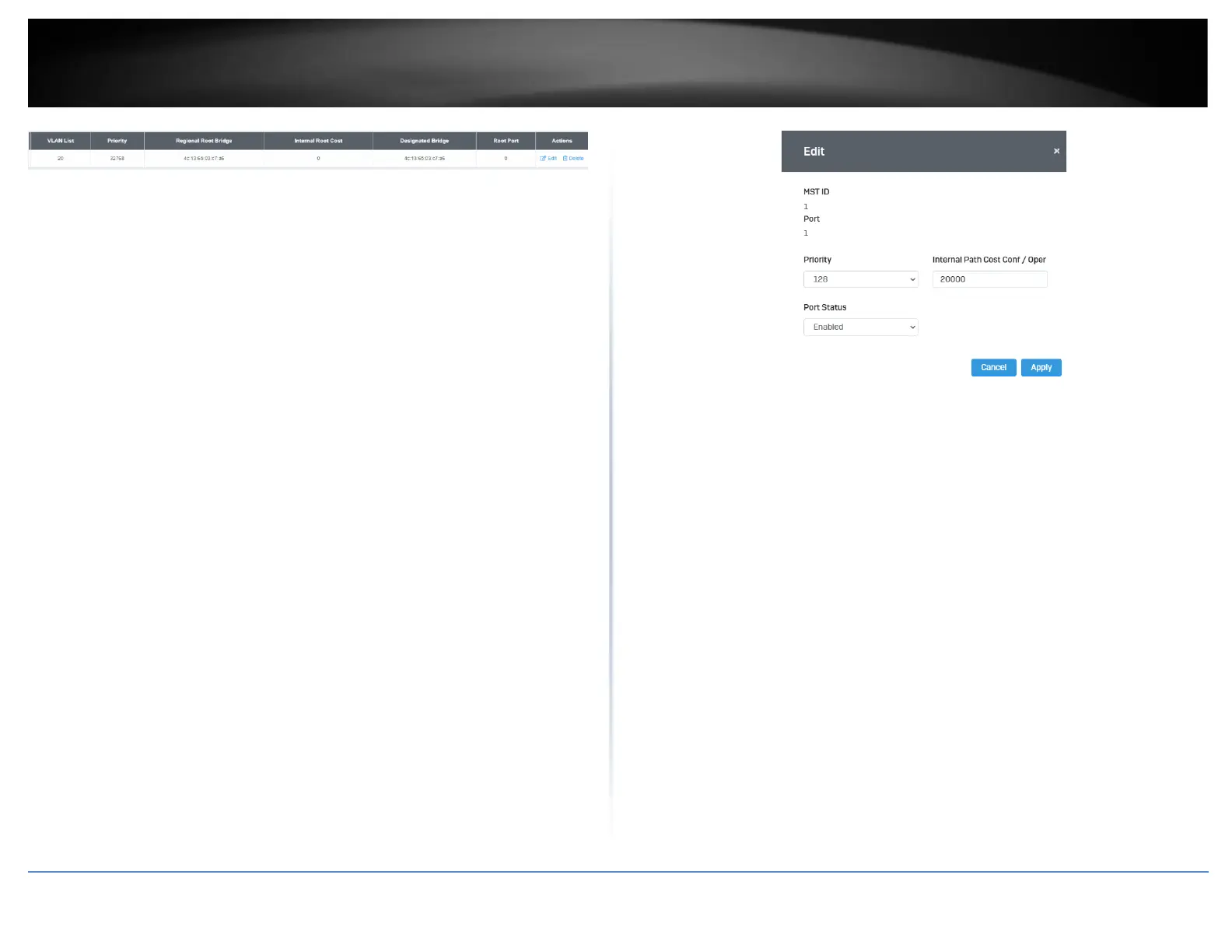
• MST Table: Make changes to the table entry, and click Edit modify or click
Delete to remove the ID entry.
MST Port Settings
Network > Spanning Tree > MST Port Settings
1. Log into your switch management page (see “Access your switch management page”
on page 5).
2. Click on Network, click on Spanning Tree, and click on MST Port Settings.
3. Review the settings. For each entry, click Apply to save changes.
• Select MST Port – Select the MST Port to configure and click the Edit button.
• MST ID: The MST ID that is associated with this port
• MST Port Info - The MST Port Information page provides user to configure the
MSTP Interface settings.
o Priority - This is the port priority used by MSTP in calculating path
costs when two ports on the switch have the same port cost.
o Internal Path Cost (0 = Auto) - This is the port cost used by MSTP
when calculating path cost to the root bridge.
o Port Status: Enable or disable the current settings configured for the
selected port.
4. Click the Apply button to save the settings to the Flash.
Note: This step saves all configuration changes to the NV-RAM to ensure that if the
switch is rebooted or power cycled, the configuration changes will still be applied.













 To Next Page