© Copyright 2022 TRENDnet. All Rights Reserved.
Multi-Gig Web Smart Switch Series
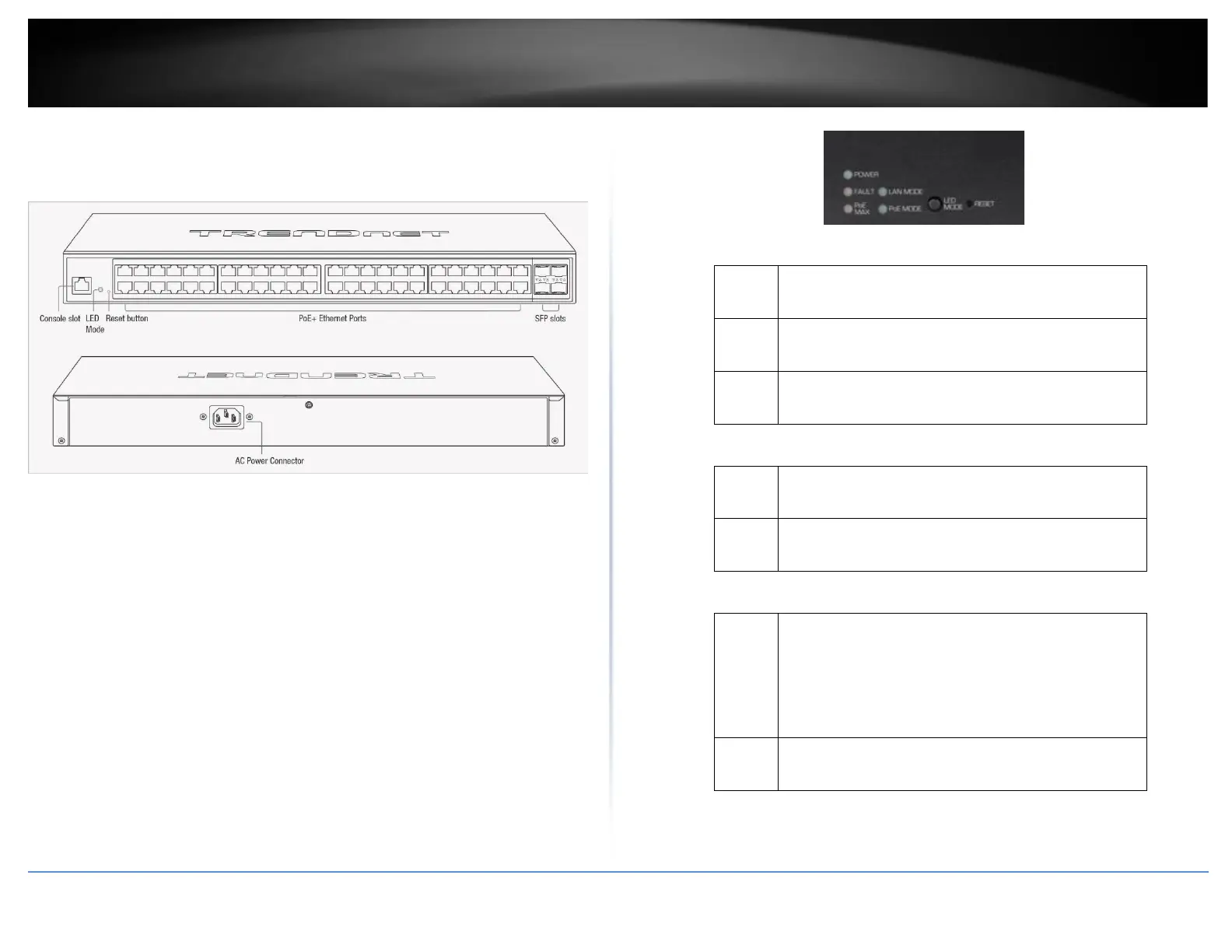
TPE-3524S / TPE-3524SF Hardware Features
Front View
Rear View
• Power & LED indicators – Displays switch activities
• LED Mode – Switches the LED indicators between PoE mode and
Link/Activity mode.
• Reset Button – Press and hold the button 1~3 seconds and release to
reboot the device. Pressing the button more than 5 seconds will reset
the switch to factory defaults. The ports LEDs will turn off to indicate
that the reset was initiated.
• Mode Button – Press the mode button to change LED indicators to
display Link/Activity Mode, or PoE Mode.
• Ethernet Ports (1-48) – Connect either network PoE+ or non-PoE devices
at 2.5Gbps / 1Gbps / 100Mbps speeds.
• SFP Slots (49-52) – Supports optional 10Gbps or 1Gbps mini-GBIC SFP
modules for uplink or downlink connections.
Diagnostic LEDs
• Power LED
When the Power LED is on, the device is receiving
power.
When the Power LED is off, the power adapter is
not connected or the device is not receiving power.
When the Power LED is blinking, the switch is
receiving power and is botting up
When the Fault LED is on, there is an error with the
switch.
When the Fault LED is off, there is no error with the
switch.
• PoE MAX (Power over Ethernet Max.)
When reaching near the max PoE power budget
provided 240W or above, the LED will turn on and
the system will not provide power additional PD
(PoE client devices) after max PoE budget is
reached.
When the PoE power provided is below the 240W
PoE power budget.
• LAN Mode: Gigabit Ethernet PoE+ Port LEDs (1-48)













 To Next Page