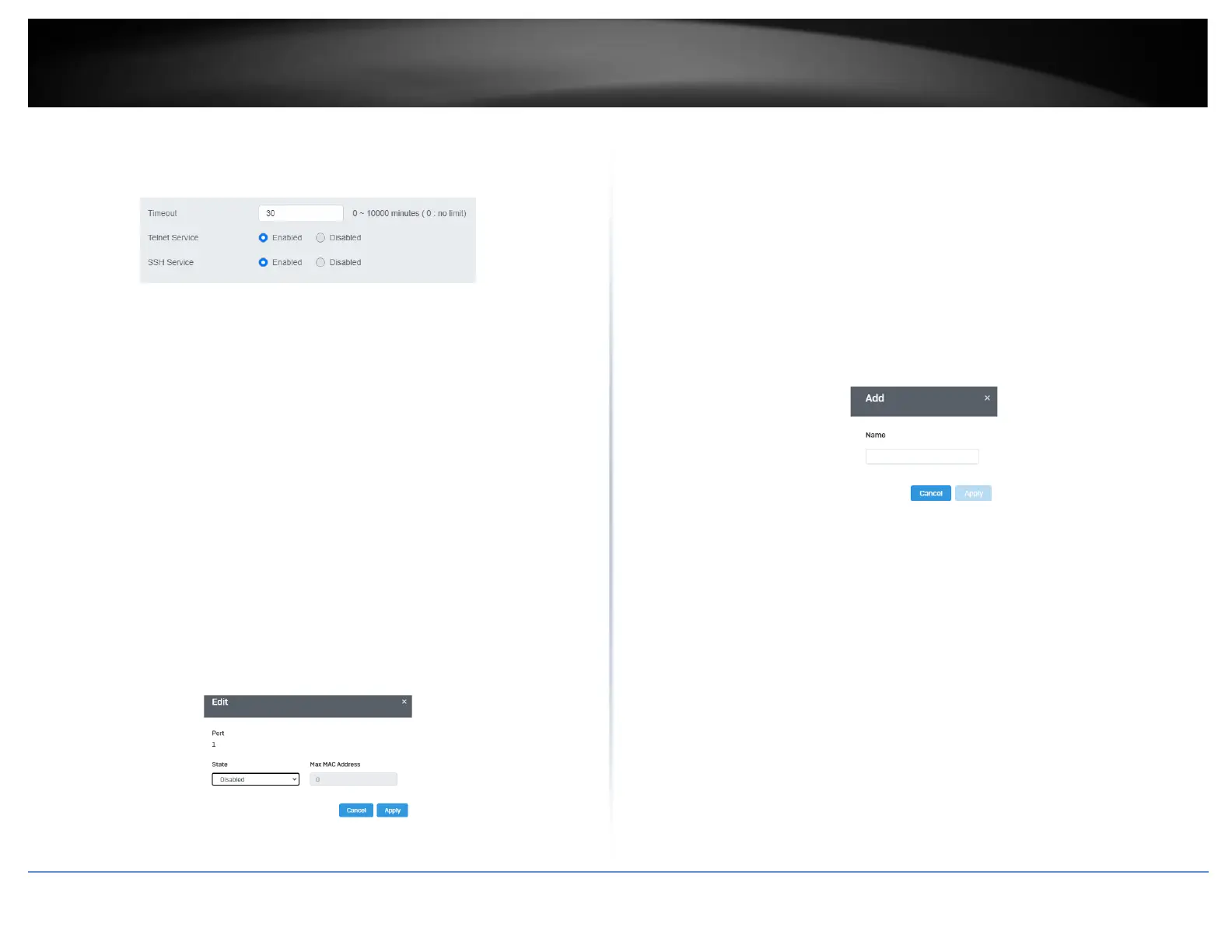
• SSH Service: Select Enabled to enable Telnet or Disabled to disable this
feature.
Port Security
Security > Port Security
1. Log into your switch management page (see “Access your switch management page”
on page 5).
2. Click on Security, and click on Port Security.
3. Select the port to configure, and click Edit to configure the selected port.
4. Review the settings and click Apply to save your settings.
• State: Select Enabled from the drop down menu to enable this feature and
Disabled to disable this feature.
• Max MAC Address: Enter the max number of MAC Addresses. The max number
is 256.
Access Control: Creating MAC ACL
Security > Access Control > MAC ACL
1. Log into your switch management page (see “Access your switch management page”
on page 5).
2. Click on Security, then click on Access Control, and click on MAC ACL.
3. Click the Add button to create a new ACL.
4. Input a name in the field and click Apply to save your new ACL name to the Flash.
Access Control: Configuring MAC ACL
Security > Access Control > MAC ACE
1. Log into your switch management page (see “Access your switch management page”
on page 5).
2. Click on Security, then click on Access Control, and click on MAC ACE.
3. Review the settings below and click Apply to save your settings.
• ACL Name: Select the ACL name you would like to configure.
• Sequence:
• Action: Defines the ACl action linked to the rule criteria.













 To Next Page