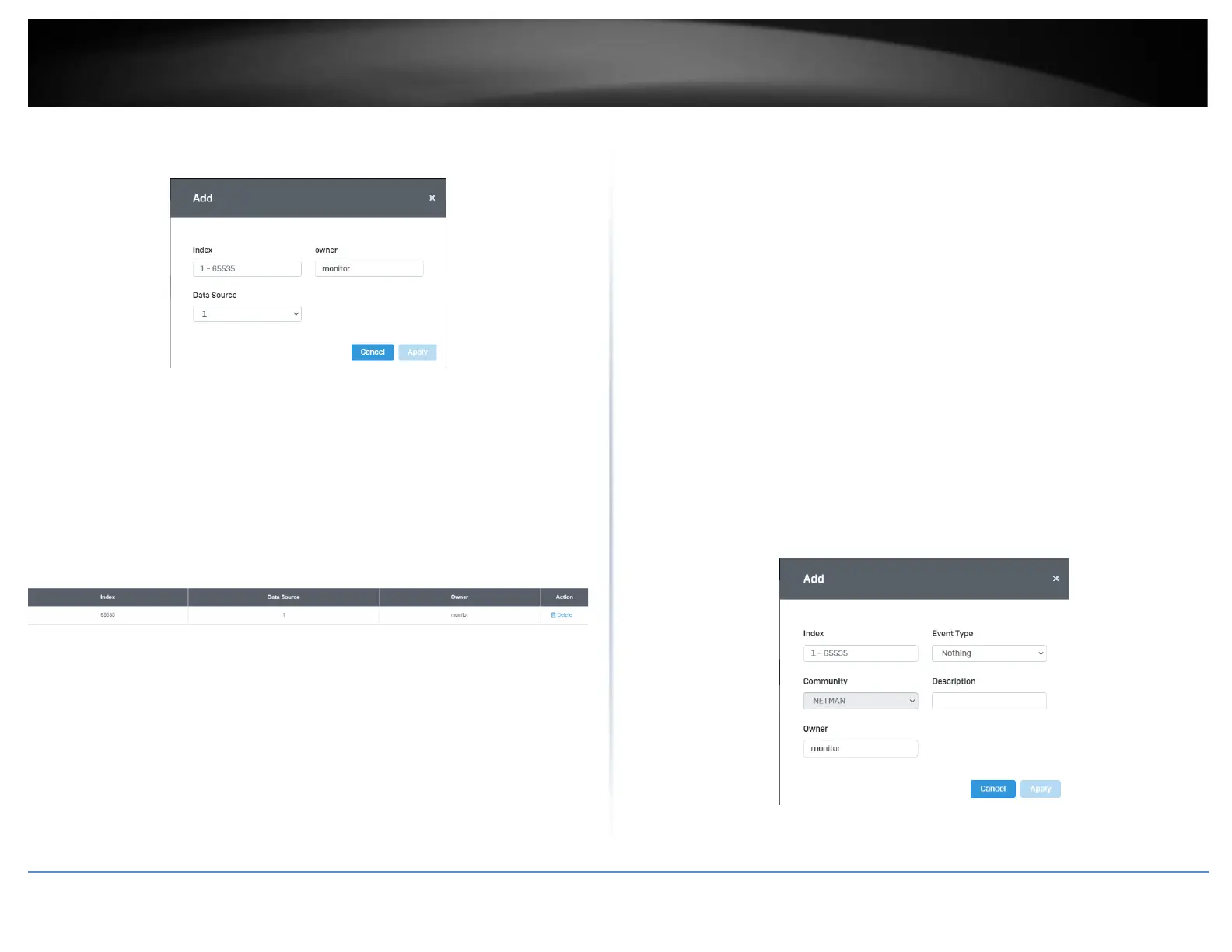
4. Review the settings and click Apply.
• Index: This parameter specifies the ID number of the new group. The range is 1
to 65535.
• Data Source: This parameter specifies the port where you want to monitor the
statistical information of the Ethernet traffic.
• Owner: This parameter is used to identify the person who created an entry. It is
primarily intended for switches that are managed by more than one person,
and is an optional field.
In the list, you can click Delete to delete the entry.
• Statistic group— This group is used to view port statistics remotely with SNMP
programs.
• History group— This group is used to collect histories of port statistics to
identify traffic trends or patterns.
• Event group— This group is used with alarms to define the actions of the
switch when packet statistic thresholds are crossed.
• Alarm group—This group is used to create alarms that trigger event log
messages or SNMP traps when statistics thresholds are exceeded.
Event List
System > RMON > Event List
The RMON (Remote Monitoring) MIB is used with SNMP applications to monitor the
operations of network devices. This Event group is used with alarms to define the
actions of the switch when packet statistic thresholds are crossed.
1. Log into your switch management page (see “Access your switch management page”
on page 5).
2. Click on System, click on RMON and click on Event List.
3. Click the Add button on the top right to enable RMON. Review and edit your settings.
Click Apply to save settings.
• Index: This parameter specifies the ID number of the new group. The range is 1
to 65535.













 To Next Page