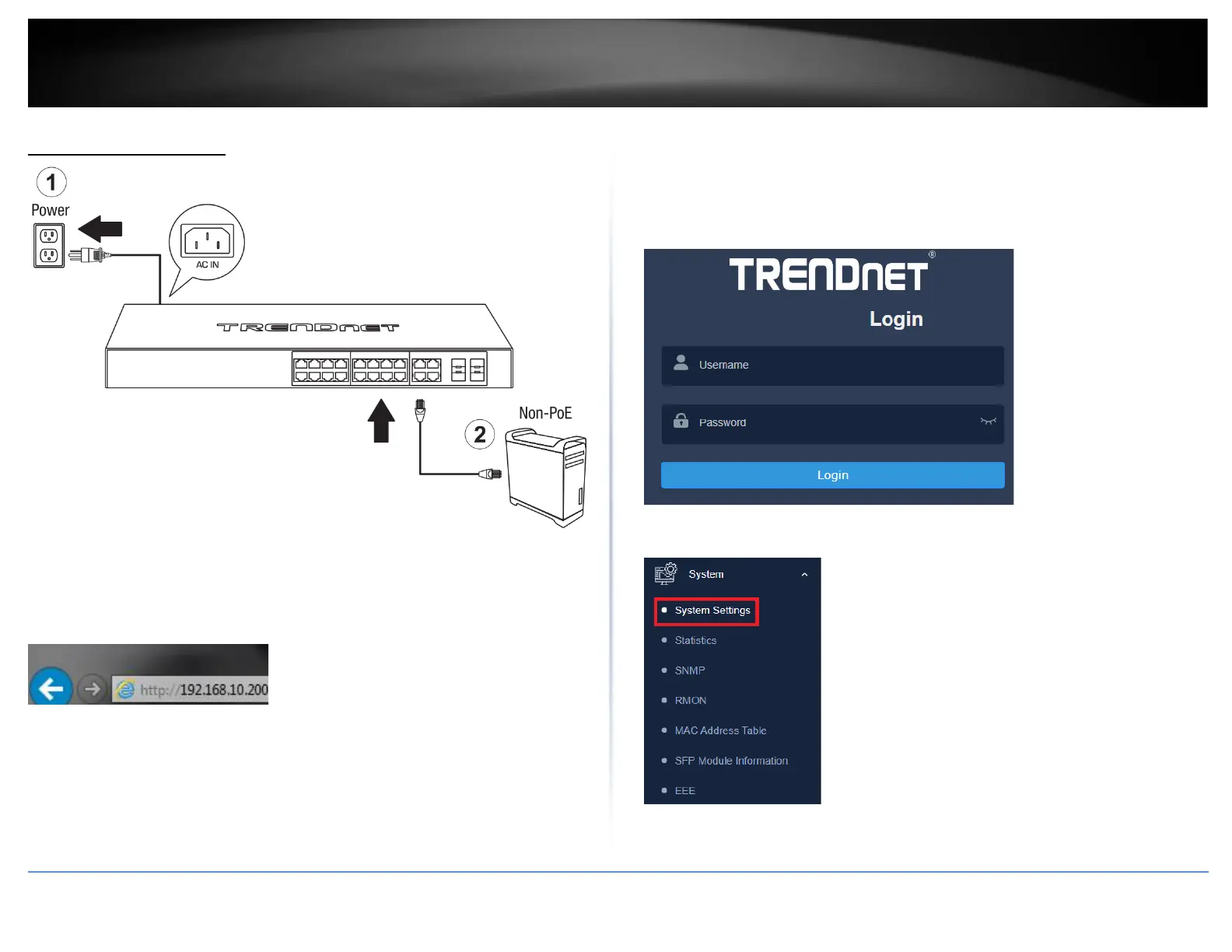
Basic IP Configuration
3. Assign a static IP address to your computer’s network adapter in the subnet of
192.168.10.x (e.g. 192.168.10.25) and a subnet mask of 255.255.255.0.
4. Open your web browser, and type the IP address of the switch in the address bar, and
then press Enter. The default IP address is 192.168.10.200.
5. Enter the User Name and Password, and then click Login. By default:
User Name: admin
Password: password
Note: User name and password are case sensitive.
6. Click System, and then click System Settings.






 To Next Page