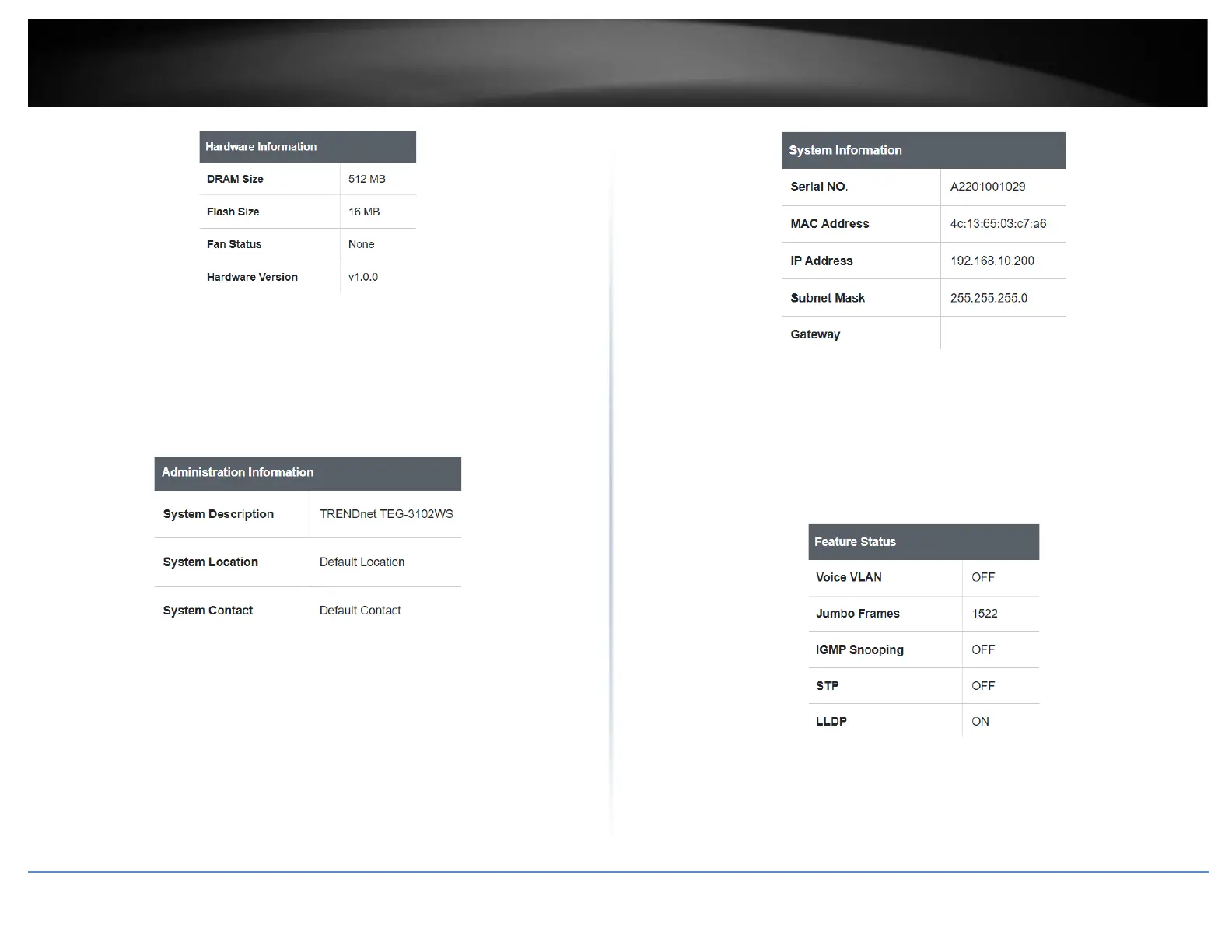
Administration Information
• System Description – Displays the identifying system name of your switch. This
information can be modified under the System section.
• System Location - Displays the identifying system location of your switch. This
information can be modified under the System section.
• System Contact – Displays the identifying system contact or system administrator
of your switch. This information can be modified under the System section.
System MAC Address, IPv4 Information
• Serial No: Displays the serial number of the switch
• MAC Address: Displays the switch system MAC address.
• IP Address – Displays the current IPv4 address assigned to your switch.
• Subnet Mask – Displays the current IPv4 subnet mask assigned to your switch.
• Default Gateway – Displays the current gateway address assigned to your switch.
IPv6 Information
• Voice VLAN: Displays if your switch has Voice VLAN enabled or disabled
• Jumbo Frames: Displays the size of Jumbo Frames that is supported.
• IGMP Snooping: Displays if your switch has IGMP Snooping enabled or disabled
• STP: Displays the current status of STP
• LLDP: Displays the current status ofLLDP
Automatic Network Features
• QoS: Displays if your switch has QoS enabled or disabled
• DoS: Displays if your switch has DoS enabled or disabled
• IPv4 DHCP Client Mode: Displays if your switch IPv4 address setting is set to
DHCP client.













 To Next Page