EasyManua.ls Logo

Valleylab Force FX-C - Page 121

Valleylab Force FX-C
214 pages
Print Icon
To Next Page IconTo Next Page
To Previous Page IconTo Previous Page
Loading...
Using
the
RS-232
Serial
Port
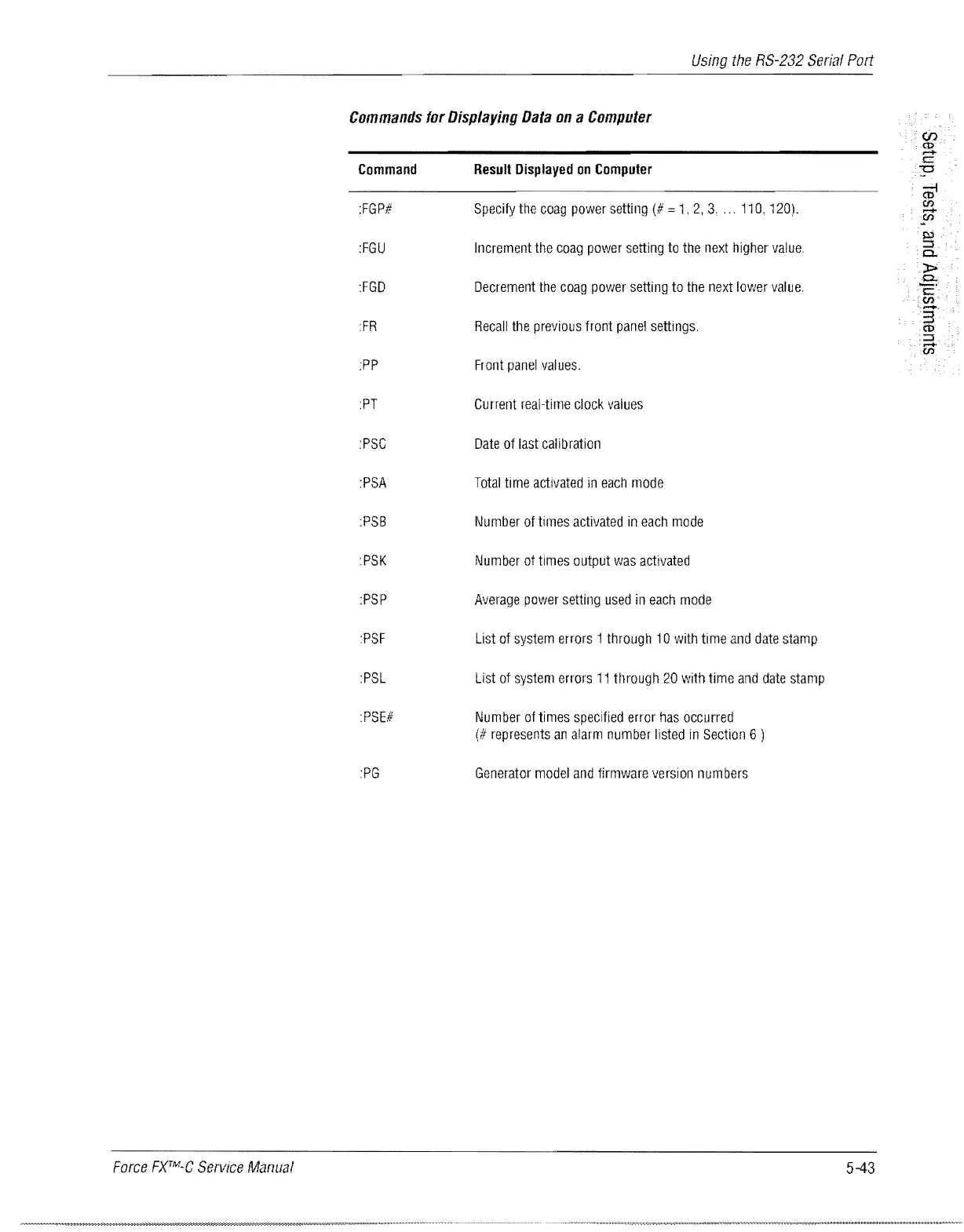
Commands
for
Displaying
Data
on
a
Computer
Command
Result
Displayed
on
Computer
:FGP#
Specify
the
coag
power
setting
(# =
1,
2,
3,
...
110,
120).
:FGU
Increment
the
coag
power
setting
to
the
next
higher
value.
:FGD
Decrement
the
coag
power
setting
to
the
next
lower
value.
FR
Recall
the
previous
front
panel
settings.
:PP
Front
panel
values.
PT
Current
real-time
clock
values
:PSC
Date
of
last
calibration
:PSA
Total
time
activated
in
each
mode
:PSB
Number
of
times
activated
in
each
mode
PSK
Number
at
times
output
was
activated
:PSP
Average
power
setting
used
in
each
mode
:PSF
List
of
system
errors
1
through
10
with
time
and
date
stamp
:PSL
List
of
system
errors
11
through
20
with
time
and
date
stamp
PSE#
Number
of
times
specified
error
has
occurred
(#
represents
an
alarm
number
listed
in
Section
6 )
:PG
Generator
model
and
firmware
version
numbers
Force
F)(TM-C
Service
Manual
5-43

Table of Contents

Related product manuals