6.1 Starting the machine
6.1.1 Starting the machine
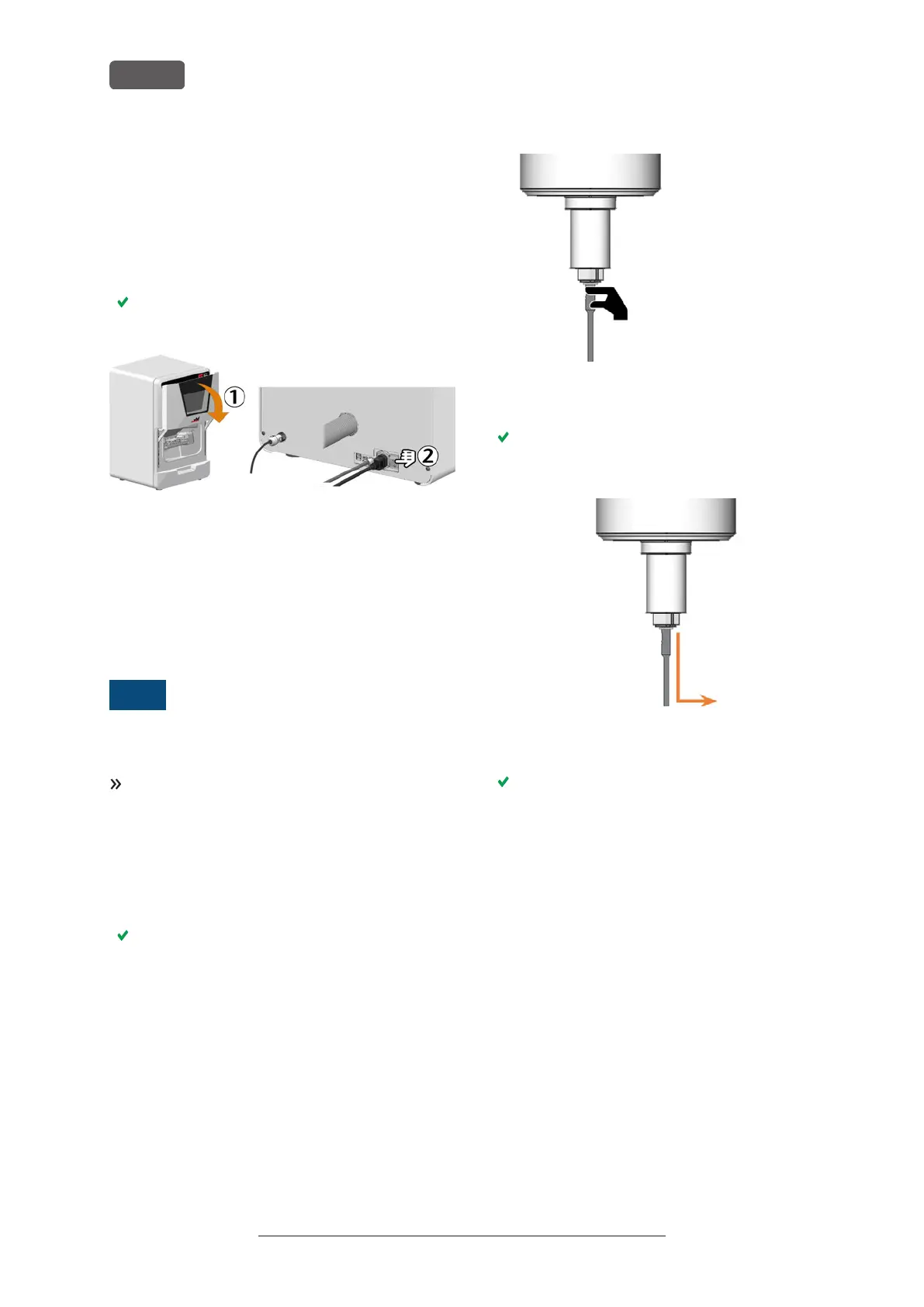
1. Close the working chamber door.
2. Switch on the machine at the main power switch.
3. Start DENTALCNC.
The working chamber lighting is on. The machine
references.
FIG. 32
6.1.2 Starting the machine w ith a tool in the
collet chuck
Under some circumstances like a power failure, there
can be a tool in the collet chuck of the spindle when
you start the machine.
NOTICE
Machine damage if you do not remove the
tool
If the tool remains in the spindle after confirmation of
the message, it will collide with and damage machine
parts.
Remove the tool as described below.
The following instructions require the tool in the collet
chuck to be intact. If the tool is broken, remove it as
described here: Removing broken tools from the collet
chuck – on page100
1. Start the machine.
DENTALCNC displays that there is a tool in the col-
let chuck.
2. Open the working chamber door.
3. ⚠ CAUTION! Wear gloves.
4. Hold the tool in the collet chuck in place.
FIG. 33
5. Confirm the current message.
The collet chuck opens.
6. Remove the tool from the collet chuck.
FIG. 34
7. Confirm the current message.
The machine is ready for operation.
Original Operating Instructions:E5
Version: 4/27/2023
Operating the machine
EN 26



 To Next Page