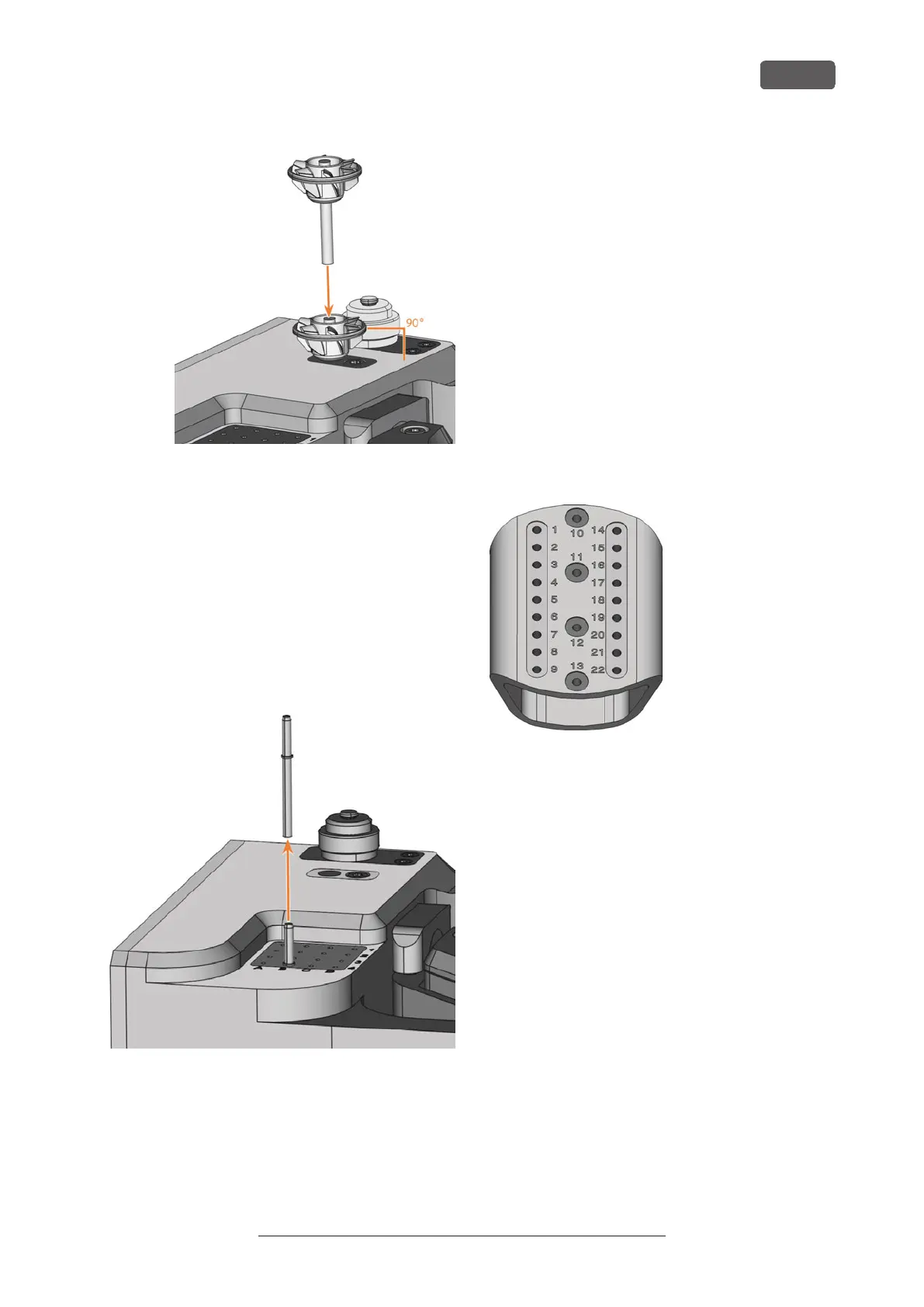
FIG. 61
4. If the new tool replaces an old tool of the same
type, reset the tool life to DENTALCNC.
6.5.3 Removing tools from the tool magazine
1. ⚠ CAUTION! Wear gloves.
2. Open the working chamber door.
3. Pull the tool upward out of the tool magazine.
4. Depending on whether you place the tool back in
your inventory or no longer use the tool type,
configure DENTALCNC accordingly:
FIG. 62
6.5.4 Adding backup tools
If the tool life of a tool expires during machining,
DENTALCNC can automatically load a backup tool
from the tool magazine to continue machining.
1. Place backup tools in the tool magazine.
2. Configure the backup tools in DENTALCNC.
6.5.5 Using ATB
You can store your tools in the Administrated Tool
Board (Administrated Tool Board) provided.
You can store your tools with the Administrated Tool
Board (Administrated Tool Board) that comes with the
dry set.
n
Positions 1–9 and 14–22 can be used for conven-
tional dental tools with retaining ring, which are
suitable for your machine.
n
Positions 10–13 are suitable for 1 AirTool each.
The virtual Administrated Tool Board in DENTALCNC
maps the structure of the physical Administrated Tool
Board. Clearly assigning physical and virtual tools lets
you easily track tool lives in DENTALCNC.
FIG. 63 EMPTY ADMINISTRATED TOOL BOARD
Operating the machine
EN 35
Original Operating Instructions: E5
Version: 4/27/2023



 To Next Page