7.14 Exchanging the system module
NOTICE
Exchanging the system module requires
Customer Service assistance
The preparation for exchanging the system module
and setup of the spare system module require
Customer Service software configuration. Otherwise,
your machine will not be operational.
The system module contains the following compon-
ents:
n
Power supply
n
Control unit
n
Connection panel
If one of these components is defective, replace the
entire module.
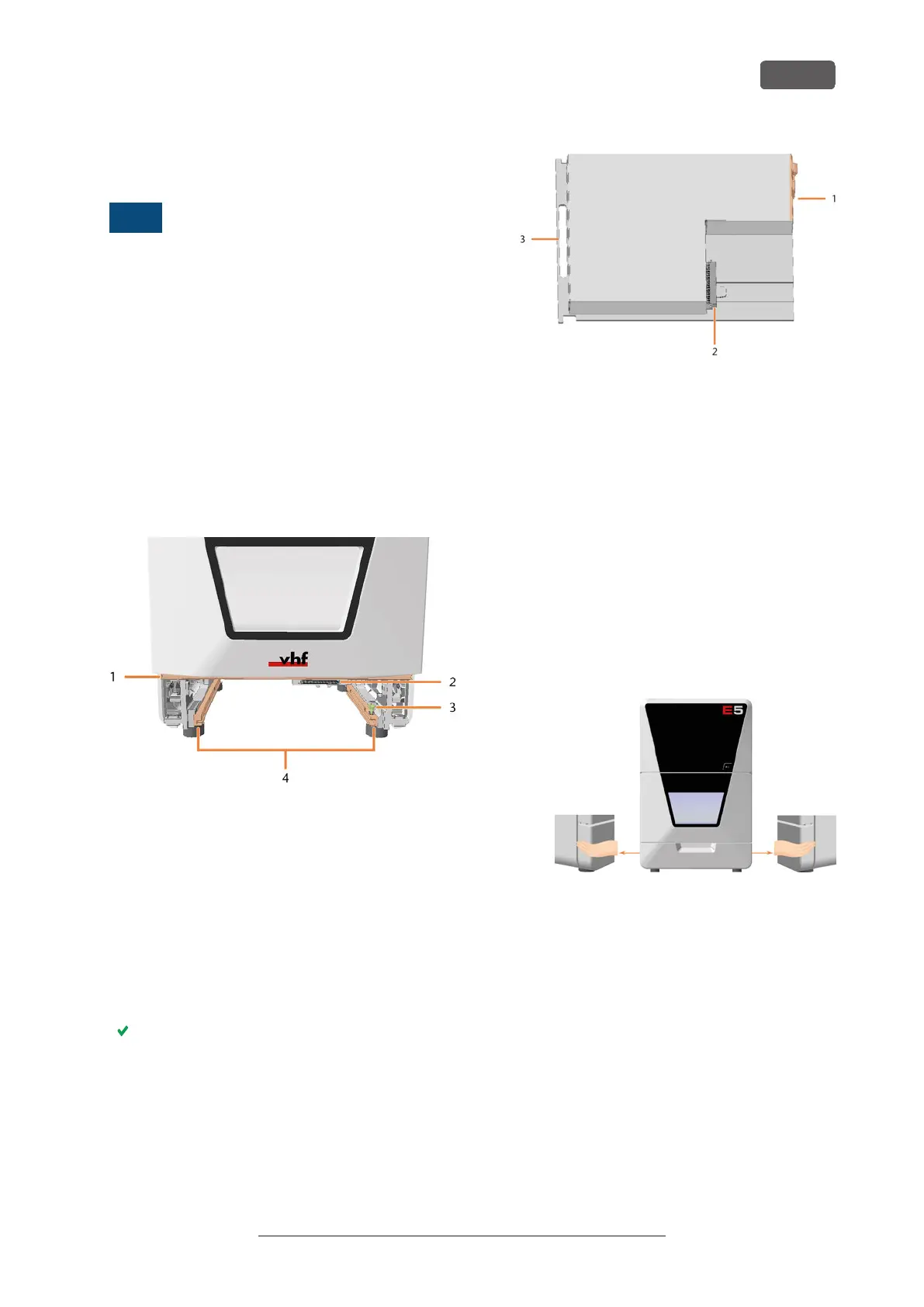
Insert the module into the system module shaft.
FIG. 185 EMPTY SYSTEM MODULE SHAFT
1. Positioning bar for lower service cover
2. System module slot
3. Locking bolt
*
4. Guide rails
*
Exchange the locking bolt if required. Exchanging
the system module locking bolt – on page76
1. Contact customer service.
Customer Service prepares the system module
exchange.
2. Have ready:
1x Spare system module
FIG. 186
1. Connection panel
2. Connector for insertion into the system module slot
3. Handle
3. Close DENTALCNC.
4. ⚠ DANGER! Switch off the machine at the main
power switch.
NOTICE! Damage to the cables and the system
module if cables remain plugged into the
module
5. Disconnect the power and Ethernet cable.
6. Remove the lower service cover:
a. Grasp the left and right sides of the cover.
b. Pull the cover forward.
FIG. 187
Maintenance
EN 73
Original Operating Instructions: E5
Version: 4/27/2023



 To Next Page