Preparing for use
47
Adjusting the
roller feelers
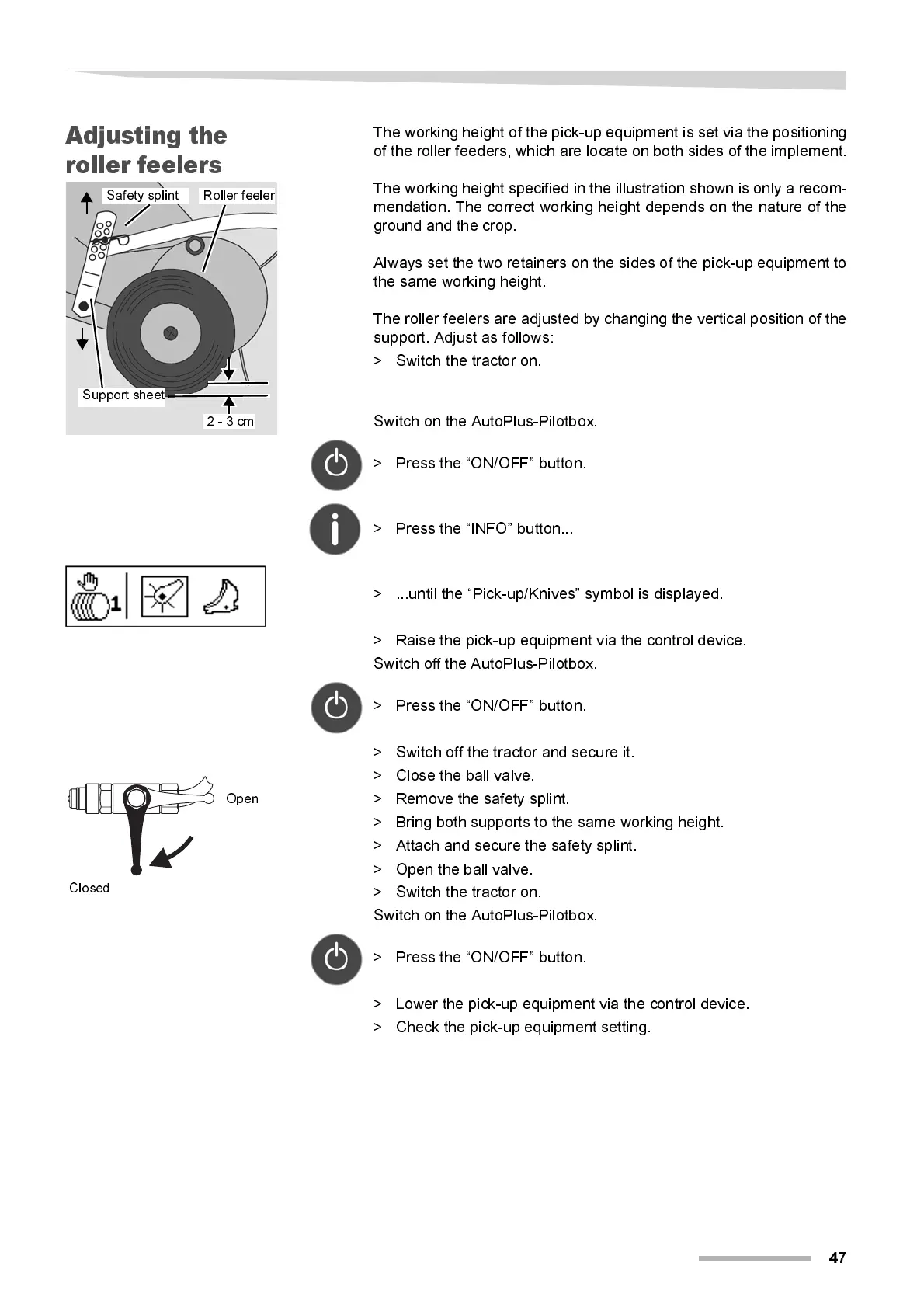
The working height of the pick-up equipment is set via the positioning
of the roller feeders, which are locate on both sides of the implement.
The working height specified in the illustra tion shown is only a recom -
mendation. T he correct w orking height depends on the nature of the
ground and the crop.
Al w ays set the tw o retai ners on the sides of the pick-up equipment to
the same working height.
The roller feelers are adjusted by changing the vertical position of the
support. Adjust as follows:
> Switch the tractor on.
Switch on the AutoPlus-Pilotbox.
> Press the “ON/OFF” button.
> Press the “INFO” button...
> ...until the “Pick-up/Knives” symbol is displayed.
> Raise the pick-up equipment via the control device.
Switch off the AutoPlus-Pilotbox.
> Press the “ON/OFF” button.
> Switch off the tractor and secure it.
> Close the ball valve.
> Remove the safety splint.
> Bring both supports to the same working height.
> Attach and secure the safety splint.
> Open the ball valve.
> Switch the tractor on.
Switch on the AutoPlus-Pilotbox.
> Press the “ON/OFF” button.
> Lower the pi ck-up equipment vi a the control device.
> Check the pi ck-up equipment setting.
Support sheet
Roller feeler
Safety splint
2 - 3 cm
Open
Closed



 To Next Page