Preparing for use
61
In s er ti n g the net
Before the net is inserted:
> Switch off the tractor's PTO shaft.
> Switch off the AutoPlus-Pilotbox.
> Switch off the tractor engine.
> Take out the ignition key.
W ear prot ective gloves
The cutting plat e i s very sharp. Wear prot ecti ve gloves w hen wor ki ng
on it. Faili ng to wear protective gloves may result i n serious i njuri es.
> For trouble-free net tying, a high value net must be selected.
The following is recommended:
→
»Recommended net«, page 30
Positioning the
net roll
> Open the right-hand side door.
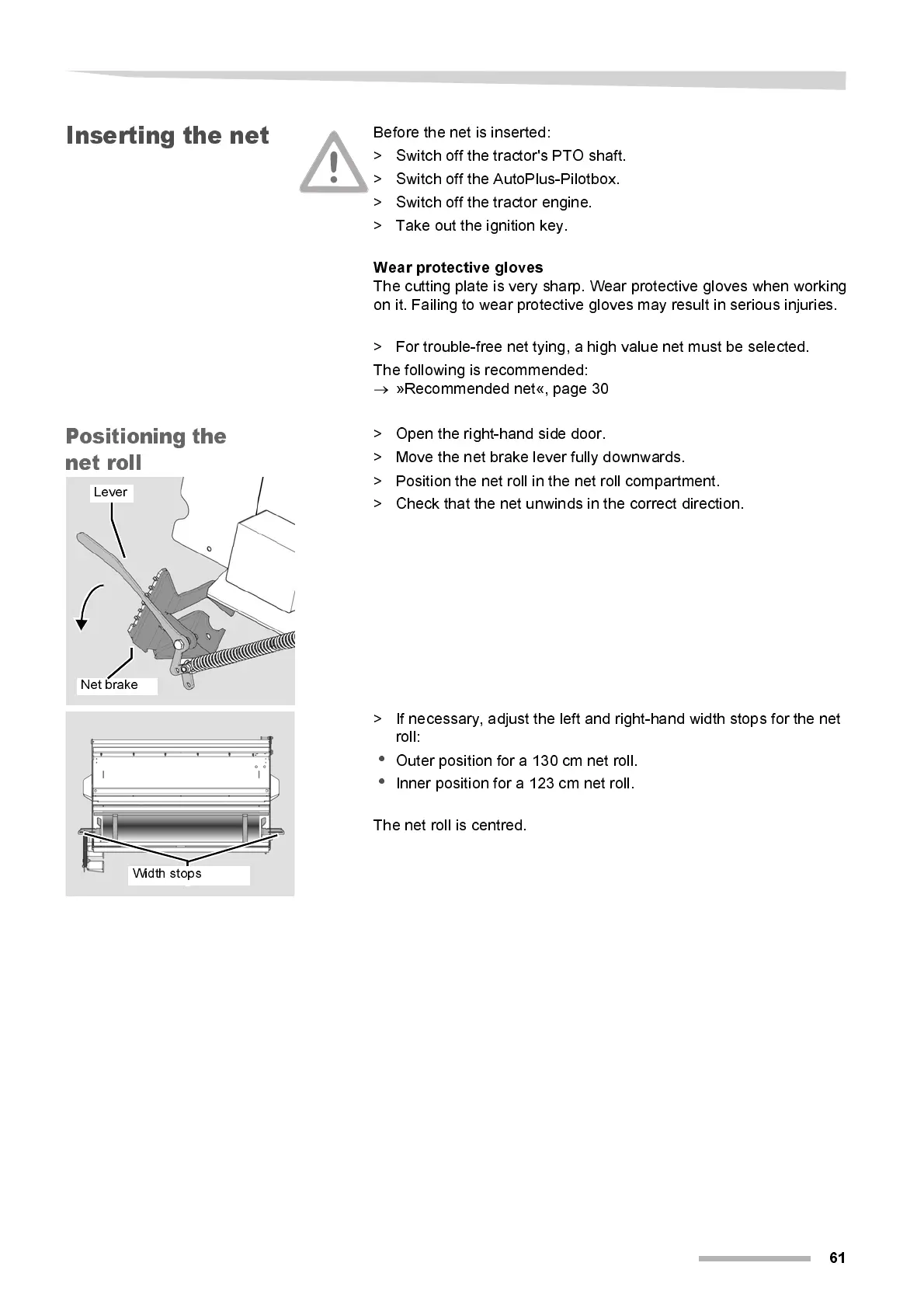
> Move the net brake lever fully dow nw ards.
> Position the net roll in the net roll compartment.
> Check that the net unwinds in the correct direction.
> If necessary, adjust the left and right- hand wi dth stops for the net
roll:
•
Outer position for a 130 cm net roll.
•
Inner position for a 123 cm net roll.
The net roll is centred.
Lever
Net brake
Width stops



 To Next Page