38
Hitching the implement
Hitching
Rem ove the tractor' s lower link
Remove the lower li nk from the tractor to ensure there is no contact
with the drawbar during use. The lower link can come into contac t with
the draw bar w hen cornering. T here i s a danger of ti pping. Per sonnel
may be injured or the implement may be damaged as a result.
Securing moving parts
M oving parts must be secured wit h l i fting gear against sl idi ng, fol ding
or sw i vell ing. Personnel may be injured or the i mpl ement may be da-
maged as a result.
Before the i mpl ement is hi tched, the drawbar eye must be set at the
ri ght hei ght for the tractor 's drawhook. Proceed as fol l ow s:
> Posit i on the tractor and the implement one behi nd the other on
fi rm, l evel ground.
> Keep a distance of approximately 15 cm between the drawbar eye
and the hitch.
Raising the
sustainer
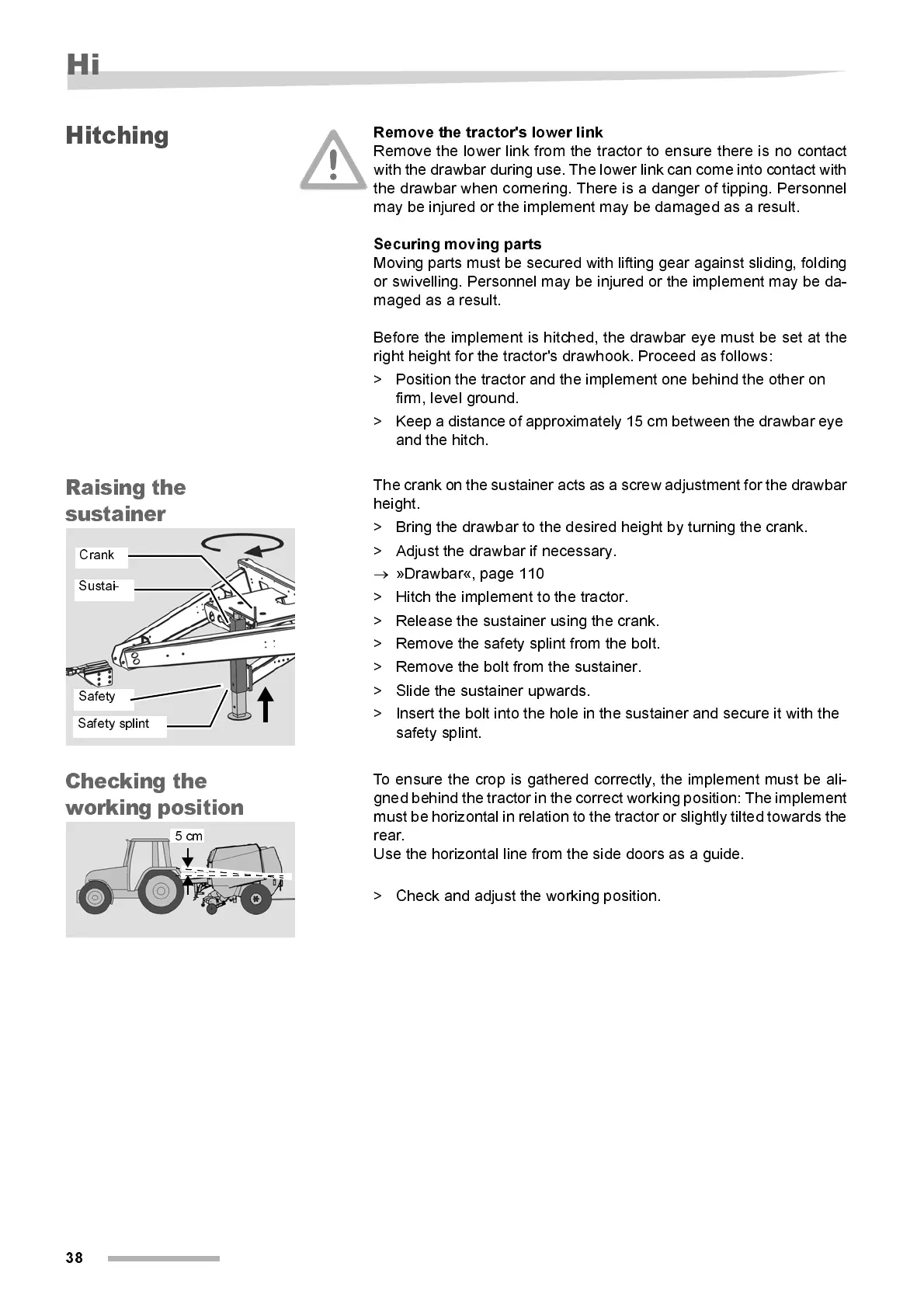
The crank on the sustainer acts as a screw adjustme nt for the drawbar
height.
> Bri ng the drawbar to the desired hei ght by turni ng the crank.
> Adjust the drawbar if necessary.
→
»Draw bar«, page 110
> Hitch the implement to the tractor.
> Release the sustainer usi ng the crank.
> Remove the safety splint from the bolt.
> Remove the bolt from the sustainer.
> Slide the sustainer upwards.
> Insert the bolt into the hole in the sustainer and secure it with the
safety splint.
Chec ki ng the
work in g pos iti on
To ensure the crop is gathered correctly, the implement must be ali-
gned behind the tractor in the correct working position: The implement
must be horizontal in relation to the tractor or s lightly tilted towards the
rear.
Use the horizont al l i ne from the si de doors as a guide.
> Check and adjust the wor ki ng position.
Crank
Safety
Safety splint
Sustai-
5 cm



 To Next Page