54
Preparing for use
Fitti ng the kni ves
The knife driving shaft can be accessed via the bale chamber. Please
observe the relevant safety instructions in the »Remov ing the knives«
chapter, page 53.
> Wh en fitting the kn ive s, hold the ends and insert them into the ova l
holes on top of the knife driving shaft.
> Ensure that the bale chamber is empty at the end of the work.
> Empty the bale chamber.
> Close the rear flap.
→
»Closi ng the rear fl ap«, page 46
Switch off the AutoPlus-Pilotbox.
> Press the “ON/OFF” button.
> Switch off the tractor, take out the ignition key and secure it.
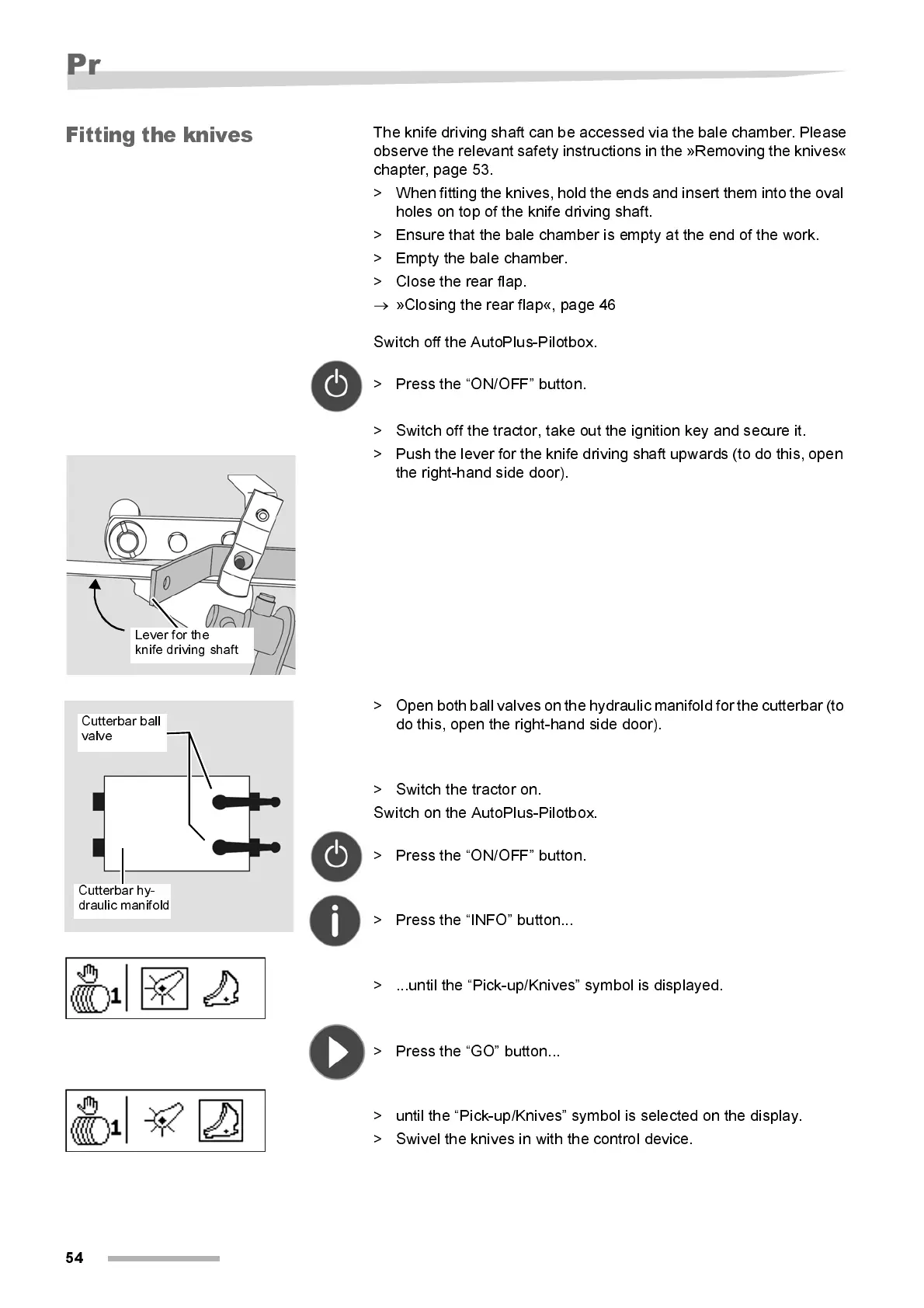
> Push the lev er for the knife driving shaft upwards (to do this, open
the right-hand side door).
> Open both ball valves on the hydraulic manifold for the cutterbar (to
do this, open the right- hand side door).
> Switch the tractor on.
Switch on the AutoPlus-Pilotbox.
> Press the “ON/OFF” button.
> Press the “INFO” button...
> ...until the “Pick-up/Knives” symbol is displayed.
> Press the “GO” button...
> unti l the “Pi ck-up/Kni ves” symbol is selected on the displ ay.
> Swivel the knives in with the control device.
Lever for the
knife driving shaft
Cutterbar ball
valve
Cutterbar hy-
draulic manifold



 To Next Page