Rev AB Connecting the USB Database 6-11
Videojet 8520 Operator Manual
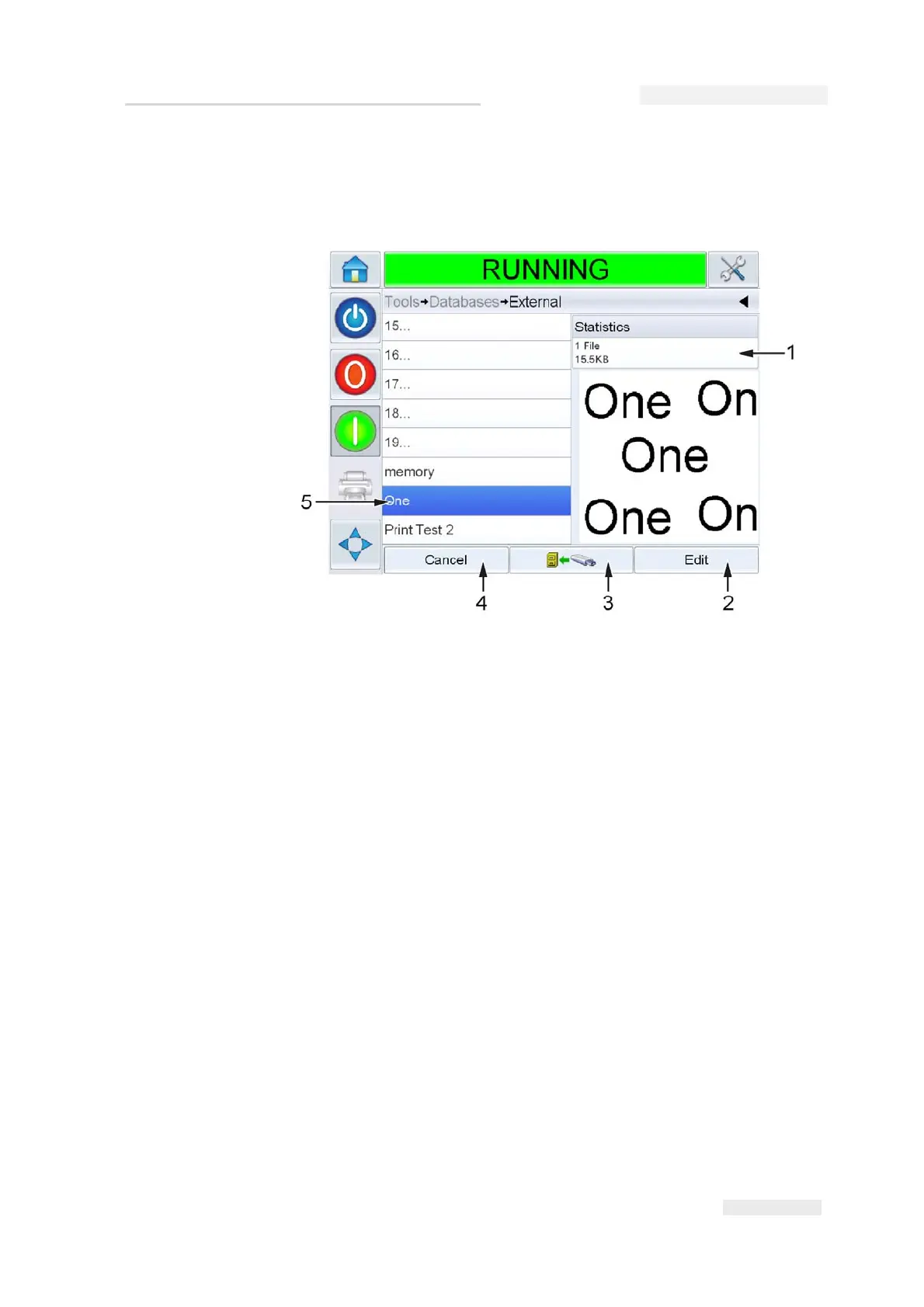
4 Touch External to view all the jobs in the USB device (Figure 6-14).
5 Touch on the job you require, the file size is displayed.
Using the buttons in the bottom of the screen. You can either edit the
job, or send a file to the local database, or cancel the job from the USB
device.
Figure 6-14: Jobs List on USB Device
1. File Size
2. Edit Button
3. Send Job to Database Button
4. Cancel Button
5. Selected Job



 To Next Page