Rev AB Production Audit Log 6-33
Videojet 8520 Operator Manual
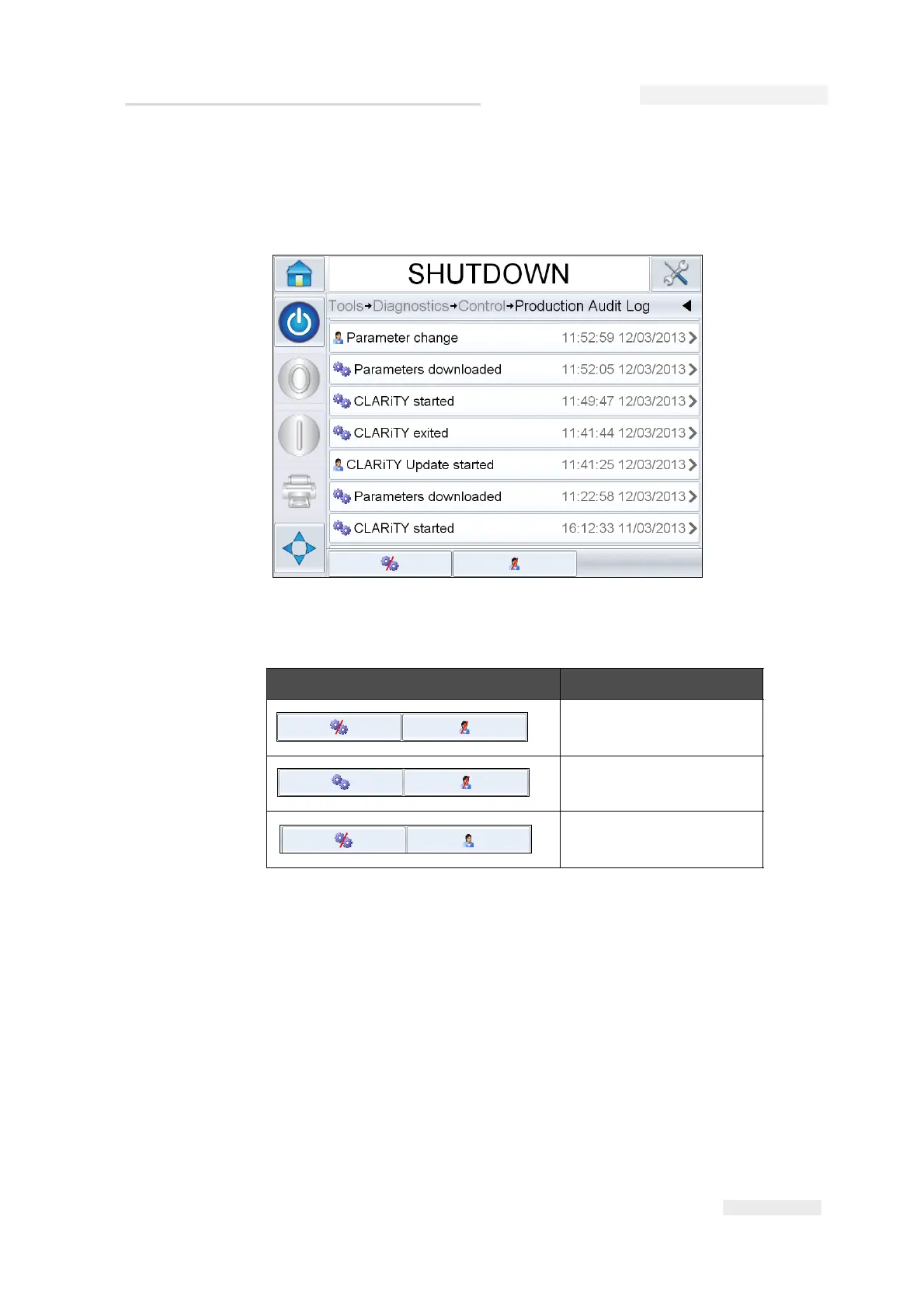
Figure 6-41 shows the audit log for both machine events and user events.
The user can also filter results to show either user events only or machine
events only (see Table 6-1).
The following machine events are logged.
• CLARiTY Started – [s/w version, PCB serial no]
• CLARiTY Exit
• Power Failure detected
• Fault/Warning raised – [Fault Name]
• Fault/Warning cleared – [Fault Name]
• Parameters download (CCFG)
Button Function
Lists both machine and
user events
Lists only user events
Lists only machine events
Table 6-1: Buttons to Filter the Log
Figure 6-41: Production Audit Log



 To Next Page