4-14 Using the Tools Screen Rev AB
Videojet 8520 Operator Manual
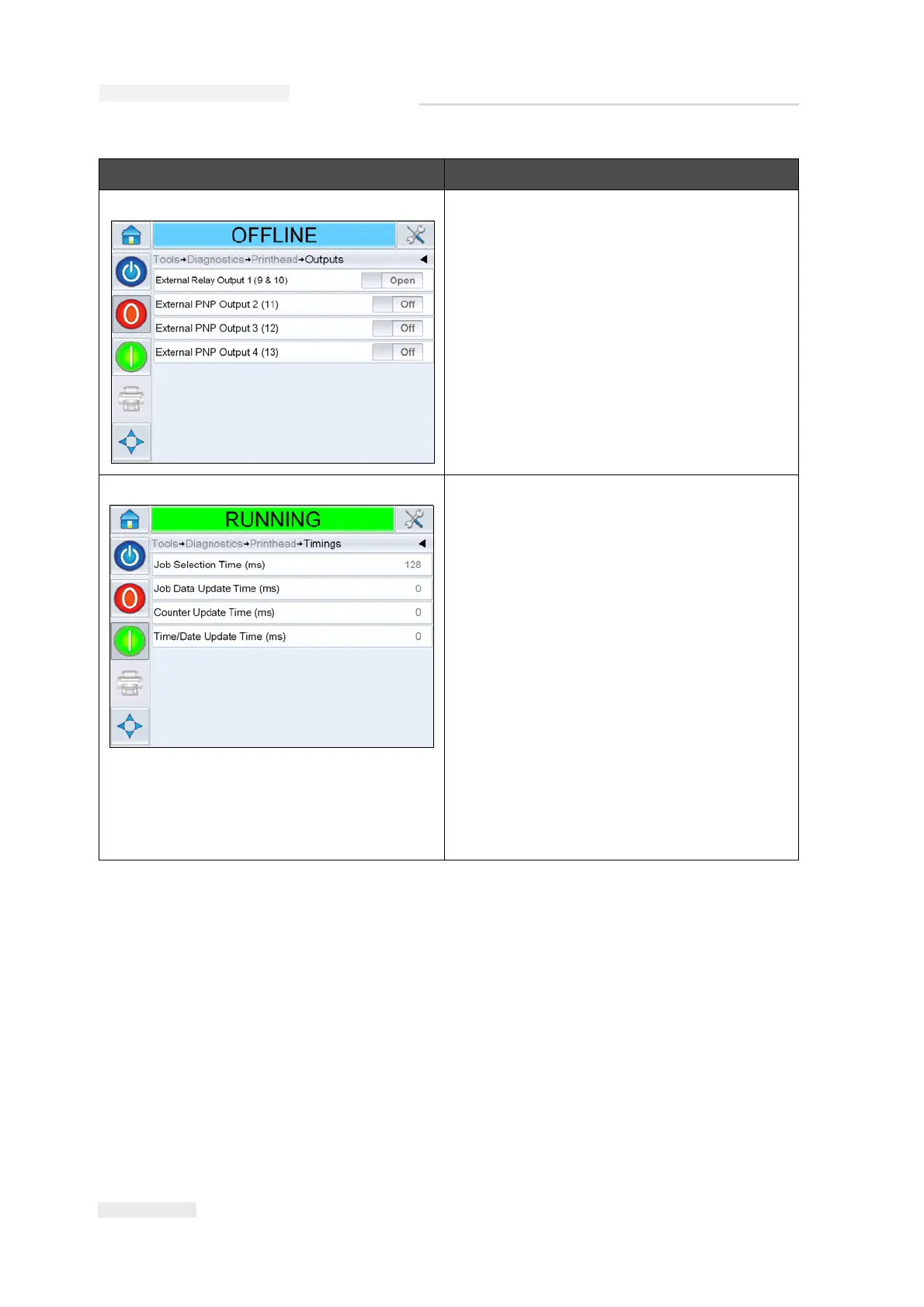
Outputs Each button shows the status of a physical
output on the printer. Touching the Toggle
button allows the user to force the state of an
output, Open or Off, which is useful for
diagnostic purposes.
External Relay and PNP Outputs: The
printer has one configurable relay outputs
and three configurable PNP 24V outputs.
Timings It is useful in high throughput applications
to understand what the printer is trying to
do.
Job Selection Time (ms): Indicates the time
taken in selecting the last job from the
moment the image was confirmed, to being
ready to print.
Job Data Update Time (ms): Indicates the
total time taken to update all the dynamic
variables in the image (time, date, counters).
Counter Update Time (ms): Indicates the
time taken to update all the counter fields in
the image.
Time/Date Update Time (ms): Indicates the
time taken to update all the time/date fields
in the image.
Option Description
Table 4-6: Printhead Diagnostics Screen (Continued)



 To Next Page