Rev AA How to Turn ON the Printer 5-5
Videojet 8520 Operator Manual
Note: To start the system configuration wizard manually, navigate to
Tools > Setup > Control > System Configuration. The System Configuration
dialog box appears.
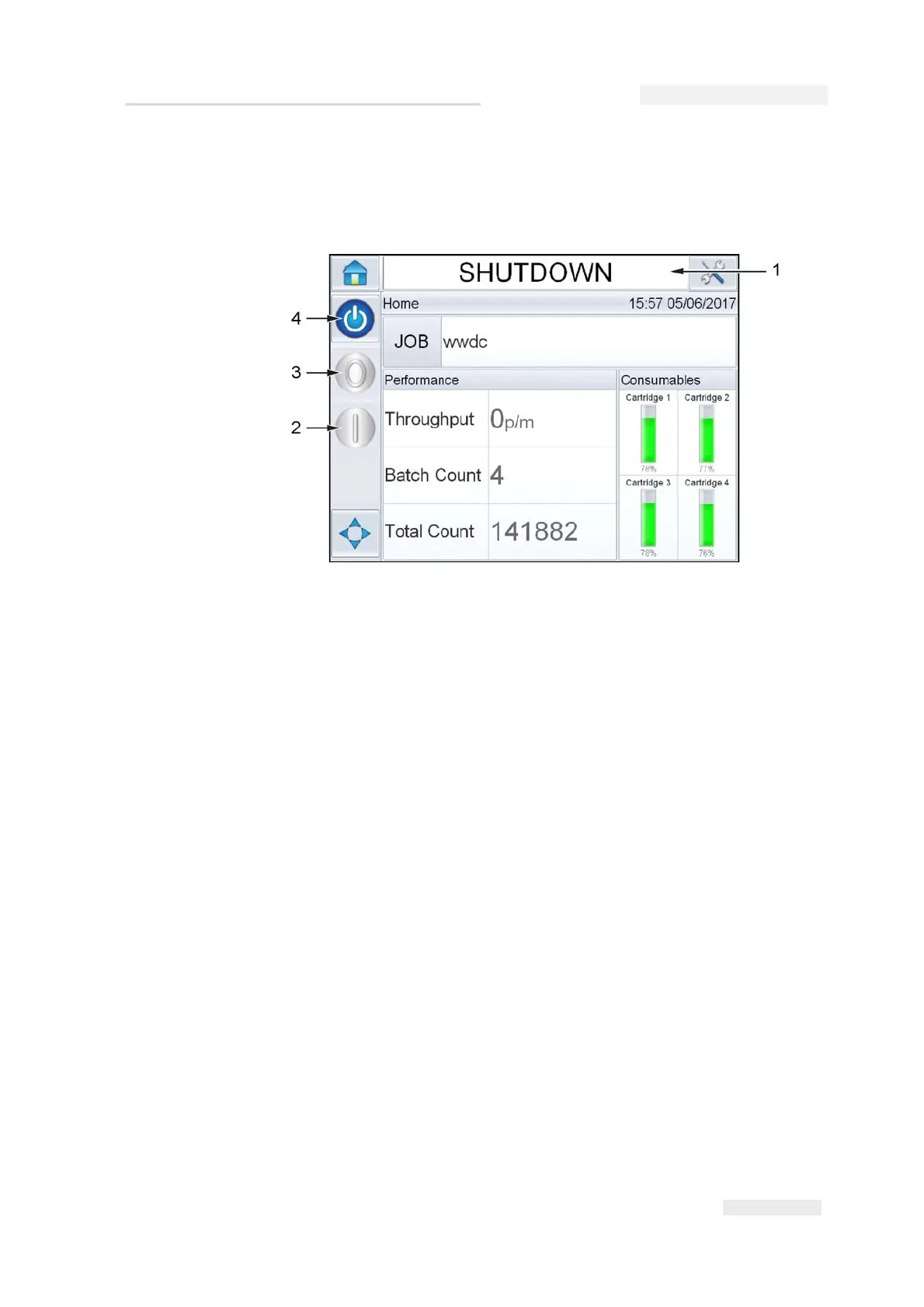
5 During SHUTDOWN, the Stop (red) and Run (green) buttons (see
Figure 5-5) are disabled (in grey color).
Note: SHUTDOWN means Power is ON to the controller but power is OFF
to the printhead(s).
Note: If the print sensor is activated accidentally, the printer will not operate
as the sensor and encoder input are ignored during the shutdown status.
When production line and printer are ready for start up, perform the
steps mentioned in “How to Start the Printer” on page 5-12.
Figure 5-5: Clarity Home Screen
1. Shutdown Status
2. Run (green)
3. Stop (red)
4. Startup/Shutdown Icon



 To Next Page