VIVOTEK - A Leading Provider of Multimedia Communication Solutions
User's Manual - 113
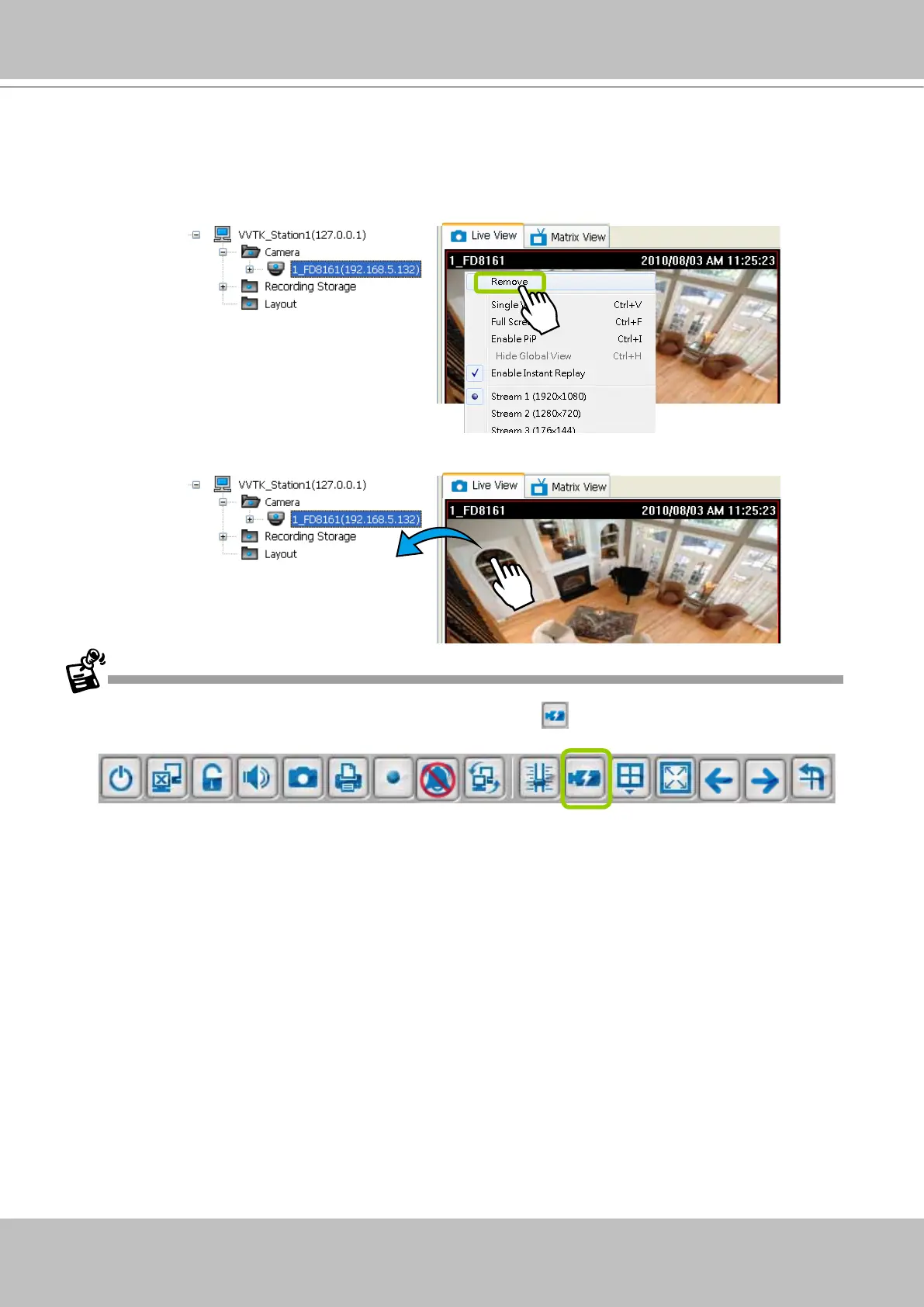
Remove Live Video from the Video Monitoring Window
There are two ways to remove a live video from the video cell:
Method 1. Right-click the video cell and select Remove.
Method 2. Drag-and-drop the live view from the video cell to the hierarchical management tree window.
If you want to remove all live videos from the video cells, please click on the menu bar.



 To Next Page