VIVOTEK - A Leading Provider of Multimedia Communication Solutions
User's Manual - 153
Rotation
VAST Matrix is capable of executing rotation by clicking
. You can even select another layout group
on the Matrix View window without stopping the rotation. If you want to adjust the rotation interval time,
please refer to Edit display settings on page 151 for adjusting.
PTZ
VAST Matrix currently does not support PTZ control.
Matrix View Menu
Right-click on the window to open the menu.
Remove: Remove the channel from VAST Matrix.
Stream 1 ~ 4: Switch the camera stream between 1 ~ 4.
Remove All Connections
It’s capable of removing all connections from VAST Matrix once by clicking on
button.
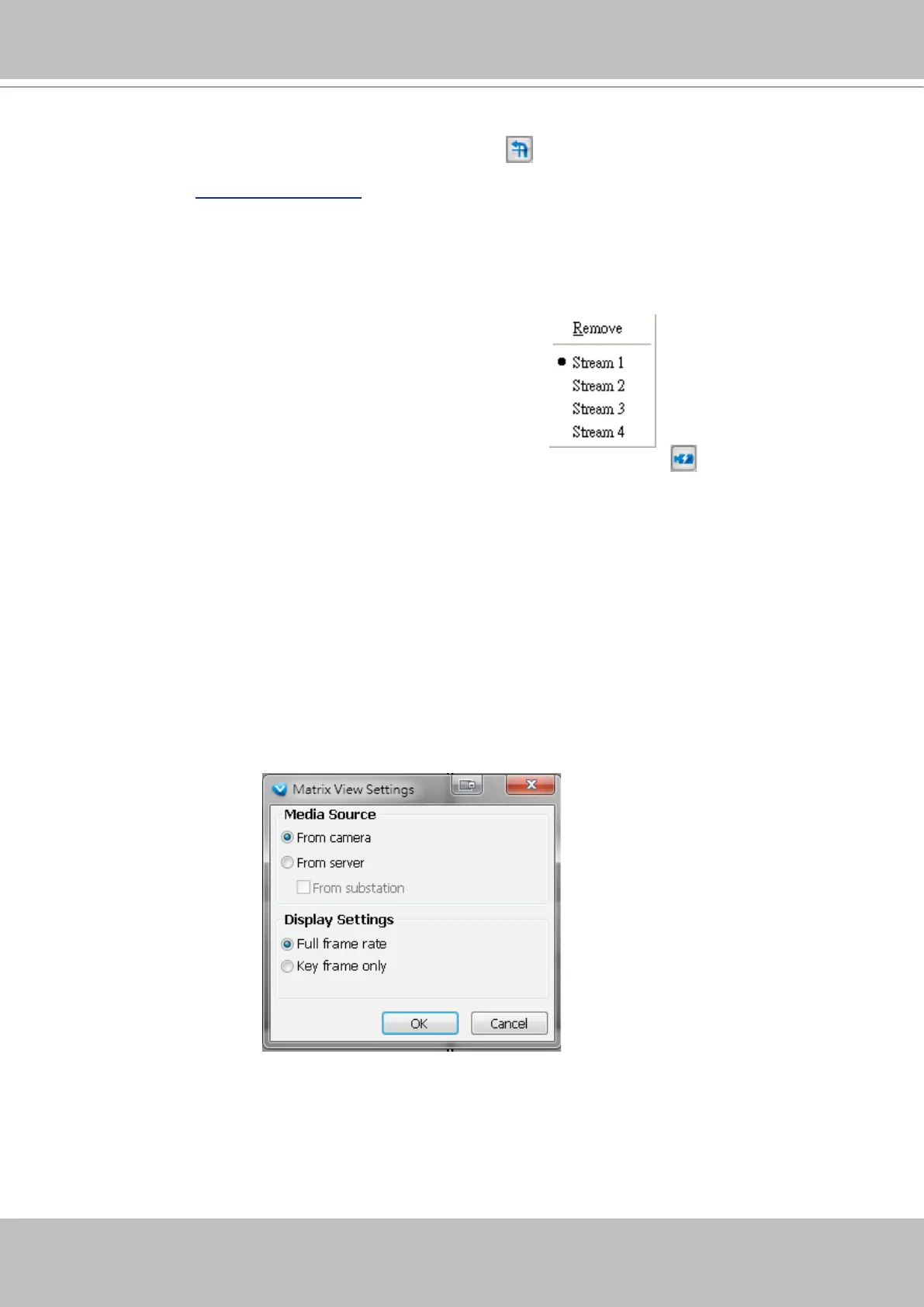
Matrix View Settings
Click Conguration > Virtual Matrix Management > Matrix View Settings to open the window.
Media Source
You can choose the path of media source from camera directly or the CMS server to display on Matrix
View.
Display Settings
You can choose the display frame rate as full frame rate or key frame only.



 To Next Page