VIVOTEK - A Leading Provider of Multimedia Communication Solutions
198 - User's Manual
How to Congure Client Settings
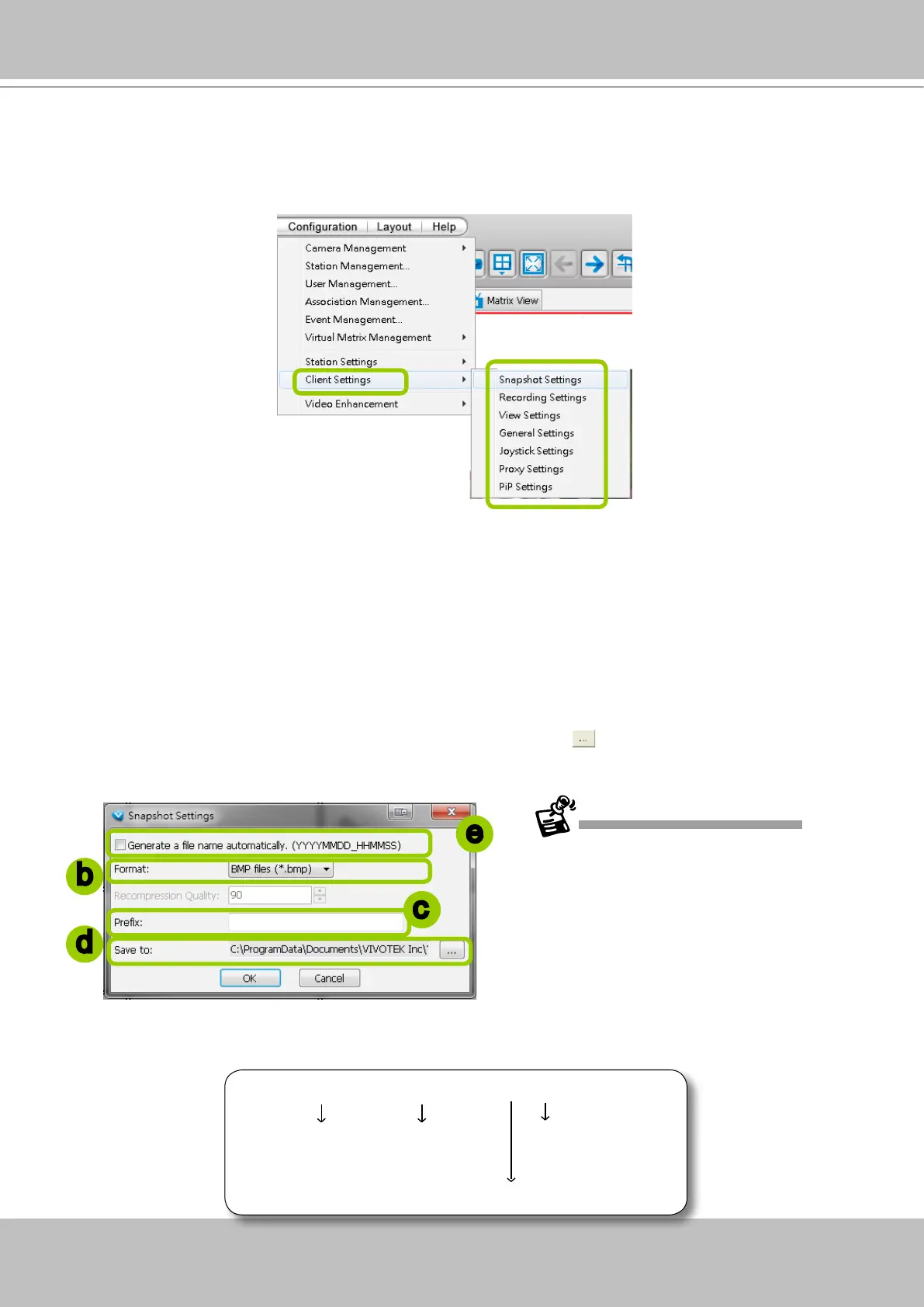
In Client Settings, you can configure Snapshot Settings, Recording Settings, View Settings,
General Settings, Joystick Settings, Proxy Settings, and PiP Settings.
Snapshot Settings
Please follow the steps below to congure snapshot settings:
a. Click Conguration > Client Settings > Snapshot Settings on the menu bar to open the Snapshot
Settings window.
b. Select a picture format for snapshots (BMP or JPEG). If you select JPEG format, you can adjust the
recompression quality (from 1 to 100). Note that a higher value would generate higher picture quality
but lower compression rate.
c. Fill in a lename prex for the snapshots.
d. The default storage path for snapshots is C:\Users\Public\Documents\VIVOTEKInc\VAST\Client\
LiveClient. If you want to change the storage path, click Browse
to select another folder.
e. If you check Generate a le name automatically, VAST will directly save snapshots with the following
lename format to the storage folder.
Snapshot_20100125_173015_01.jpg
File name prex Date and time
(YYYYMMDD_hhmmss)
Serial number of snapshots
Picture format
b
c
d
e
The recompression quality is only enabled
in MPEG-4 streaming. If your stream source
is MJPEG, the system will directly save the
JPEG image without recompression.



 To Next Page