VIVOTEK - A Leading Provider of Multimedia Communication Solutions
User's Manual - 231
How to Congure a Logical Tree
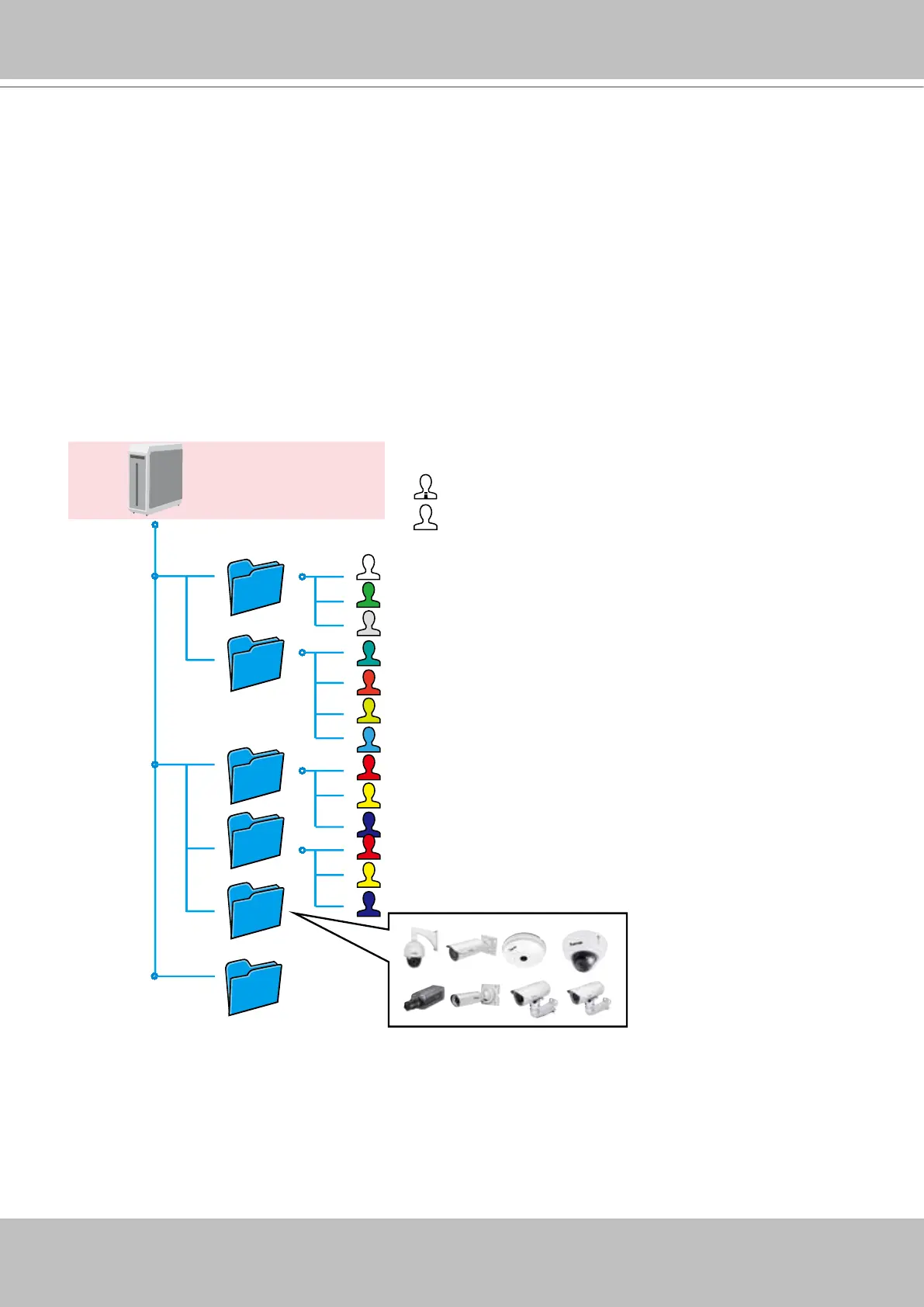
A Logical Tree view is available since rev. 1.10 for both LiveClient and Playback. The Logical
Tree view allows you to re-dene the logical relationships between the real-world deployment
and the physical devices (cameras). For example, according to your deployments, you can
designate several cameras to be listed under a logical sub-directory named as "Building A," and
the other cameras into "Building B." In this way, you can re-arrange your cameras and devices
on a tree view that is geographically accurate.
In addition to this, the logical folders can also be used to create privilege groups for users with
different access rights. This enables an administrator to easily and exibly align user privileges
with his camera deployments.
(Root station)
VAST CMS Server
(Admin: all areas)
(Power users:
main building regions)
(Logical folders)
(Users:
Building A)
(Power users:
work area #1)
(Users:
Building B Front door and drive
lanes)



 To Next Page