VIVOTEK - A Leading Provider of Multimedia Communication Solutions
User's Manual - 287
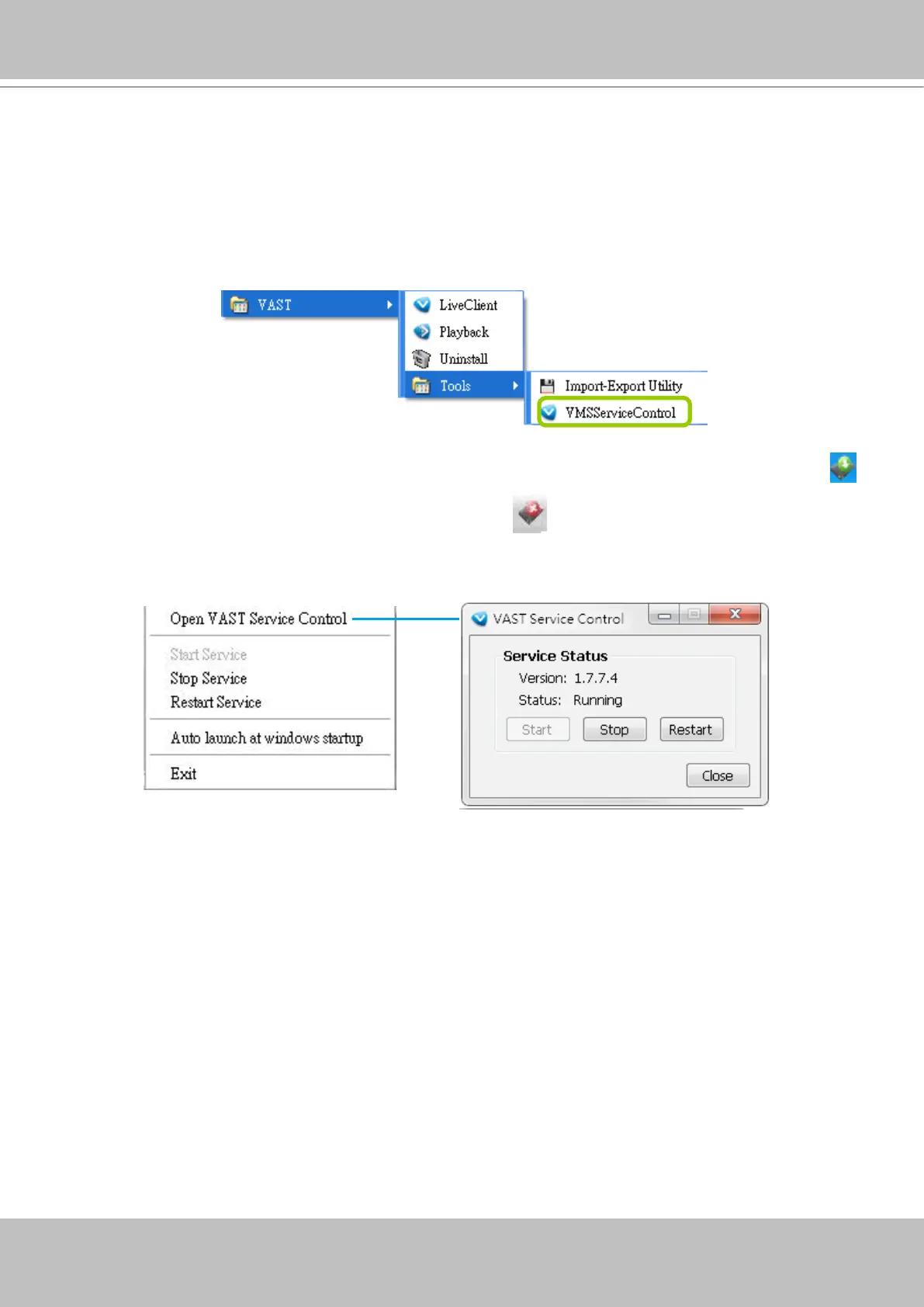
VAST Service Control Tool
VAST service control tool is a tool for server control and for user to be aware of the VAST Server status.
It starts up as Windows OS startup.
Under Microsoft Windows, choose "Start > All Programs > VIVOTEK Inc > VAST > Tools >
VMServiceControl."
You may also nd it in the system tray icon of the tool bar, which indicates that the service is running:
It shows a disconnection icon when the service is stopped:
A menu for the service control tool will pop up when you right-click on the icon:
Here you can manually start, stop and restart the service.



 To Next Page