VIVOTEK - A Leading Provider of Multimedia Communication Solutions
288 - User's Manual
Appendix A Panoramic PTZ (P-PTZ)
Configuration
Enable Panoramic PTZ on VAST
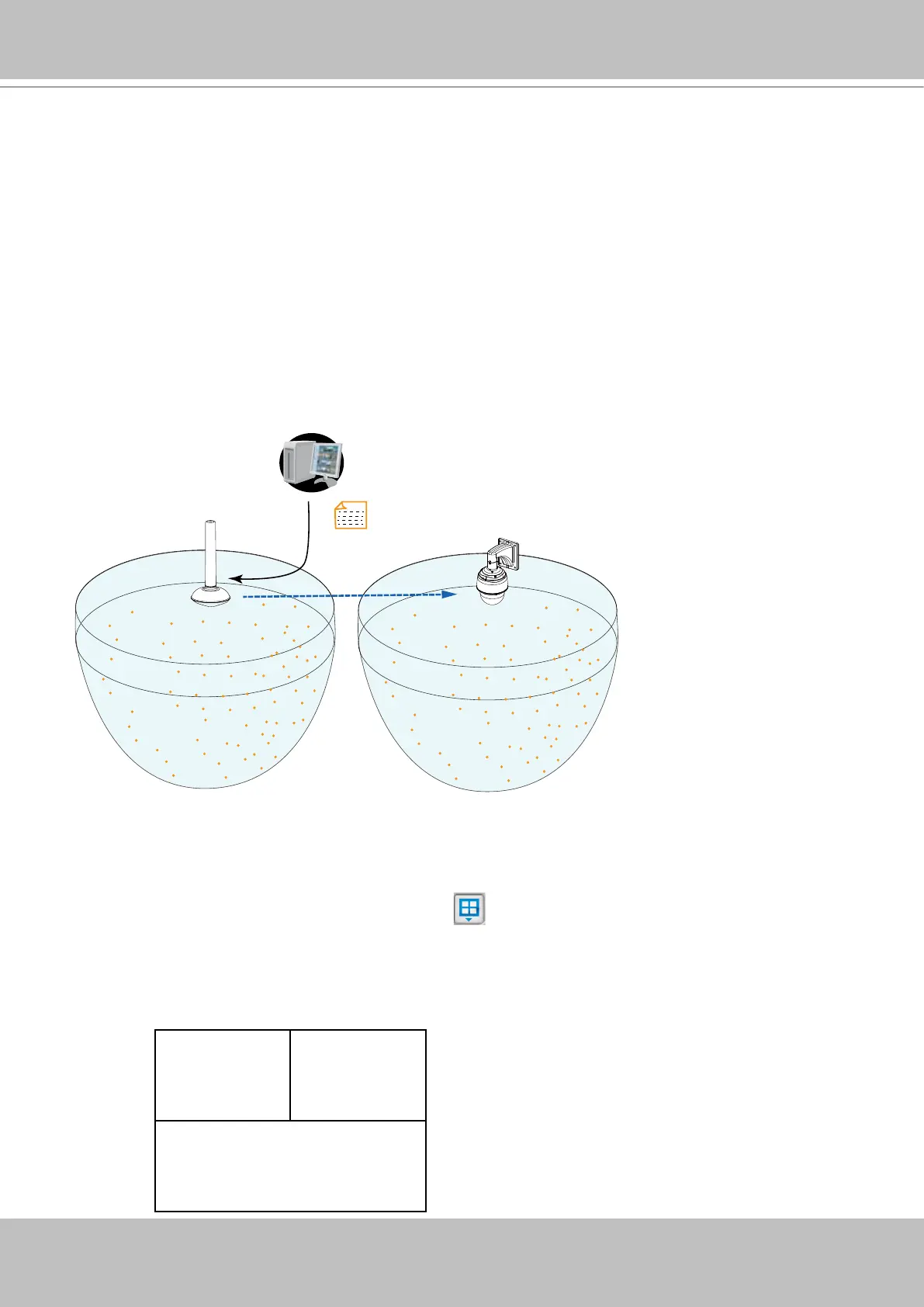
The process of configuring two cameras (1 fisheye and 1 speed dome) into the Panoramic
PTZ conguration takes place on a PC using the calibration tool. The Auto Tracking feature is
configured using a web console with the fisheye camera. A Panoramic PTZ package should
comprise two cameras running specific firmware for this application and a software CD
containing all necessary utilities. For conguration details, please refer to the Panoramic PTZ
Installation Guide.
Mapping table
360°
All round view
ref. point 1
ref. point 2
ref. point 3
ref. point 4
ref. point 5
ref. point 6
ref. point 7
ref. point 8
ref. point 9
ref. point 10
ref. point 11
ref. point 12
ref. point 1
ref. point 2
ref. point 3
ref. point 4
ref. point 5
ref. point 6
ref. point 7
ref. point 8
ref. point 9
ref. point 10
ref. point 11
ref. point 12
Calibration tool
Pan/Tilt/Zoom
control
To exert Panoramic PTZ control on VAST:
1. Once these two cameras are congured into an interactive pair, insert these cameras into
your VAST conguration.
2. Select a preferred layout using the Layout button. The 1P+2, 1P+6, and 1P+8 layouts
are specically designed for the Panoramic PTZ conguration.
3. Taking the 1P+2 layout as an example, once they are listed on the device list, click and drag
the sheye camera to the upper left and the bottom view cells. Place the speed dome in the
upper right view cell.
Fisheye 1O Speed Dome
Fisheye 1P



 To Next Page