VIVOTEK - A Leading Provider of Multimedia Communication Solutions
User's Manual - 289
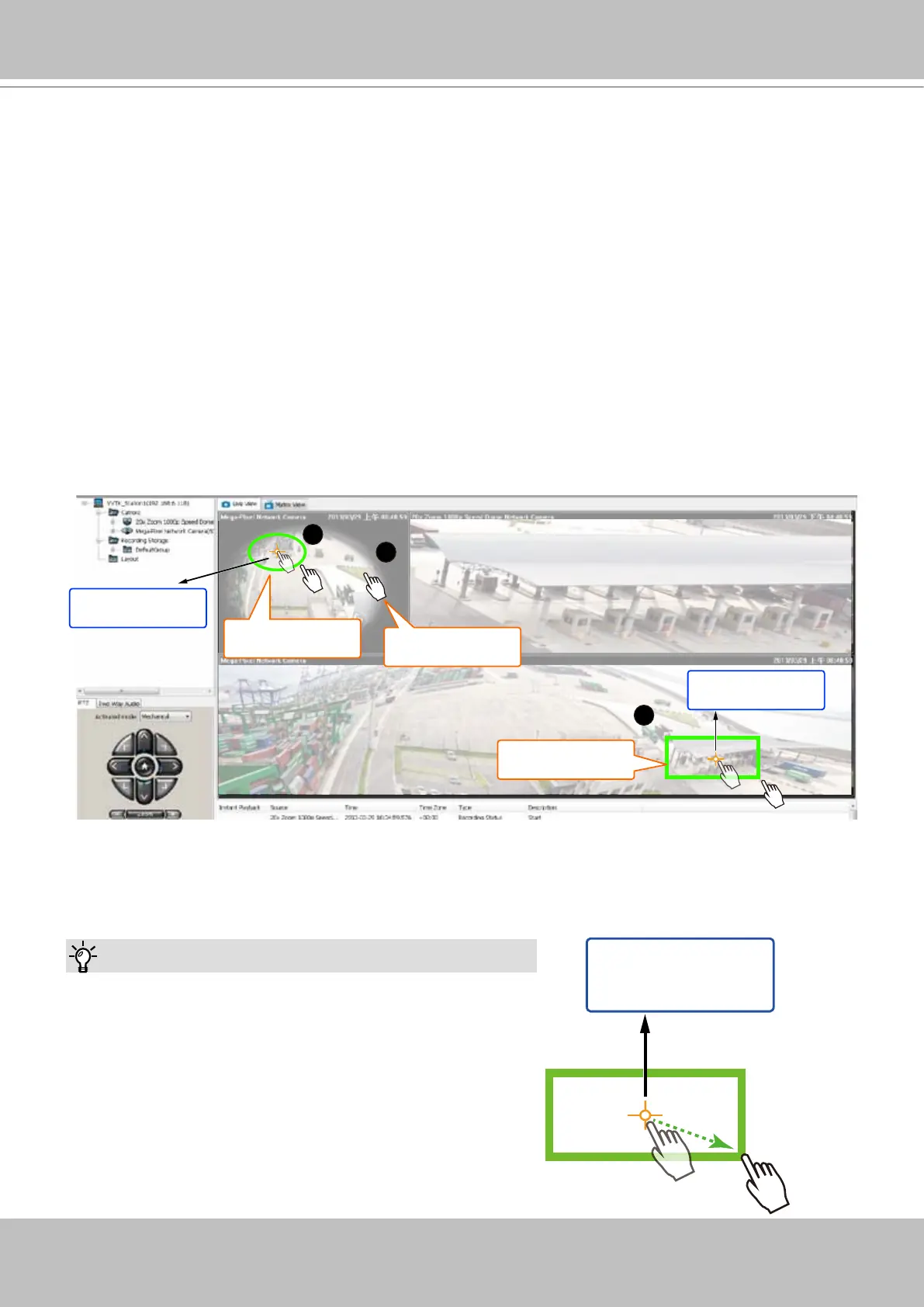
4. Right-click on the sheye's view cell to change its Display mode either into the 1O (Original)
or the 1P (Panoramic) mode. Note that the Panoramic PTZ control does not take effects on
the "R" (Regional) mode and the combinations of other display modes.
1
Click to move
2
Click and drag
2
Click and drag
Object
of your interest
Object
of your interest
5. There are two different ways to quickly exert Panoramic PTZ control. The pan, tilt, and zoom
actions are made from the sheye's 360° hemispheric overview:
5-1. Click on a spot on the sheye's Original or Panoramic view where you detected a
condition of your interest. The speed dome will aim its lens at the corresponding position
to cover that eld of view.
5-2. Click and drag a region of interest either on the Original or on the Panoramic view. The
speed dome will move to that region and zoom in to ll the same proportion of view into its
view cell.
• On the Original view, click-and-drag creates a circular region of interest.
• On the Panoramic view, a square region.
• If you draw a small region, the speed dome will zoom in on the scene. The smaller the
region, the larger the zoom-in ratio. A large region makes the speed dome to zoom out.
The speed dome camera automatically performs optical zoom in/out to best t the selected
eld of view until the maximum and minimum zoom ratio is reached.
Tips:
1. When drawing a region of interest, click and drag from
the center of your interest over a diagonal line to the
bottom right. It is not like drawing a diagonal line from
corner to corner.
2. To swipe the Panoramic view left or right, press and
hold down the Ctrl. key and the left mouse button.
Object
of your interest



 To Next Page