VIVOTEK - A Leading Provider of Multimedia Communication Solutions
User's Manual - 301
Appendix D Other Parameters
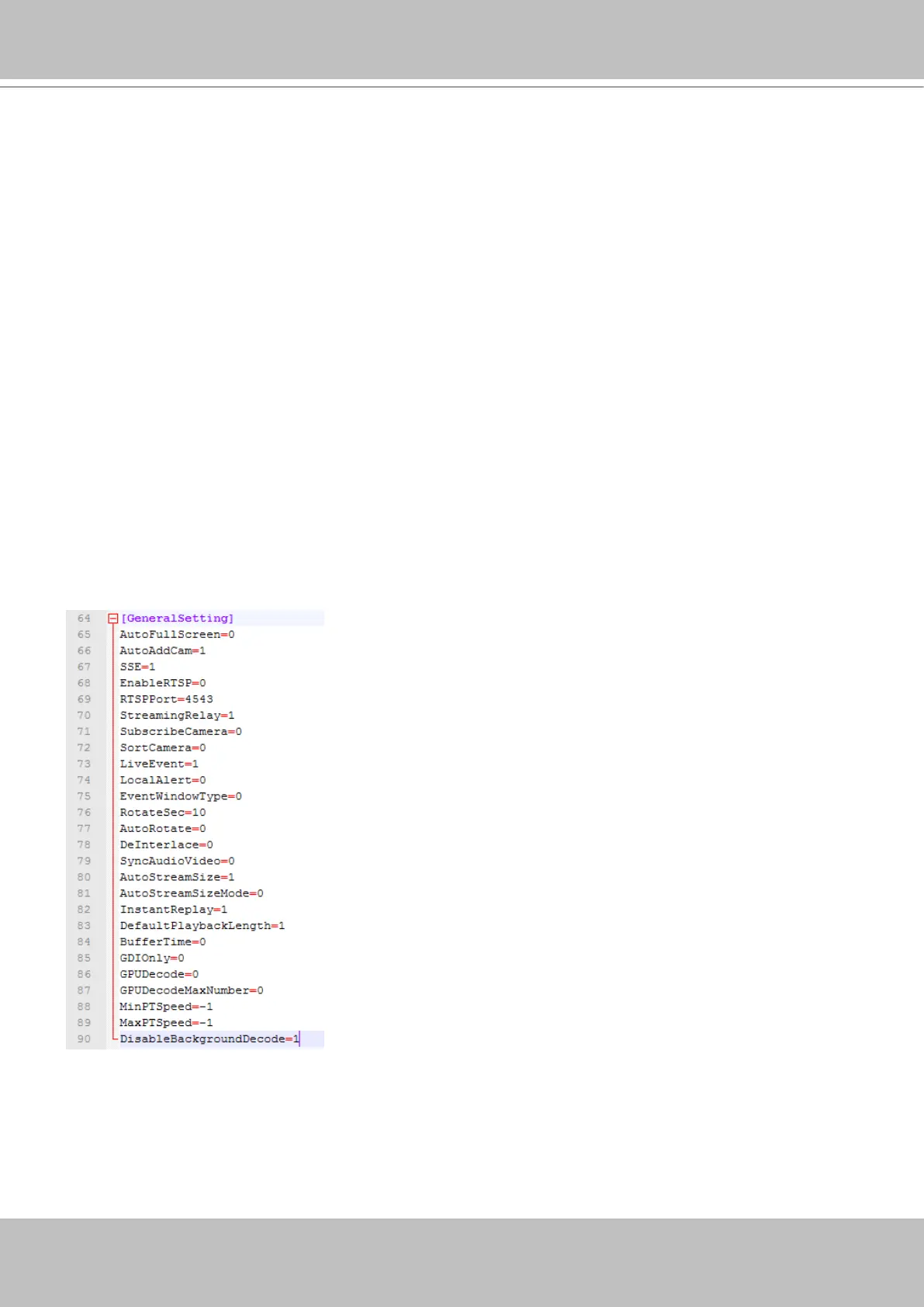
Disable background decode:
Administrators can choose to disable the background decode for other view cells when entering
a single view of a specific camera. This can help reduce the CPU load on a server short of
system resources.
This function can be evaluated in two aspects:
1. For a server with abundant system resources, there is less stress when disabling and
enabling background decode. When a user leaves a single view and enters a multi-cell
view, the background decode starts again, and a powerful server handles this process more
smoothly.
2. For a server with less resources, this feature can reduce CPU load. However, latency can
occur during the process when returning from a single view back to a multi-cell view.
This feature is enabled by editing the ClientSetting.ini file in C:\ProgramData\VIVOTEK Inc\
VAST\Client\LiveClient.



 To Previous Page