VIVOTEK - A Leading Provider of Multimedia Communication Solutions
254 - User's Manual
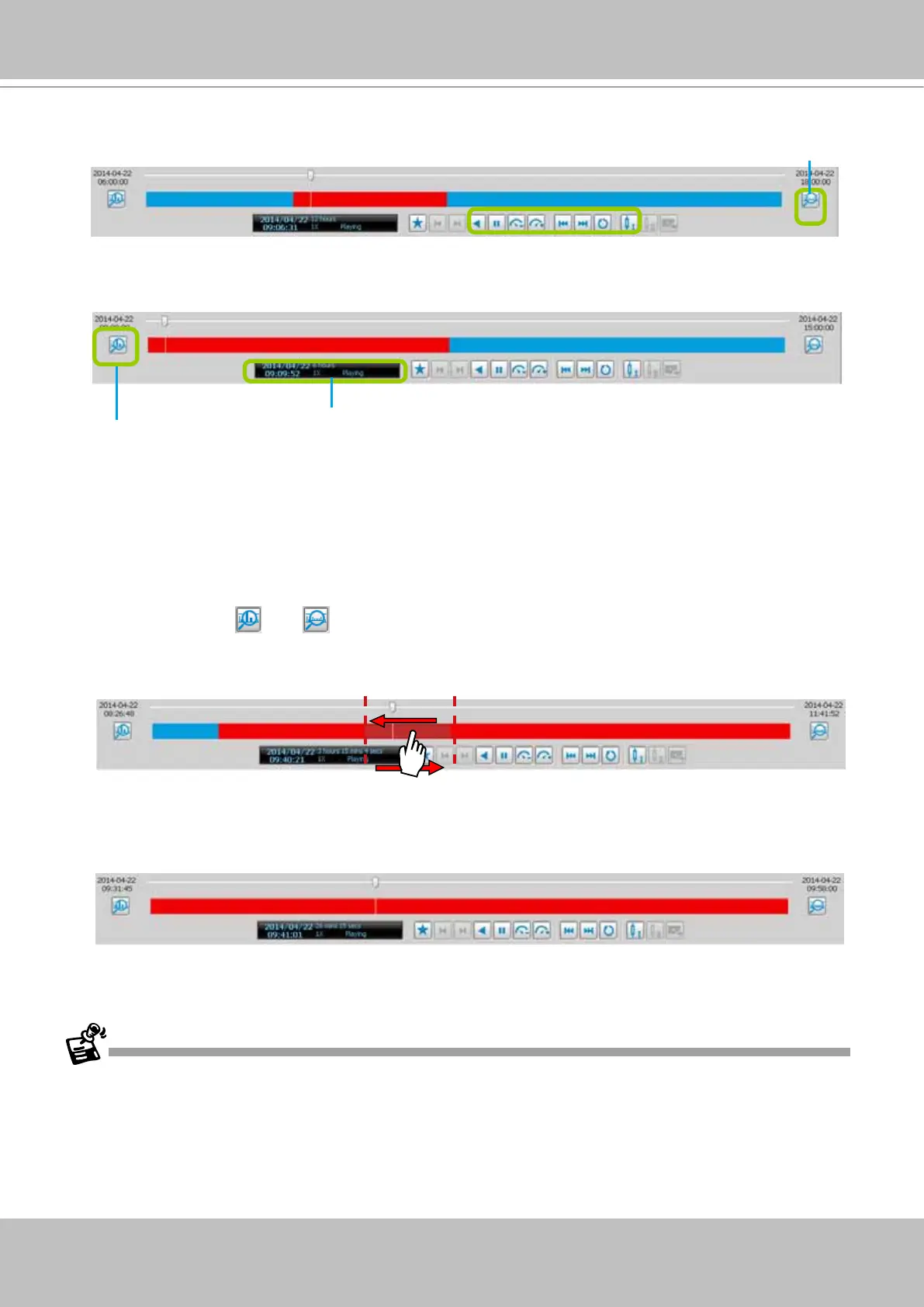
Zoom in / out of the Histogram
As the second picture shows, by clicking Histogram Zoom In, the total time of the histogram will shorten
to half of the original period of time, while the red part of the histogram that shows the period of time of
the video clip will extend to twice the original time span.
In addition to clicking
and to zoom in/ out of the histogram, you can use the mouse directly to
drag the histogram to zoom in part of the focused video clip.
For example:
a. Drag a section of the histogram. You can drag it to either direction.
b. The section will be extended as shown below.
For more functions of the playback control buttons, please refer to page 249 for detailed description.
Histogram zoomed in
Histogram zoom out
Total time length



 To Next Page