VIVOTEK - A Leading Provider of Multimedia Communication Solutions
User's Manual - 85
Seamless Recording
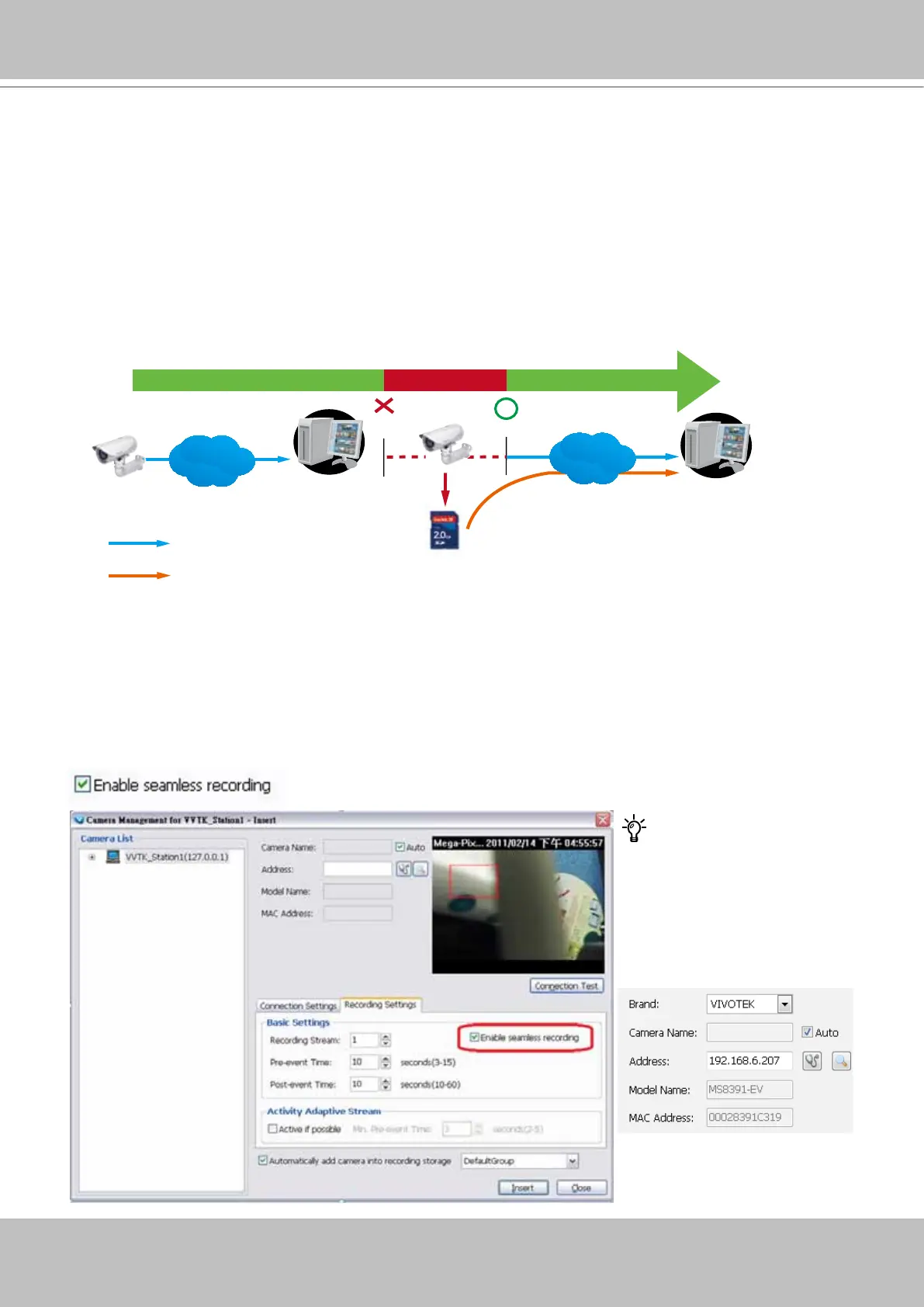
Seamless Recording safeguards critical videos in the occurences of network disconnection.
In the event of temporary disconnection, video is stored in individual cameras' SD/SDHC/
SDXC card; and once the connection is restored, a VAST server can automatically resumes the
recording. More remarkable is that, a VAST server can simultaneously retrieve the time-tagged
videos that were temporarily stored on SD/SDHC/SDXC cards. For information about the latest
rmware/software revisions that support this feature, please contact your sales representatives
or technical support.
The video data retrieved from SD/SDHC/SDXC card also include event-triggered recordings
such as pre- or post-event footages, if events were detected during the network outage.
VAST
Server Station
14:30 14:50
Disconnect Restored
Timeline
LAN/WAN
VAST
Server Station
LAN/WAN
1
4
:
3
0
~
1
4
:
5
0
Seamless Recording
SD/SDHC
Normal recording
Retrieval
The Seamless Recording feature is enabled when inserting, updating, or batch inserting
cameras in the Camera Management window. The rmware/hadware compatibility of this
feature is automatically detected, i.e., this feature is not available when a non-compliant camera
is attached. If a compatible camera is attached, a checkbox will be available as shown below.
Tips:
Try out the Detect model
button on the Insert Camera
page if the Seamless
Recording checkbox does not
appear.



 To Next Page