VIVOTEK - A Leading Provider of Multimedia Communication Solutions
84 - User's Manual
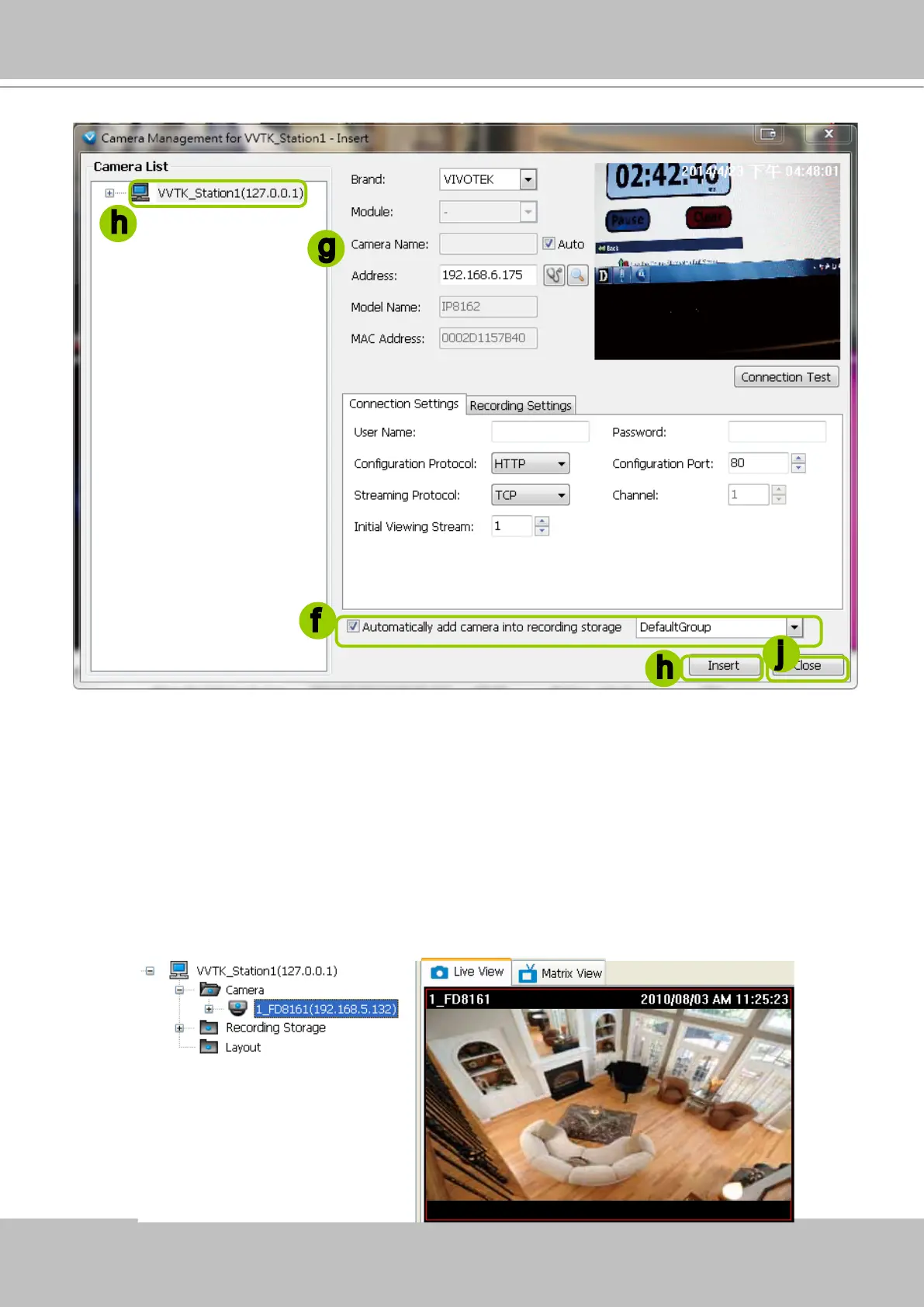
f. The device will automatically be assigned to the default recording group. Deselect the item if you want
to cancel this setting.
g. You can deselect the "Auto" checkbox behind the Camera Name entry, and manually enter a name
of your choice, such as "East alley bullet." This name will be used as the folder name for the recorded
video les. An index number will still be appended to the folder name. Note that if this name is changed
when the recording is taking place, the conguration change will not take effect until the next day.
h. When all settings are completed, click Insert to add the device to the station. The device will be
displayed under the Camera List on the left.
i. To insert additional devices to the station, repeat the above steps.
j. When completed, click Close to exit the camera management window.
k. Back to the main window, you will nd the newly-inserted devices displayed under the station and the
live video in the video cell.
f
h
j
h
g



 To Next Page