VIVOTEK - A Leading Provider of Multimedia Communication Solutions
User's Manual - 77
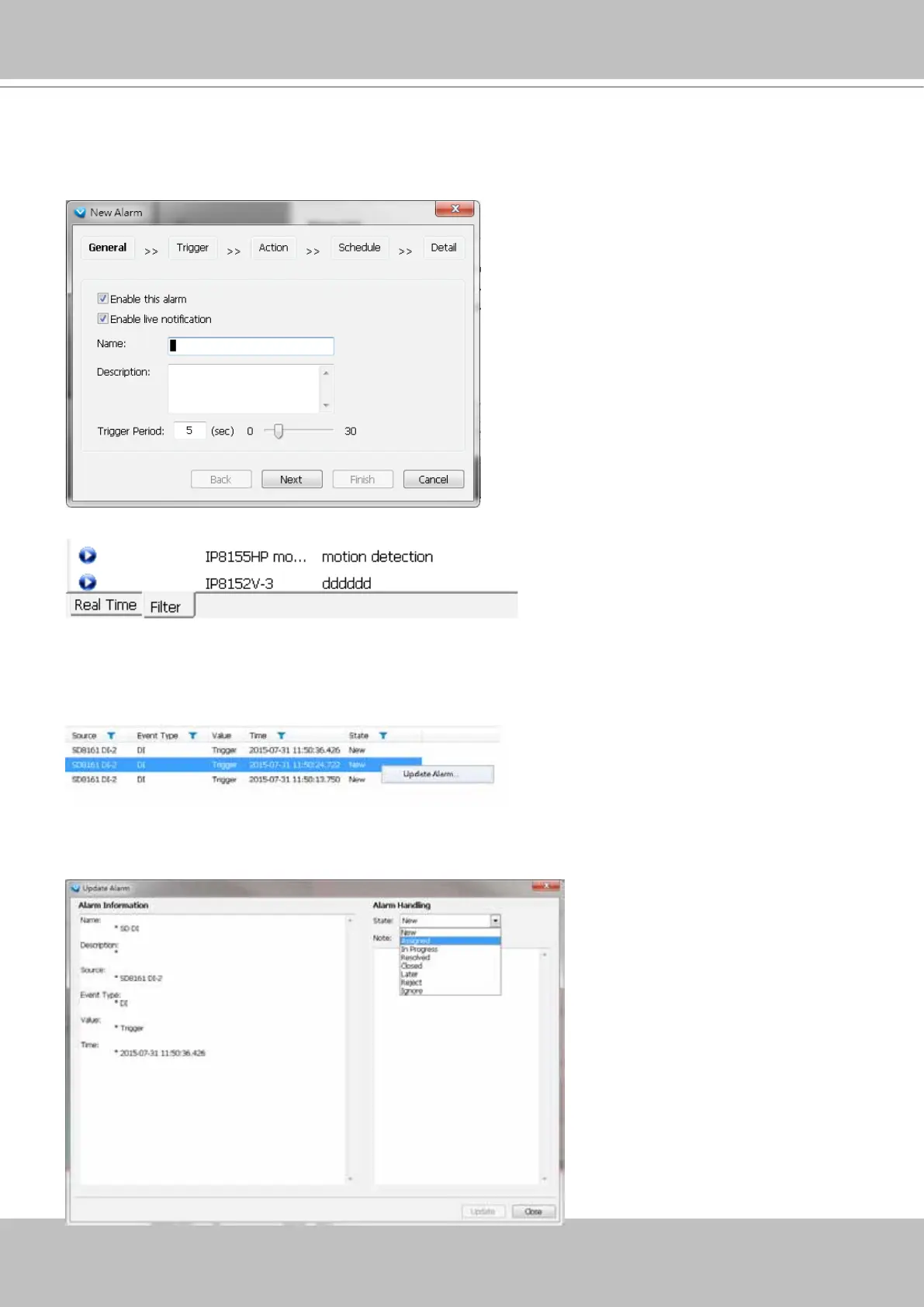
Use the Filter tab at the bottom of the Alarm window to display a different sorted result.
For example, you can set up a lter to display the alarms with a name associated with a specic
camera, such as "bullet on the corridor." The name of the alarm is congured in Conguration
> Alarm management on page 139.
Alarm State
Left-click to select an alarm, and then right-click to display the Update Alarm button.
You can change the alarm state from the pull-down menu. For example, if someone has already
been sent to check out the situation, for example, an intruder broke in through a window, you
can select the Assigned status. A 1024 bytes decription can be added into the alarm Note for
future reference.
If an alarm is proved as a
false alarm, the alarm can
be designated as Ignore or
Resolved, and so on.
The different alarm states can
also be used as the filtering
conditions in the Alarm filter.
Single or multiple states can
be selected in the filter. For
example, to display the Resolved
alarms only, use the Resolved
state as the lter.



 To Next Page