VIVOTEK - A Leading Provider of Multimedia Communication Solutions
258 - User's Manual
How to Change the Playback Layout
Changing the Layout of the Recorded Video Playback Window
VIVOTEK VAST Playback supports up to 16-CH simultaneous recorded video playback on a
single monitor and allows you to change the layout of the recorded live video playback window
based on the number of inserted devices.
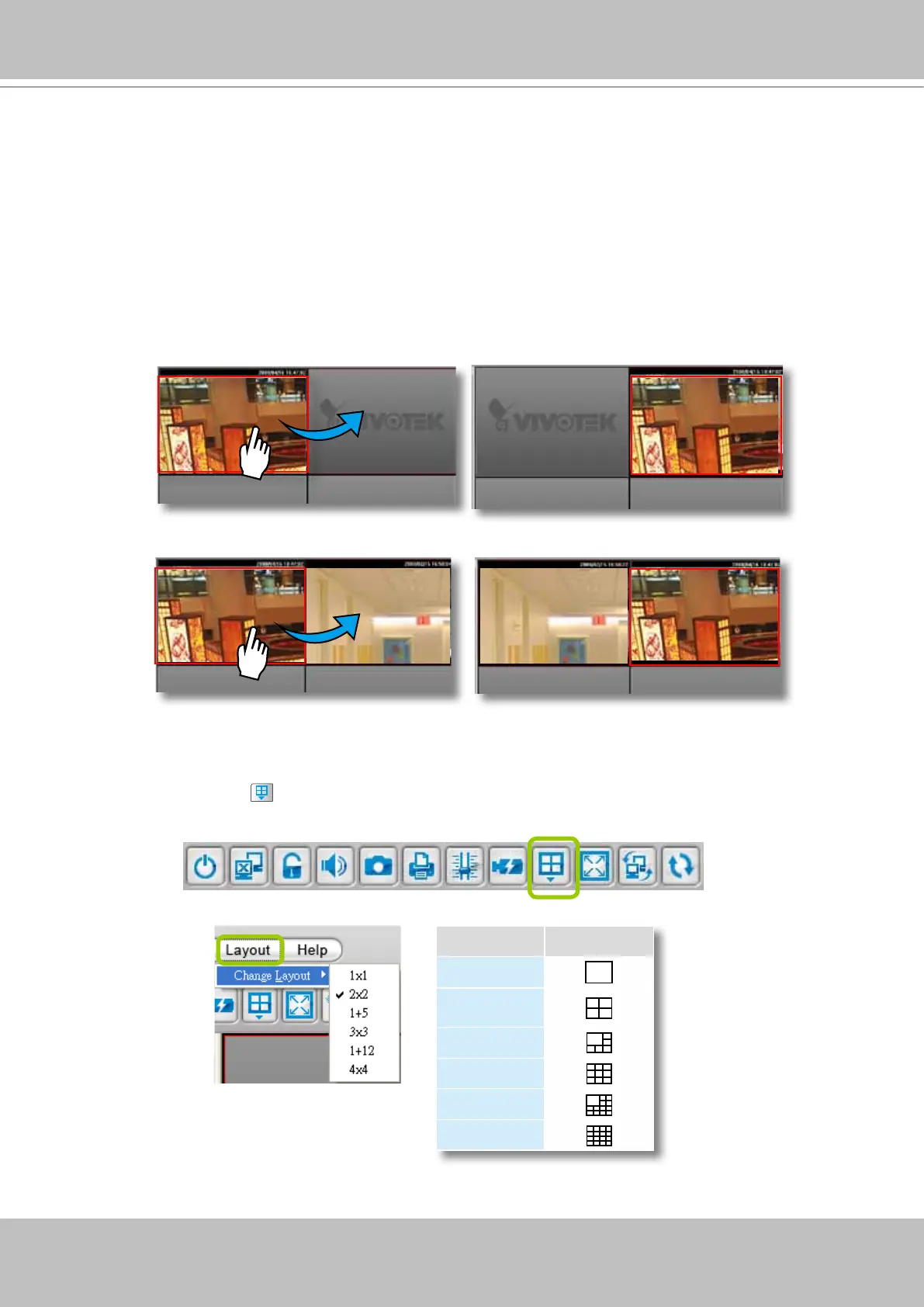
Switch Video Channels
Drag-and-drop a video channel to another empty video window.
To switch two channels, drag-and-drop one view to the other, then the two channels will switch
positions.
Congure Layout Mode
Click the Layout button on the quick access bar or click Layout > Change Layout on the menu bar.
Select a desired layout mode and the layout window will change accordingly. Below we illustrate 6 types
of layout modes:
Layout mode Description
1 x 1
2 x 2
1 + 5
3 x 3
1 + 12
4 x 4



 To Next Page