VIVOTEK - A Leading Provider of Multimedia Communication Solutions
User's Manual - 67
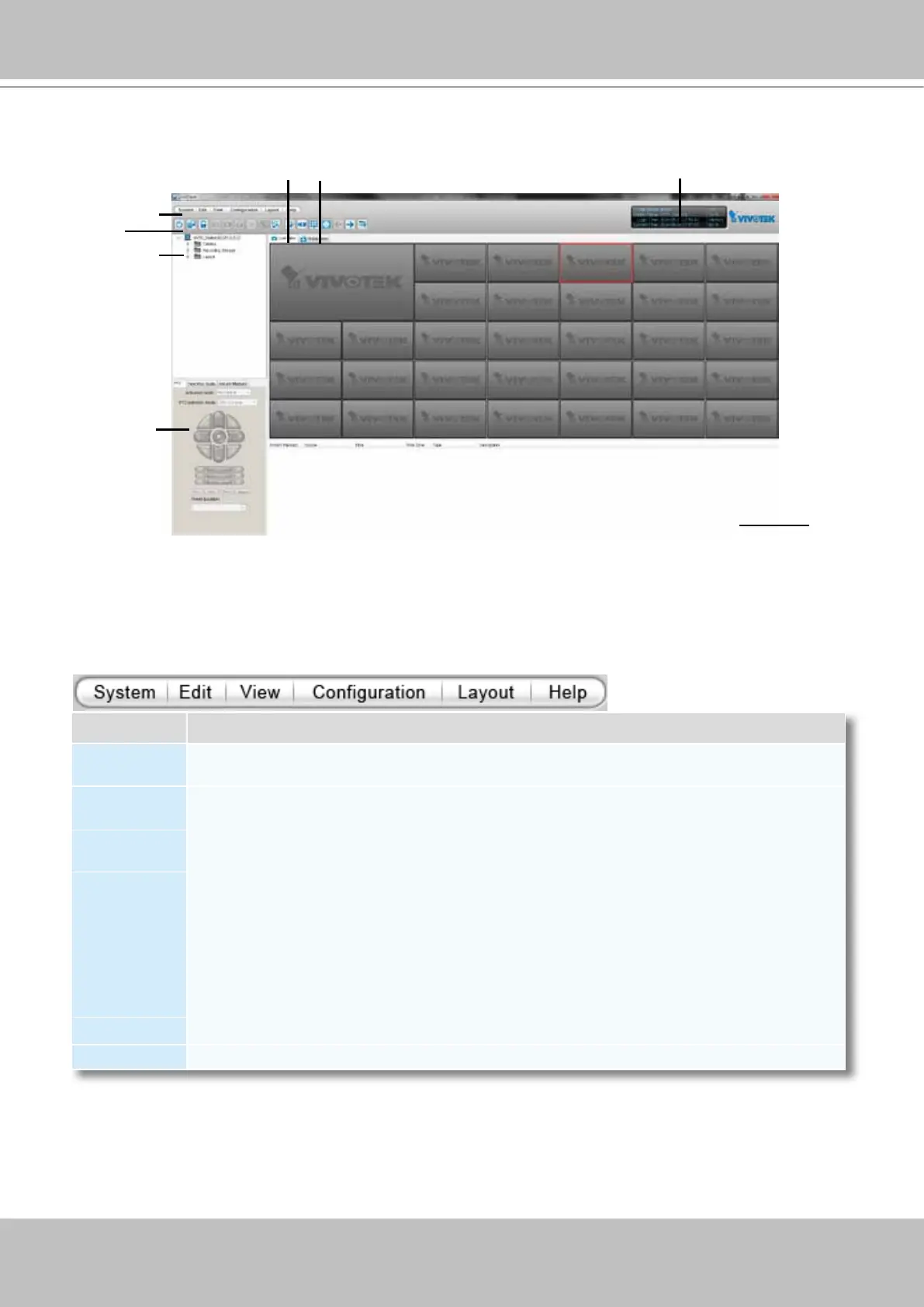
VAST LiveClient User Interface
Menu Bar
E
C
B
G
A
D
Menu Item Drop-down Options
System
Lock / Enable Click On Image (Disable Click On Image) / Language / Second View / E-map /
Launch Playback / Logout / Exit
Edit
Manually Begin Recording (Stop Manual Recording) / Snapshot / Print / Record to EXE (3GP,
AVI) / Snapshot Zoomed Image / Print Zoomed Image / Find
View
Logical Tree view/ Device Tree view/ PTZ Panel / Two Way Audio Panel / Instant Playback
Panel / Alarm Window / Full Screen / Minimize / Matrix View
Conguration
Camera Management (Insert Camera / Update Camera / Delete Cameras / Batch Insert
Cameras / Camera Configuration) / Station Management / Logical Tree View management
/ IO Box Management / User Management / Association Management / Alarm Management
/ Virtual Matrix Management (Matrix Management / Matrix View Settings) / Station Settings
(General Settings / Network Settings / Recording Storage Settings / Recording Schedule
Settings / Scheduled Backup Settings / Server Settings / Relay Settings) / Client Settings
(Snapshot Settings / Recording Settings / View Settings / General Settings / Joystick Settings /
Proxy Settings / PiP Settings) / Video Enhancement (Basic Image Adjustment / Defog)
Layout Start Rotating (Stop Rotating) / Save to / Delete / Choose
Help About / License
A. Menu bar B. Quick access bar C. Hierarchical management tree
D. Camera control panel (PTZ / Two way audio / Instant Playback control panel)
E. Live view window F. Matrix view window G. Status panel H. Alarm window
H
F



 To Next Page