VIVOTEK - A Leading Provider of Multimedia Communication Solutions
76 - User's Manual
Video(TCP-AV)
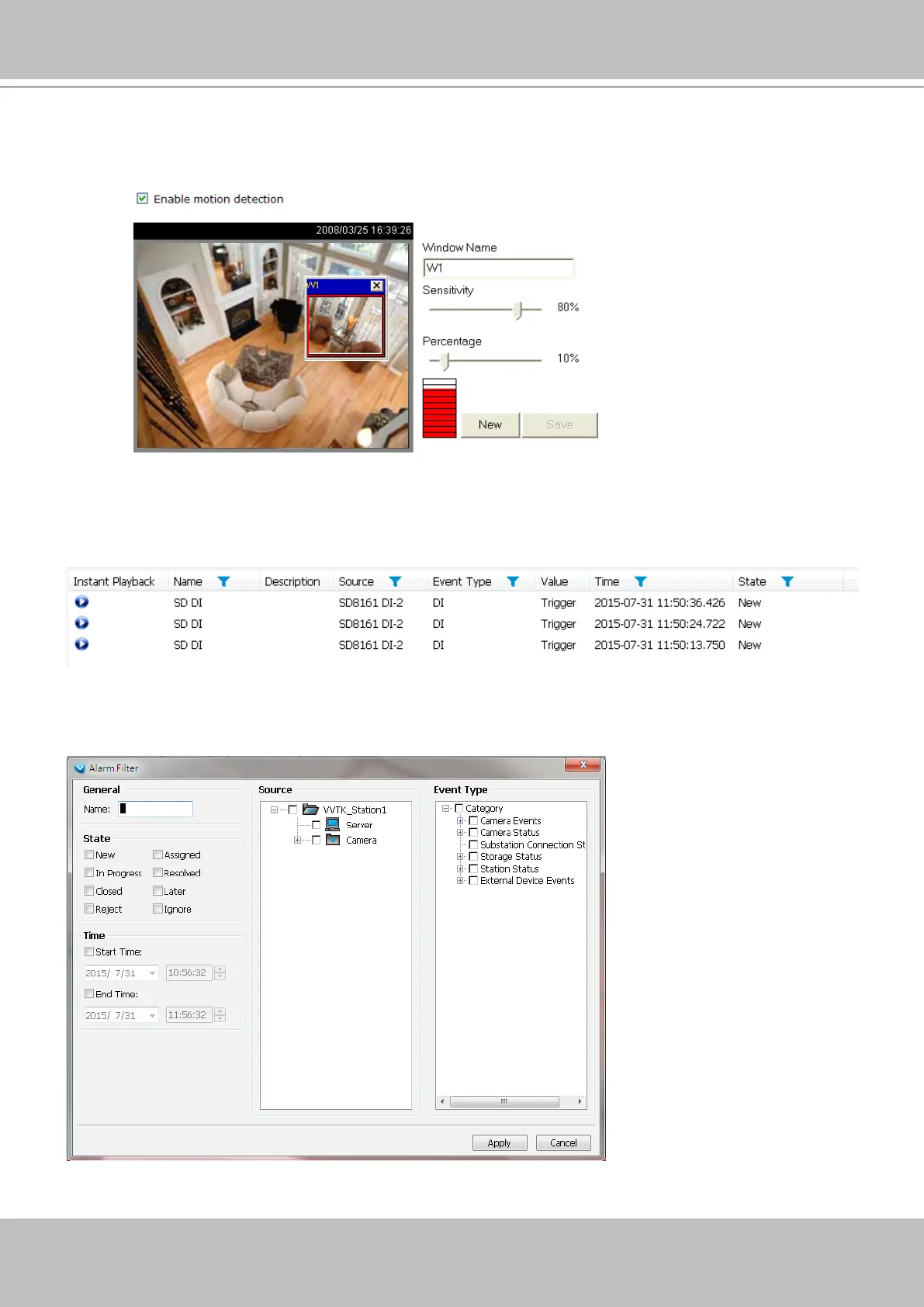
Alarm Filter
On the Alarm panel, a list of alarms will be displayed. Click on the attributes with a funnel icon.
The Alarm Filter window will prompt. Use the Name, Time selector, and the State checkboxes in
the Source and Event Type panes to specify what kinds of alarms will be displayed.
The Event Type eld in the Alarm window shows the event category and another eld Value displays
the percentage of motion in the detection window. You can go to the Conguration setting page of the
connected device to set the percentage.



 To Next Page