VIVOTEK - A Leading Provider of Multimedia Communication Solutions
User's Manual - 139
How to Set up Alarm Management
VAST LiveClient supports Alarm management which allows the server to respond to particular
situations (events).
Alarm Management
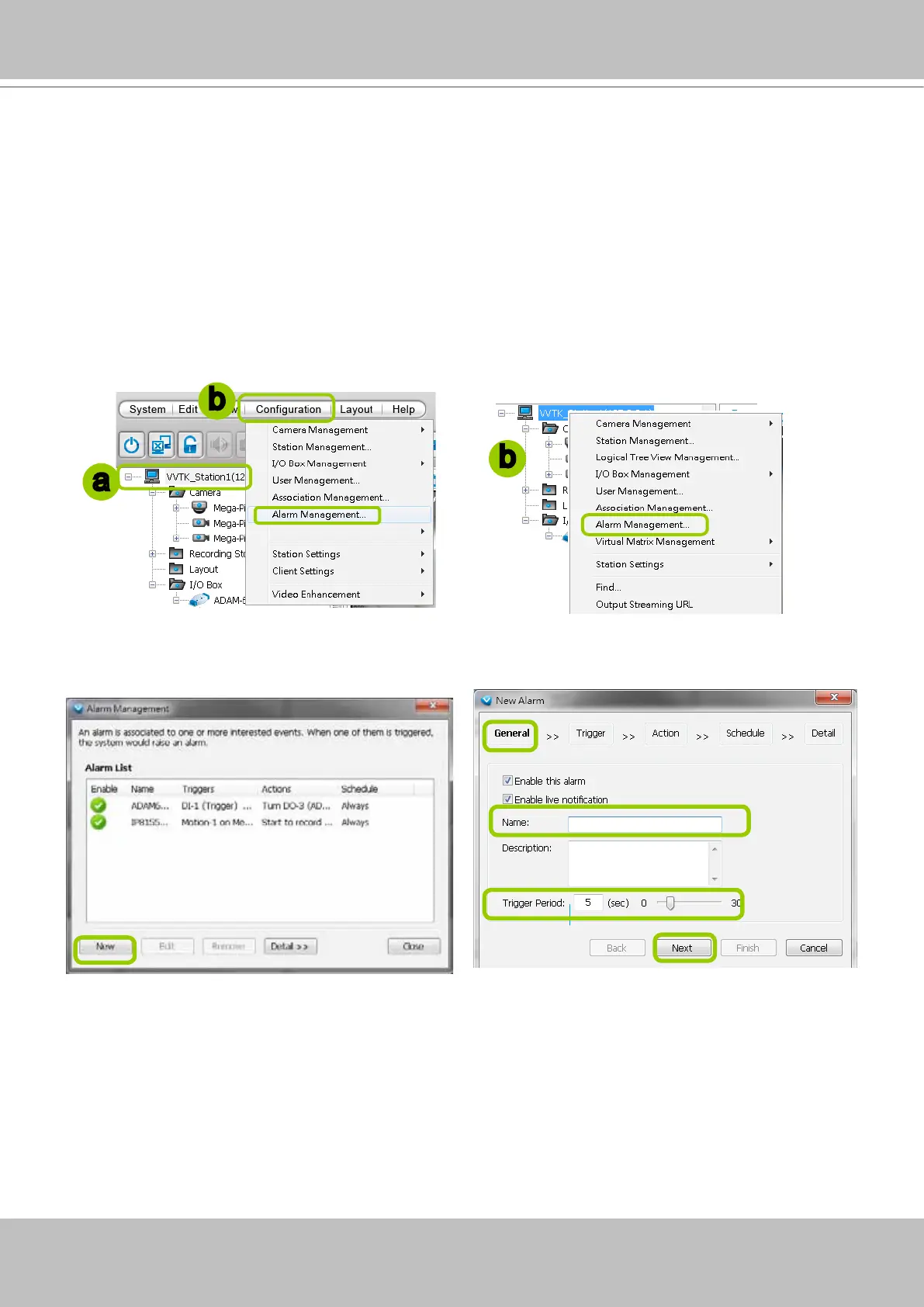
Please follow the steps below to congure event management:
a. Select the station from the hierarchical management tree.
b. Click Configuration > Event Management on the menu bar (or right-click the station and select
Event Management).
c. The Alarm Management window will prompt. Click New to set up a new event. Enter a name and
description for the new alarm. When you nish the general settings, click Next to set up trigger source
settings. The Alarm name you specify here will be displayed on the Alarm panel in the Live view.
a
b
b
Detect next event after 5 secs



 To Next Page