VIVOTEK - A Leading Provider of Multimedia Communication Solutions
140 - User's Manual
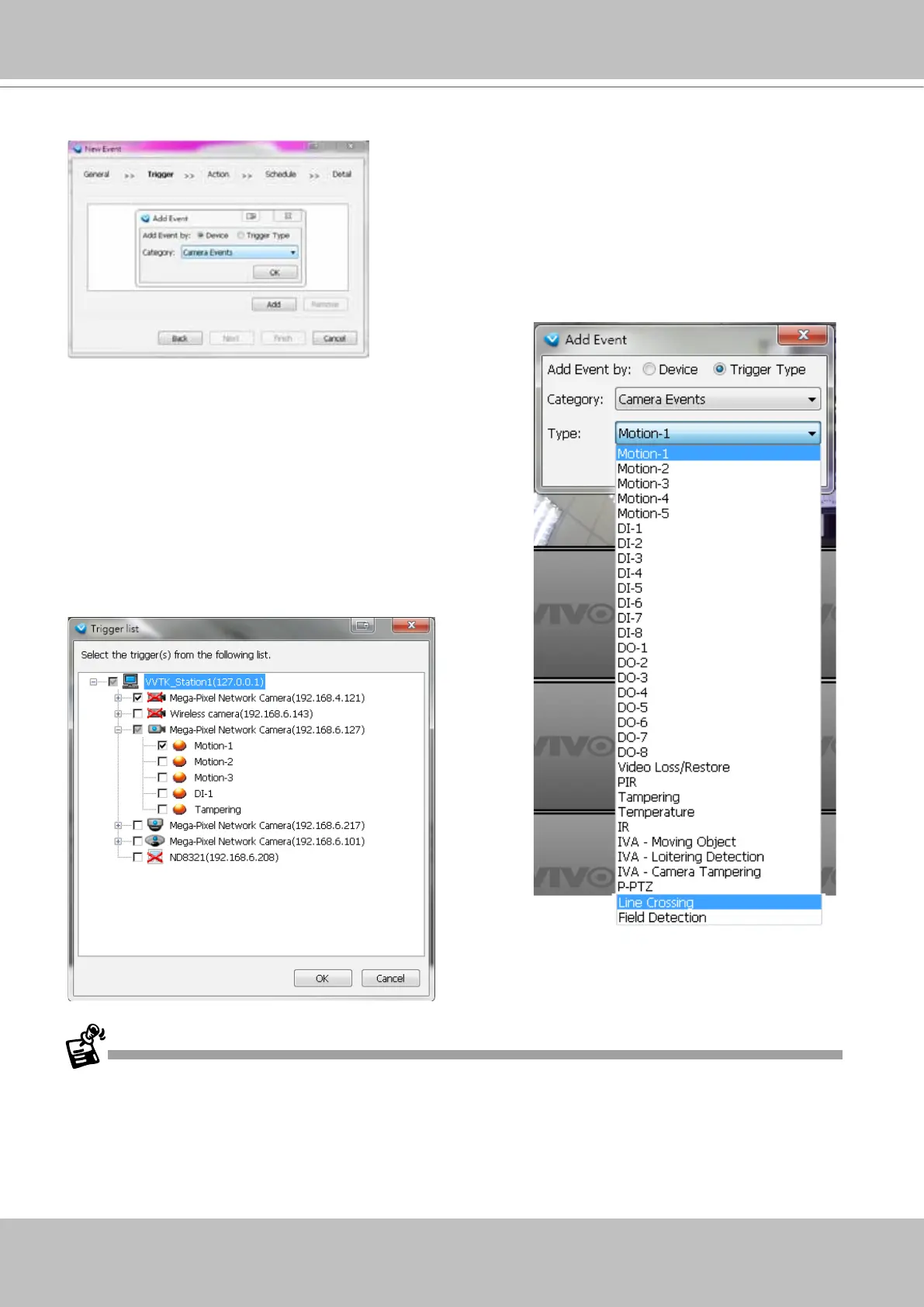
d. Click Add to select the trigger source by Device or Trigger Type.
Note that Motion detection windows are separately
congured using web consoles with each individual
cameras. Open a web console with the camera to congure
Motion detection windows.
The Storage Status includes: Storage connection status
and storage capacity status on NVR systems.
Each individual motion detection window can be used as a
triggering condition. The Line Crossing and Field Detection
packages running on cameras also apply as triggers.
If you connect your DI/DO devices via an I/O module (I/O box), please refer to page 296, Appendix D
Support for Digital I/O Modbus TCP Modules for details.



 To Next Page