VIVOTEK - A Leading Provider of Multimedia Communication Solutions
User's Manual - 141
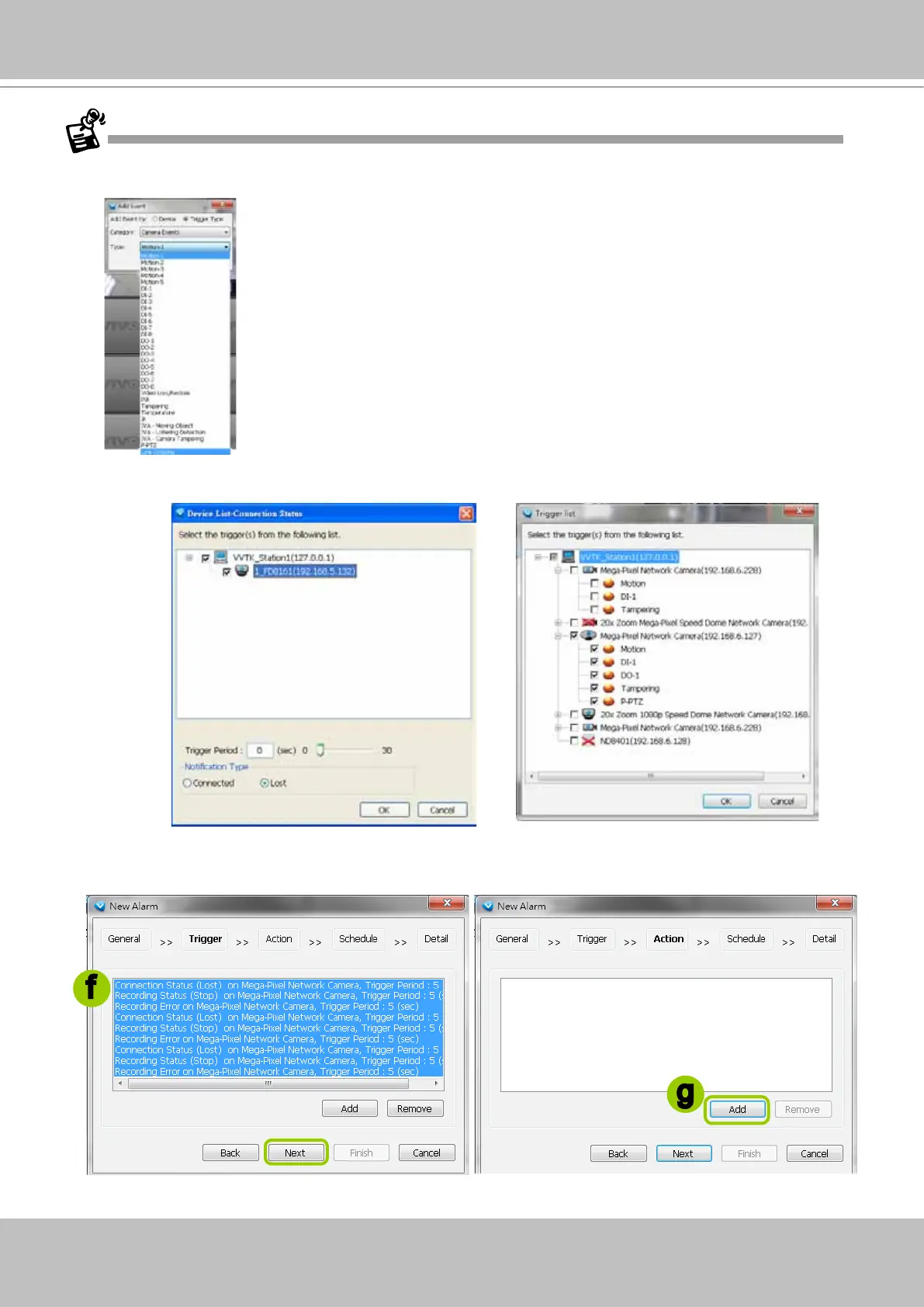
e. The Device List window will pop up. Select one or more devices and set the Notification Type.
Depending on the trigger source, the Notification Type will be different. Then click OK to close the
window.
f. The trigger source(s) will be listed on the window as shown below. If you want to add more Trigger
sources, click Add and repeat d.~e. Then click Next to assign action(s) to the trigger source(s).
g. Click Add to open the Action Settings window.
f
g
There is a new event trigger type, P-PTZ. The P-PTZ refers to the occurrence of Auto Tracking action in
a Panoramic PTZ conguration.
Auto Tracking is congured on the sheye camera in a Panoramic PTZ
conguration.
If you manually congure a detection area for the Auto Tracking function,
the P-PTZ event will not be triggered.



 To Next Page