VIVOTEK - A Leading Provider of Multimedia Communication Solutions
142 - User's Manual
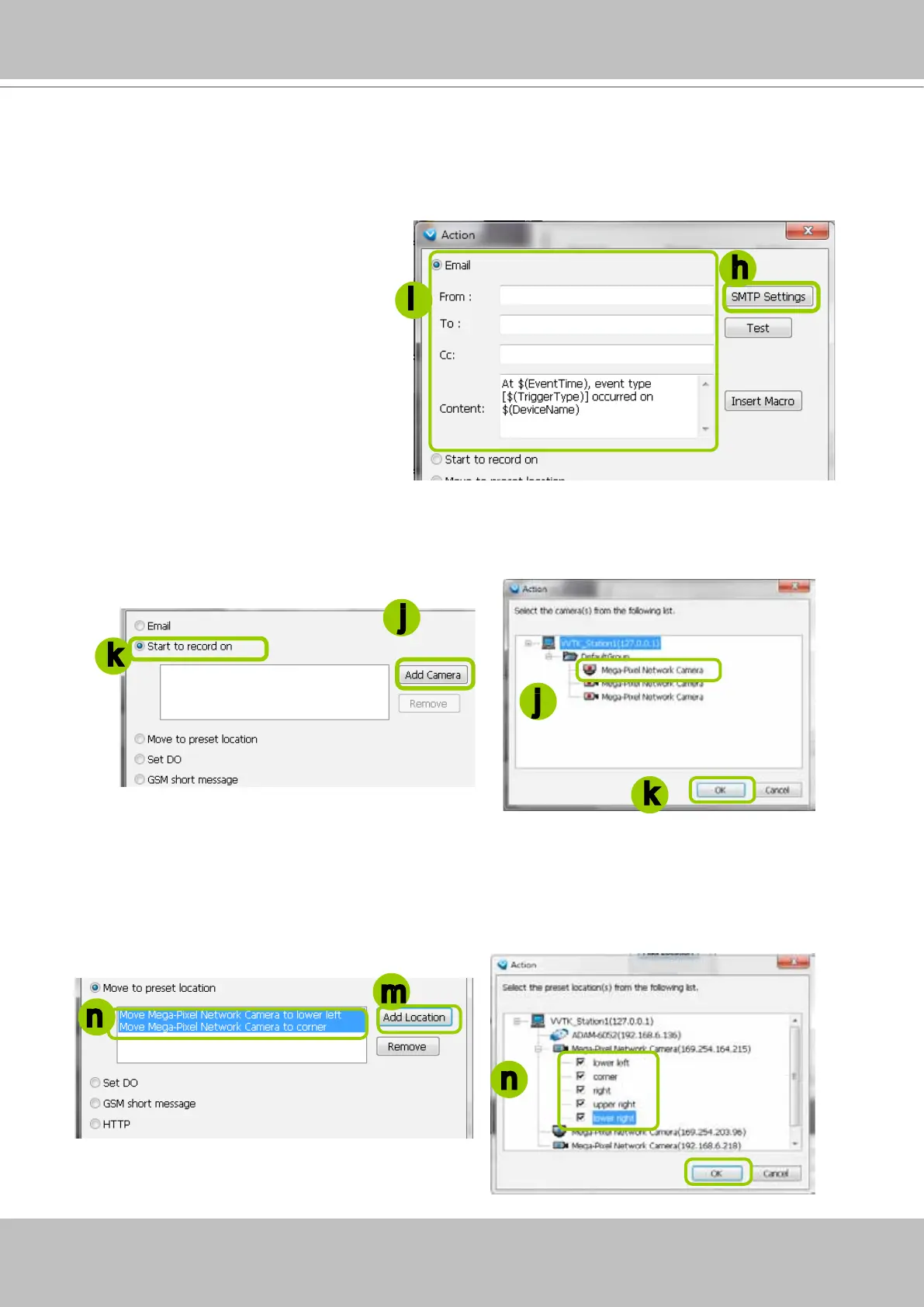
Start to record on: The sever will start to record video from selected camera(s) when an event is
triggered.
j. Click Add Camera to select the target camera(s).
k. The selected camera(s) will be listed on the left window below. When completed, click OK on the
bottom to enable the setting.
Move to preset location: The target camera(s) will move the shooting area to the preset location(s)
when an event is triggered.
l. To enable this function, please set preset locations on the camera conguration page rst.
m. Click Add Location to select preset location(s).
n. The selected preset location(s) will be listed on the left window below. When completed, click OK on
the bottom to enable the setting.
j
j
k
m
n
n
k
There are several types of Action Settings.
Email: The sever will send a notication via e-mail when a trigger is activated.
h. To enable this function, please set up the SMTP server rst. Click SMTP Setting to open the window
and refer to page 185 for detailed information.
i. Enter the related informtaion. You can modify the mail content in the blank. If you want to modify the
content, click Insert Macro to select the parameter. When completed, click OK on the bottom to
enable the setting.
h
i
Note that you can insert a snapshot
taken by the time of alarm occurence
of the recorded video. The snapshot
will be sent along with the notication
Email. The snapshot comes from
camer's stream 1.



 To Next Page