VIVOTEK - A Leading Provider of Multimedia Communication Solutions
User's Manual - 83
Recording Stream: By default, the stream source of the recording stream is stream 1, if you want to
change it later on, please refer to the previous page to update the camera settings (Update Camera).
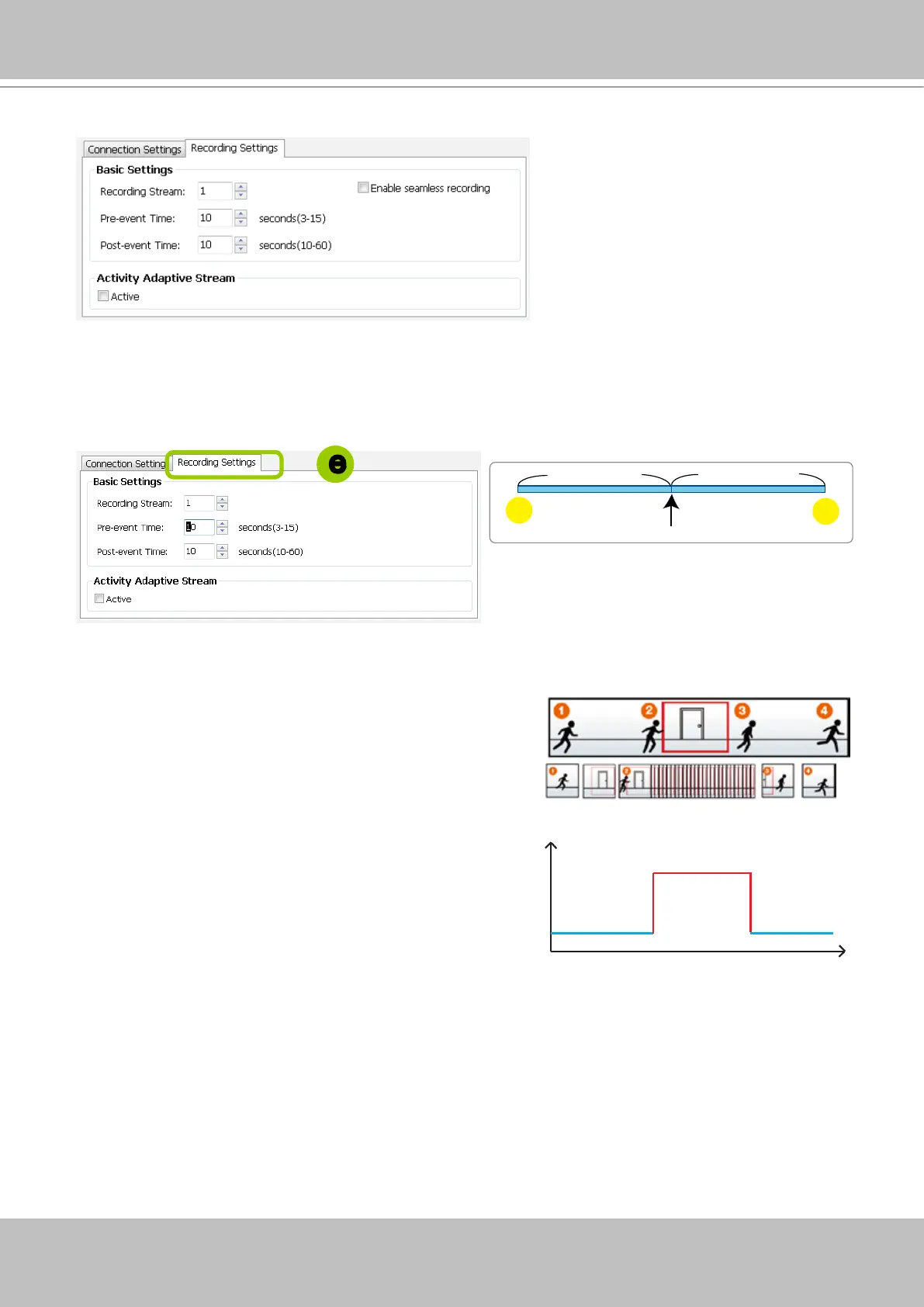
Pre-event time: Enter a number to decide how much time to record before an event is triggered.
Post-event time: Enter a number to decide the duration of recording after an event is triggered.
For example: If both the Pre-event time and Post-event time are set to 10 seconds, a total of 20
seconds of video will be recorded if an event is triggered. This function is supported by the buffer area
on a VAST server.
Activity Adaptive Stream (active if possible): Check this
item to enable activity adaptive stream recording. For
cameras that come with multiple streams features, users
can make use of activity adaptive streaming for dynamic
frame control.
If you check Activate Activity Adaptive Stream, the VAST
server will record full-frame-rate video only when an
event is triggered on the camera; otherwise, it will only
request the I frame data during normal monitoring, thus
effectively save lots of bandwidths and storage.
Time
Bandwidth
Bandwidth
Activity Adaptive Streaming
for Dynamic Frame Rate Control
I frame ---> Full frame rate ---> I frame
Continuous recording
post-
10 sec.
pre-
10 sec.
Trigger Activation
Pre-event time
Post-event time
e
Note the following with the associated configuration:
The Pre-/Post-event time conguration only applies to
event recording.
The Activity Adaptive Stream (a.k.a., AAS) only applies to
the Continuous Recording.
e. Congure Recording Settings:



 To Next Page