VIVOTEK - A Leading Provider of Multimedia Communication Solutions
218 - User's Manual
Congure keypad
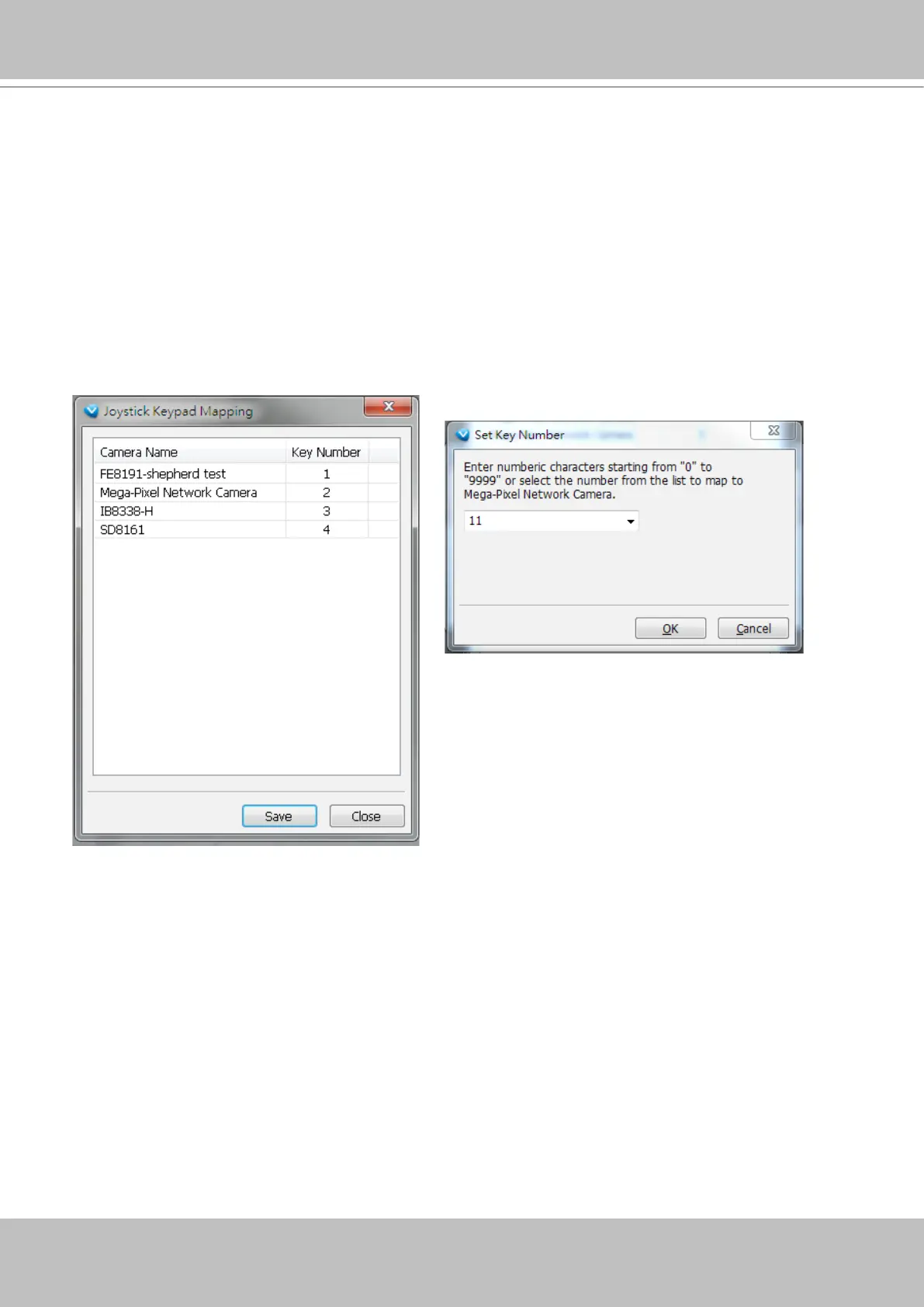
For joysticks that come with a keypad, you can use the combination of a number assigned to a camera
and the Enter key on keypad to quickly move to the camera’s current view. The current view will be
displayed in a single view. To congure the number representative of each camera, double-click to open
a conguration window. The number used for quick switch must be mapped to an existing channel.
Also note the following:
1. The keypad key representative can be a 4-digit numeric combination.
2. If a number key is pressed without pressing the Enter key within 3 seconds, the command is cancelled.
3. You should have at least ONE EMPTY view cell.
4. A Rotation operation will be halted when using the keypad quick switch function.
5. This quick switch function does not take effect on the cameras managed by VAST substations.



 To Next Page