VIVOTEK - A Leading Provider of Multimedia Communication Solutions
24 - User's Manual
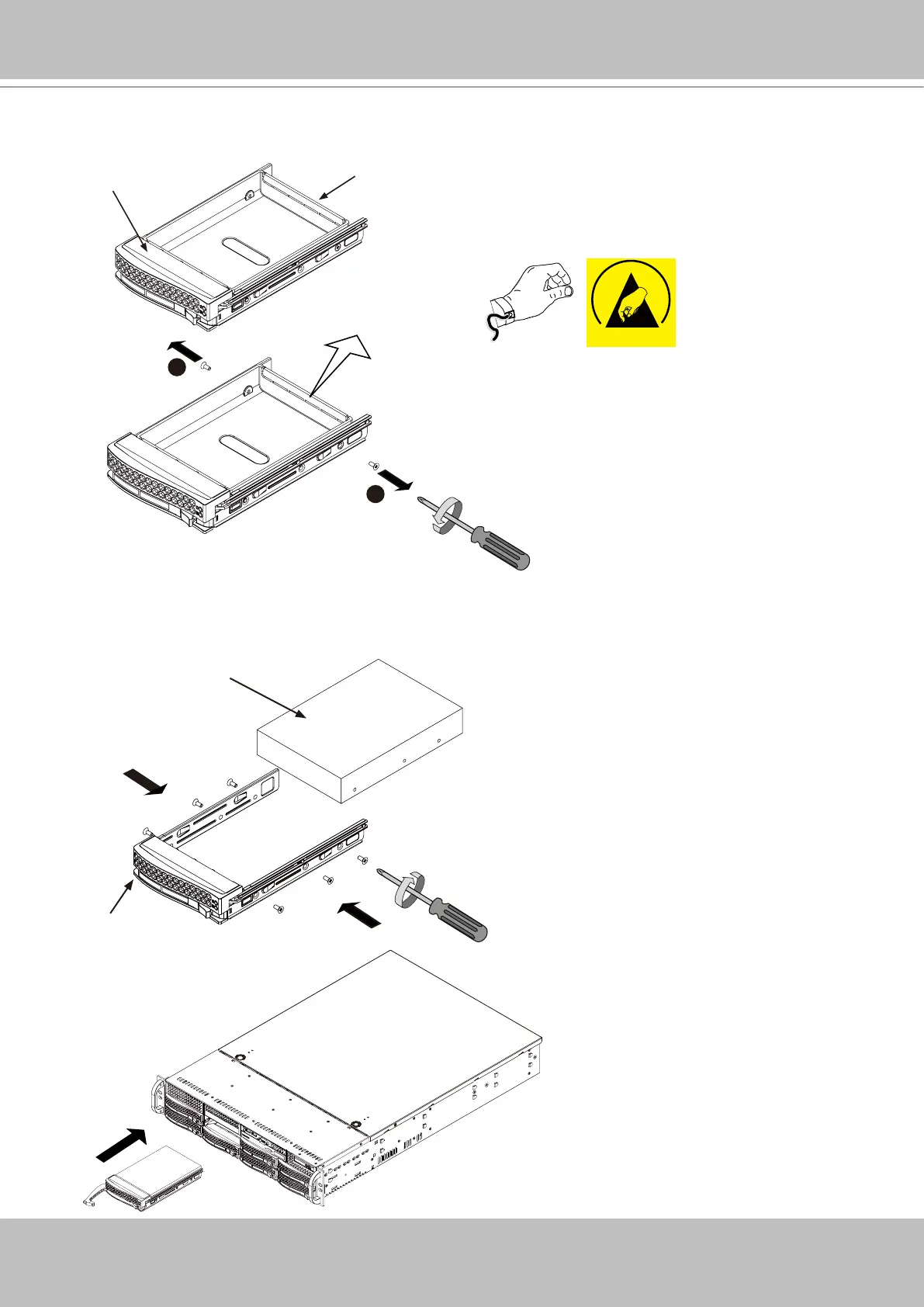
2. Use a Phillips screwdriver to remove screws from the side and then remove the plastic
Dummy Drive.
Drive Carrier
Dummy Drive
1
1
3. Install hard drives by driving screws from the sides. When done, gently install the drive trays
into the chassis.
Drive Carrier
SAS/SATA
Hard Drive
4
4
X8
ESD
It is recommended to wear an anti-static wrist
strap when handling hard drives.



 To Next Page