VIVOTEK - A Leading Provider of Multimedia Communication Solutions
30 - User's Manual
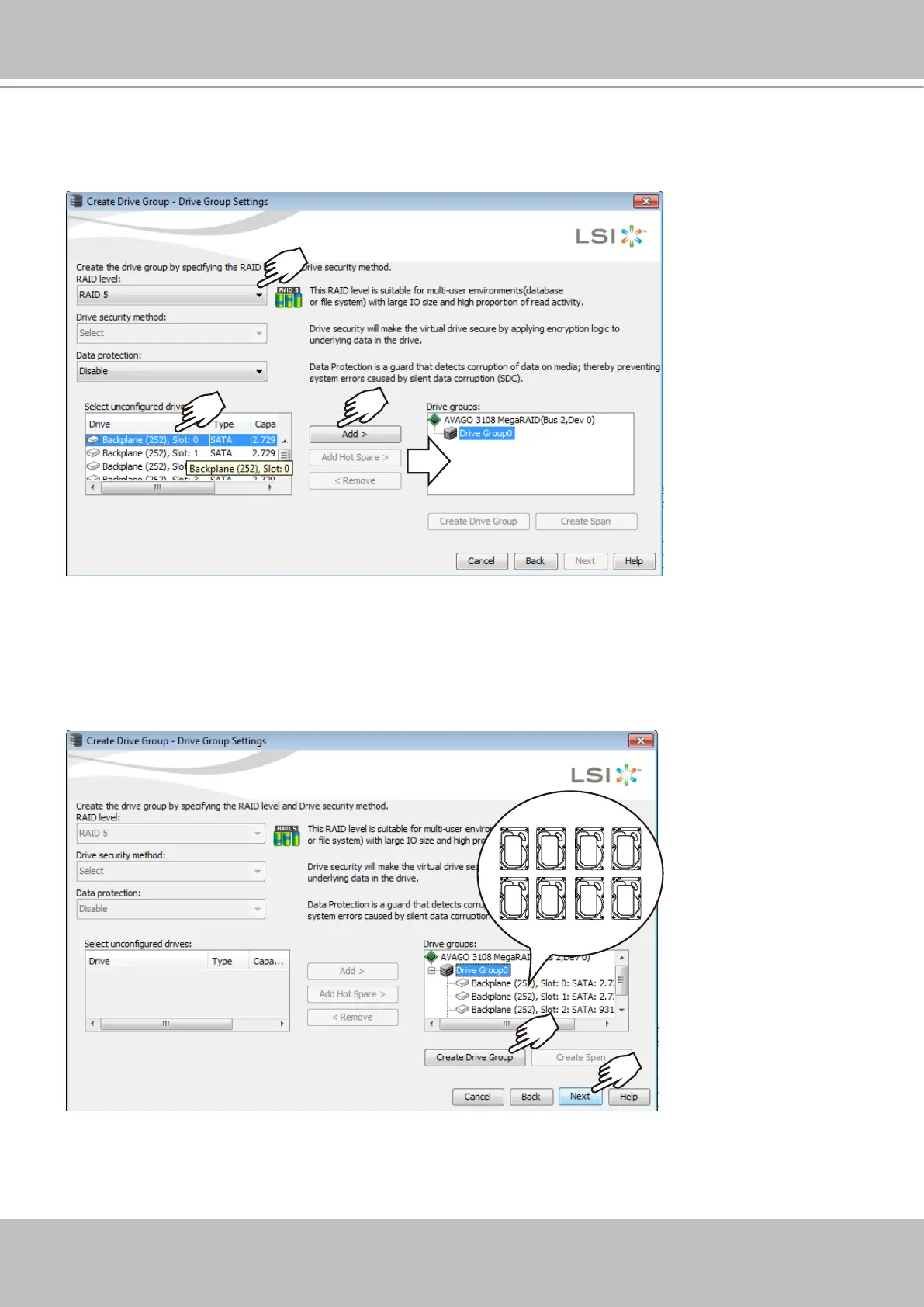
8. Select a RAID level, and then select multiple disk drives as the members of your drive group.
Left-click to select a disk drive, and click Add to add it to group. You do not need to select the
Data protection option.
9. Click on the Drive Group 0 entry you have just congured. The Create Drive Group button
will become available. Click Next to proceed.
Refer to the next section: RAID Basics on page 41, for details about RAID levels.



 To Next Page