VIVOTEK - A Leading Provider of Multimedia Communication Solutions
User's Manual - 37
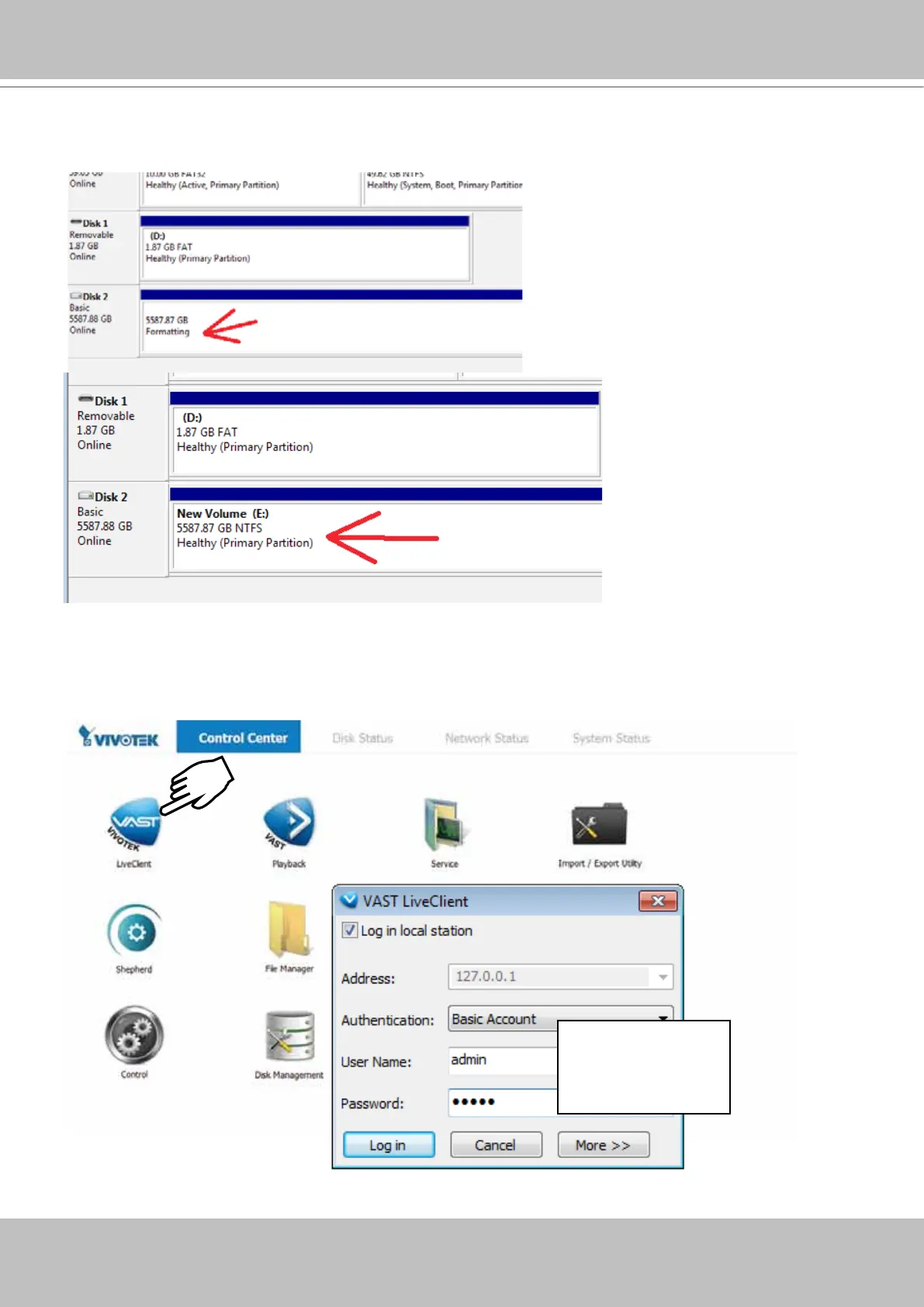
21. The formatting process will run in the background. When done, the new volume shall be
indicated as a healthy new volume. Close the Disk Management window.
22. Start VIVOTEK LiveClient utility by double-clicking its shortbut. Enter admin and admin as
the User Name and default Password. You can change the password later in the utility. Click
Log in to proceed.
X2
admin
admin



 To Next Page