DETAILED DV-1 OPERATION VIDEO REVIEW MODE
49
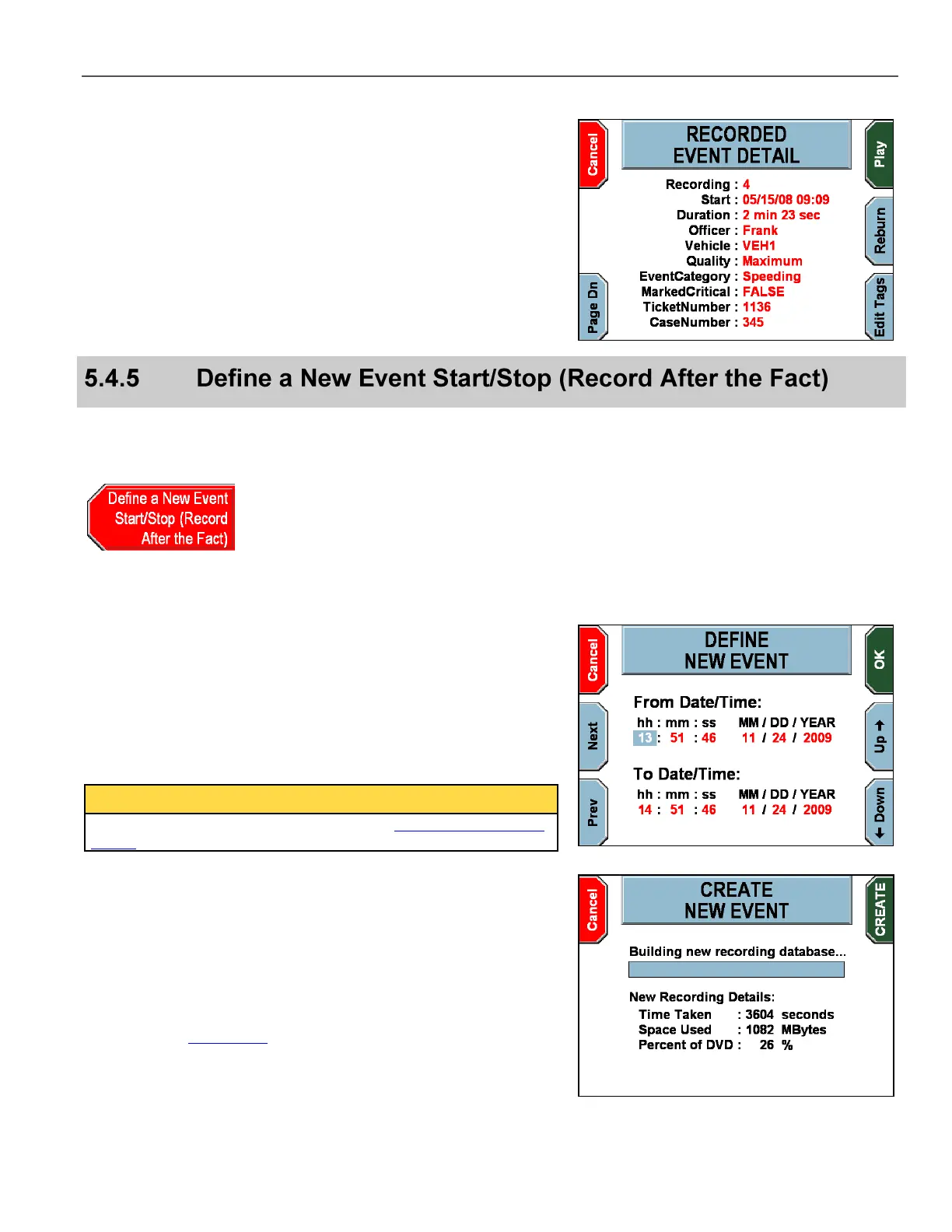
The RECORDED EVENT DETAIL screen displays, showing details
about the highlighted recorded event.
Press Page Dn to display additional details about the recorded
event. Press Play to view the recorded event. Press Reburn to
reburn this recorded event as a new event on the current DVD.
Press Edit Tags to edit the event tags for the recorded event
displayed. This key is only available for recorded events that have
event tags associated.
This option allows the officer to specify a start and stop time to
define a new event. All available video between the two times
becomes the next event on the DVD.
From the video review screen, press Define a New Event
Start/Stop (Record After the Fact).
The DEFINE NEW EVENT screen displays.
Press Next and Prev to highlight the desired field to change.
Press the Up and Down
keys to change the value.
Press OK to define the new event.
The video selected for the event follows the Video Review Access
Levels as defined on page 82.
The CREATE NEW EVENT screen displays.
Press CREATE to create the new event.
If event tags are configured, the officer is then prompted for each
event tag. See Event Tags on page 97 for further details.



 To Next Page